1. Gabatarwa
This manual provides detailed instructions for the installation, operation, and maintenance of your SONOFF Zigbee Smart Plug S31 Lite. Please read this manual thoroughly before using the product to ensure proper function and safety.
Mabuɗin fasali:
- Simple Setup and Use: Easy pairing with a compatible Zigbee hub.
- Sarrafa wayo: Control connected appliances via smartphone app and set schedules.
- Ikon murya: Mai jituwa tare da Amazon Alexa da Google Home don aiki mara hannu.
- Zigbee Repeater Function: Extends your Zigbee network range.
- Tabbacin ETL: Yana tabbatar da aminci da inganci na samfur.
- Karamin Tsara: Does not obstruct adjacent outlets.

Image 1.1: The SONOFF S31 Lite Zigbee Smart Plug in a standard wall outlet.

Hoto 1.2: Cikakken bayani view of the SONOFF S31 Lite Smart Plug, showing its components and safety features.
2. Saita Umarnin
The SONOFF S31 Lite Zigbee Smart Plug requires a compatible Zigbee hub (e.g., SmartThings, Amazon Echo Plus) for smart functionality.
2.1 Haɗawa da Zigbee Hub
- Plug the SONOFF S31 Lite Smart Plug into a standard wall outlet.
- Tabbatar cewa cibiyar Zigbee ɗinku tana aiki kuma tana cikin yanayin haɗawa. Duba littafin jagorar cibiyar ku don takamaiman umarni kan kunna yanayin haɗawa.
- Bude eWeLink App akan wayoyin ku.
- Danna alamar "+" a kusurwar sama ta dama don ƙara sabuwar na'ura.
- Follow the on-screen instructions to discover and add the SONOFF S31 Lite Smart Plug to your network. This typically involves selecting the Zigbee device type and confirming the pairing process.
- Once successfully paired, the device will appear in your eWeLink App and be controllable through your Zigbee hub.

Image 2.1: Visual guide for adding a device using the eWeLink app.
2.2 Hub Compatibility
The SONOFF S31 Lite is designed to work with various Zigbee hubs, including:
- SmartThings Hub
- Amazon Echo Plus
- Amazon Echo Show (2nd Gen)
- Amazon Echo Studio

Image 2.2: Compatibility diagram for the SONOFF Zigbee Smart Plug.
3. Umarnin Aiki
3.1 App Control
Once paired, you can control the smart plug and connected devices through the eWeLink app:
- Kunnawa/Kashewa: Matsa alamar wutar lantarki a cikin app don kunna ko kashe na'urar da aka haɗa.
- Tsaraitawa: Set custom schedules, timers, or countdowns for automatic operation.
- Kula da Wuta: View real-time power consumption (if supported by your specific model and app version).

Image 3.1: Controlling a device via the eWeLink app interface.

Hoto 3.2: Example of setting a schedule for an appliance.
3.2 Ikon murya
Integrate your SONOFF S31 Lite with Amazon Alexa or Google Home for convenient voice commands. Ensure your Zigbee hub is linked to your voice assistant account.
- Amazon Alexa: After linking your eWeLink or SmartThings account to Alexa, you can use commands like "Alexa, turn on the [device name]" or "Alexa, turn off the [device name]."
- Gidan Google: Similar integration allows commands such as "Hey Google, turn on the [device name]."
Video 3.1: Demonstration of controlling SONOFF devices using Alexa voice commands.
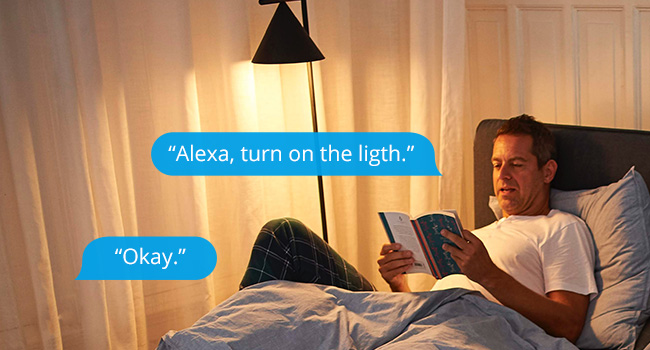
Hoto 3.3: Example of using Alexa to control a light connected to the smart plug.
3.3 Ikon Manual
The smart plug features a physical button on its side. Press this button to manually toggle the power of the connected appliance on or off. This action will also update the status in your app.

Image 3.4: The SONOFF S31 Lite Smart Plug used with a lamp, illustrating its versatility.
4. Kulawa
To ensure the longevity and optimal performance of your SONOFF Zigbee Smart Plug S31 Lite:
- Tsaftace na'urar kuma ba ta da ƙura. Yi amfani da bushe, zane mai laushi don tsaftacewa.
- Ka guji fallasa na'urar zuwa danshi mai yawa ko matsanancin zafi.
- Kada kayi ƙoƙarin kwance ko gyara na'urar da kanka. Tuntuɓi tallafin abokin ciniki don taimako.
- Ensure the connected appliance's power consumption does not exceed the smart plug's maximum rating (15 Amps).
5. Shirya matsala
If you encounter issues with your SONOFF Zigbee Smart Plug S31 Lite, consider the following:
- Na'urar Baya Amsa:
- Check if the smart plug is properly plugged into the outlet and receiving power.
- Verify that your Zigbee hub is online and functioning correctly.
- Ensure the smart plug is within range of your Zigbee hub or another Zigbee repeater.
- Try re-pairing the device with your Zigbee hub.
- Abubuwan Haɗin App:
- Confirm your smartphone has a stable internet connection.
- Restart the eWeLink app.
- Bincika don sabunta app.
- Ikon Murya baya Aiki:
- Ensure your Zigbee hub is correctly linked to your voice assistant (Alexa/Google Home) account.
- Verify the device name used in voice commands matches the name in your app.
- Check your voice assistant's settings for any connectivity issues.
If problems persist, please refer to the official SONOFF support resources or contact customer service.
6. Ƙayyadaddun bayanai
| Siffar | Daki-daki |
|---|---|
| Lambar Samfura | S31 Lite |
| Girman samfur | 1.57 x 3 x 1.3 inci |
| Nauyin Abu | 3.21 oz |
| Ƙididdiga na Yanzu | 15 Amps |
| Kayan abu | Copper (internal components), PC V0 (shell) |
| Haɗuwa | Zigbee Protocol (Hub Required) |
| Daidaituwa | SmartThings, Amazon Echo Plus, Alexa, Google Home |
| Nau'in hawa | Plug-In Dutsen |
7. Garanti da Tallafawa
For warranty information, technical support, or further assistance, please visit the official SONOFF website or contact their customer service department. Details can typically be found on the product packaging or the SONOFF official website.


