Gabatarwa
Thank you for choosing COBY True Wireless Sport Earbuds. These earbuds are designed to provide a seamless audio experience with advanced features like Bluetooth 5.3 connectivity, automatic pairing, and intuitive controls, perfect for active lifestyles. This manual will guide you through the setup, operation, maintenance, and troubleshooting of your new earbuds to ensure optimal performance and longevity.
1. Abubuwan Kunshin
Kafin ka fara, da fatan za a tabbatar da duk abubuwa suna cikin kunshin:
- COBY True Wireless Sport Earbuds
- Cajin Cajin
- Cajin Cable
- 2 Extra Pairs of Ear Gels (S/M)
- Jagorar mai amfani (wannan takaddar)
2. Jagorar Saita
2.1 Cajin kunne da Case
For first-time use, fully charge the earbuds and the charging case. The charging case holds two extra charges, providing up to 15 hours of total battery life.
- Sanya belun kunne a cikin ramummuka daban-daban a cikin akwati na caji. Tabbatar sun zauna daidai.
- Connect the charging cable to the charging port on the case and the other end to a USB power source (e.g., wall adapter, computer USB port).
- The LED indicators on the case and earbuds will show charging status. Once fully charged, the indicators will change or turn off.

Image: Earbuds securely placed within the charging case, ready for charging.

Image: The earbuds displayed alongside their open charging case, illustrating how they fit.
2.2 Initial Pairing (Auto-Pairing)
Your COBY earbuds feature auto-pairing for convenience.
- Tabbatar ana cajin belun kunne.
- Bude akwati na caji. Na'urar kunne za ta shigar da yanayin haɗin kai ta atomatik.
- A kan na'urarka (wayar hannu, kwamfutar hannu, da sauransu), je zuwa saitunan Bluetooth kuma kunna Bluetooth.
- Bincika available devices and select "COBY CETW570WH" (or similar name) from the list.
- Da zarar an haɗa, za ku ji sautin tabbatarwa, kuma belun kunne za su kasance a shirye don amfani.
- After the initial pairing, the earbuds will automatically connect to your last paired device when removed from the case.
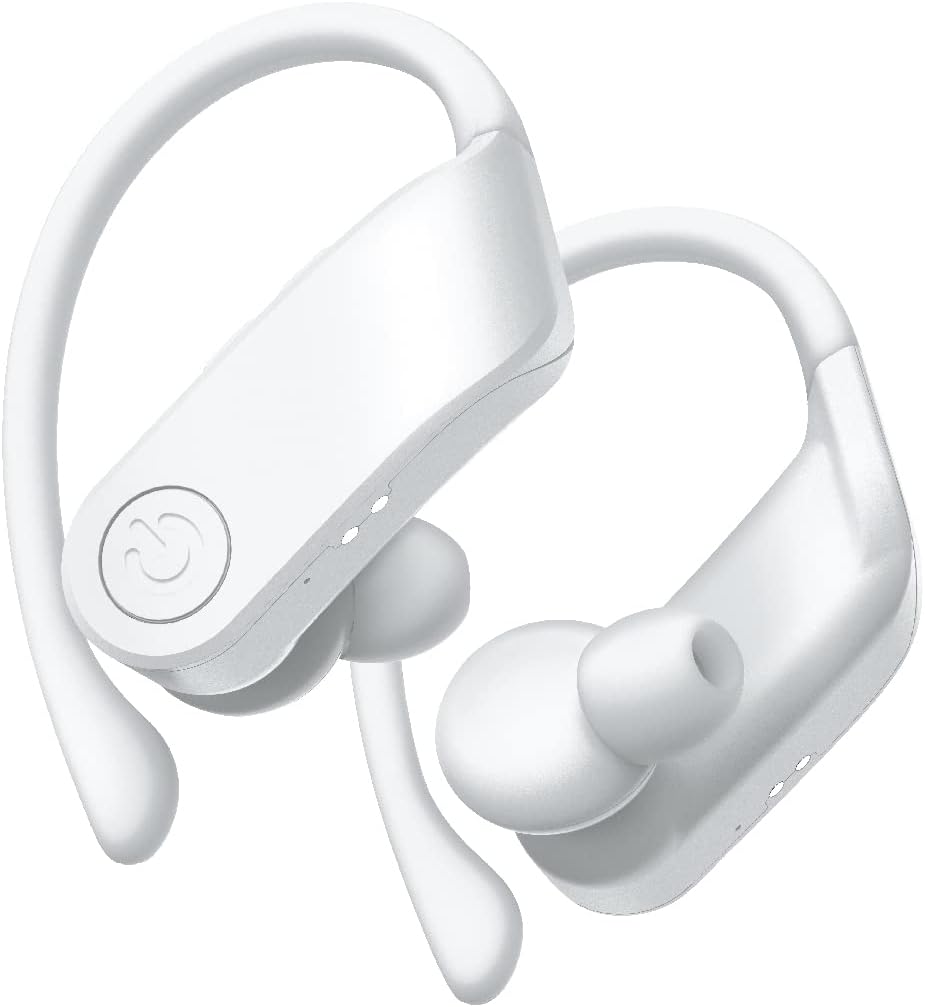
Hoto: Kusanci view of the white COBY True Wireless Sport Earbuds, highlighting their design.
3. Umarnin Aiki
3.1 Saka abin kunne
These earbuds are designed with rubberized ear hooks for a secure and comfortable fit, especially during sports and exercise.
- Gane belun kunne na hagu (L) da dama (R).
- Saka abin kunne a hankali a cikin canal ɗin ku.
- Adjust the ear hook over the top of your ear until it feels snug and stable.
- Ensure a good seal in your ear canal for optimal sound quality and bass response.
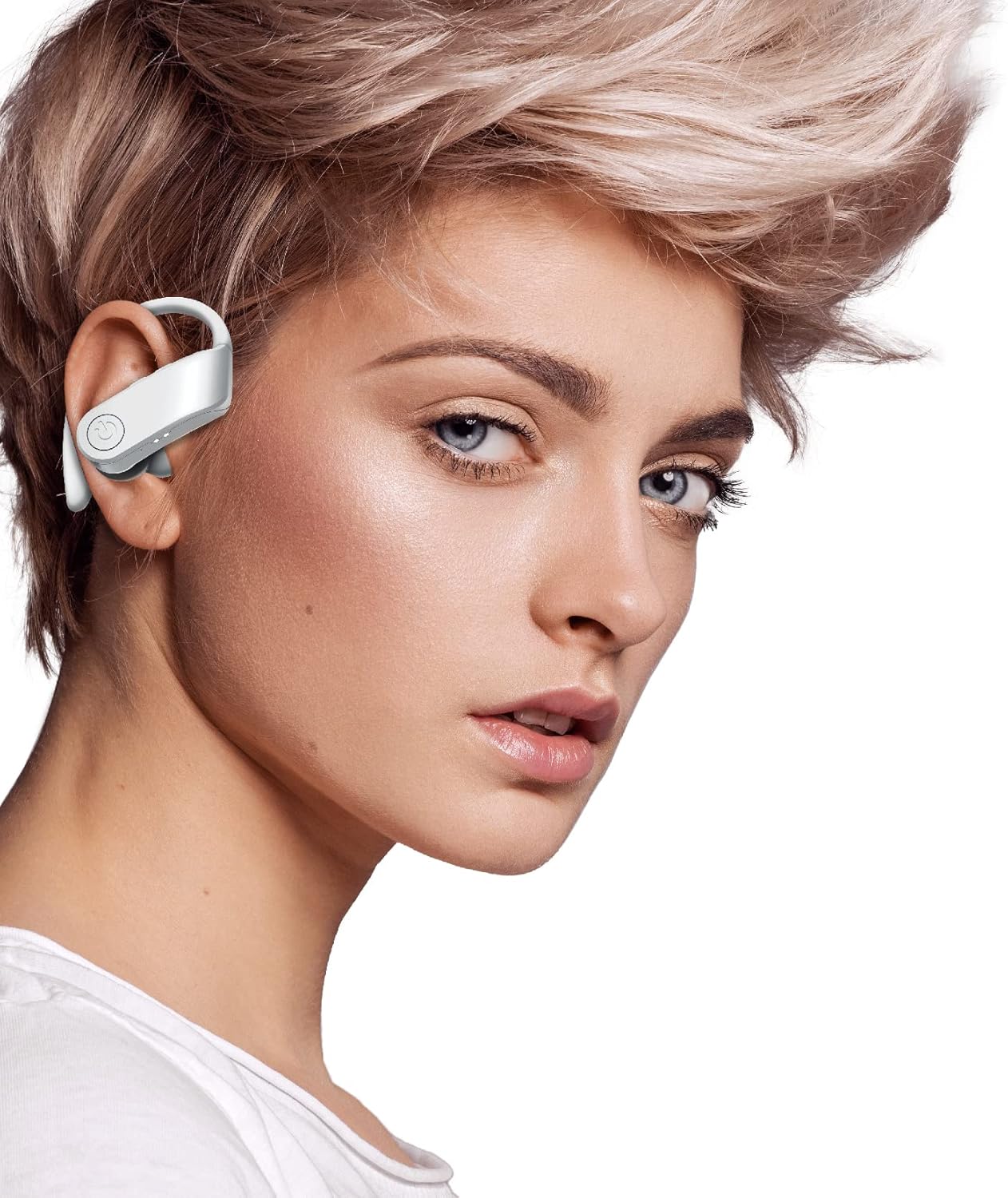
Image: A person wearing one of the COBY True Wireless Sport Earbuds, demonstrating the secure fit with the ear hook.
3.2 Playback and Call Controls
Lasisin kunne yana da ikon sarrafa maɓallan da suka dace don sarrafa sauti da kira:
| Aiki | Sarrafa |
|---|---|
| Kunna/Dakata Kiɗa | Single press on either earbud button |
| Waƙa ta gaba | Double press on the Right earbud button |
| Waƙar da ta gabata | Double press on the Left earbud button |
| Amsa/Ƙarshen Kira | Single press on either earbud button |
| Karɓi Kira | Press and hold either earbud button for 2 seconds |
| Kunna Mataimakin Murya (Siri/Mataimakin Google) | Triple press on either earbud button |
3.3 Automatic Disconnection
To disconnect the earbuds from your device and begin charging, simply place them back inside the charging case and close the lid. They will automatically power off and start charging.
4. Kulawa da Kulawa
Proper care will extend the life of your earbuds and ensure consistent performance.
- Tsaftacewa: Use a soft, dry, lint-free cloth to clean the earbuds and charging case. Do not use abrasive cleaners, alcohol, or chemical solvents. Regularly clean the ear tips and charging contacts to prevent debris buildup.
- Ajiya: Idan ba a amfani da shi, a riƙa ajiye belun kunne a cikin akwatin caji domin kare su daga ƙura, datti, da lalacewa.
- Kulawar Baturi: To preserve battery life, avoid fully discharging the earbuds and case frequently. Charge them regularly, even if not in constant use. Store in a cool, dry place away from extreme temperatures.
- Juriya na Ruwa: While designed for sport, these earbuds are sweat-proof. Avoid submerging them in water or exposing them to heavy rain.
5. Shirya matsala
Idan kun ci karo da wata matsala tare da belun kunne, da fatan za a koma ga mafita gama gari masu zuwa:
| Matsala | Magani |
|---|---|
| Kayan kunne ba sa haɗawa da na'ura |
|
| Babu sauti daga belun kunne ɗaya ko duka biyun |
|
| Cajin Cajin baya cajin belun kunne |
|
| Poor sound quality or intermittent connection |
|
6. Ƙayyadaddun bayanai
| Siffar | Daki-daki |
|---|---|
| Sunan Samfura | CETW570WH |
| Fasahar Haɗuwa | Mara waya (Bluetooth) |
| Sigar Bluetooth | 5.3 |
| Mara waya mara waya | Har zuwa ƙafa 33 (mita 10) |
| Rayuwar Baturi (Bun kunne) | Har zuwa awanni 5 a kowane caji |
| Total Play Time (with Case) | Har zuwa awanni 15 |
| Nau'in sarrafawa | Button Control, Siri, Google Assistant |
| Wurin Kunne | In Ear with Hook |
| Kayan abu | Acrylonitrile Butadiene Styrene (ABS) |
| Girman samfur | 5 x 2.24 x 6.46 inci |
| Nauyin Abu | 10 oz |
| UPC | 643620020470 |
7. Garanti da Tallafawa
COBY products are designed for reliability and performance. For information regarding warranty coverage, please refer to the warranty card included in your product packaging or visit the official COBY website. Ajiye shaidar siyan ku don da'awar garanti.
For technical support, troubleshooting assistance, or to inquire about replacement parts, please contact COBY customer service through their official webshafin ko bayanin tuntuɓar da aka bayar a cikin takaddun samfuran ku.
Lura: Bayanai na iya canzawa ba tare da sanarwa ba.


