1. Gabatarwa
This manual provides essential information for the proper use and maintenance of your Soundcore Anker Life 2 Neo Wireless Headphones. Please read it thoroughly before using the product to ensure optimal performance and longevity.
2. Abin da ke cikin Akwatin
- Soundcore Anker Life 2 Neo Wireless Headphones
- USB-C Cajin Cable
- 3.5mm Audio Cable
- Jagorar mai amfani (wannan takaddar)
3. Kayan Samfura
- 100% More Bass: Oversized 40mm titanium-coated drivers with BassUp technology for enhanced bass output.
- Hi-Res Audio: Delivers sound up to 40 kHz for a rich listening experience.
- Tsawon Lokacin Wasa: Har zuwa awanni 60 na ci gaba da sake kunnawa akan caji ɗaya.
- Saurin Caji: 5-minute charge provides 5 hours of listening via the high-speed USB-C port.
- Zane Mai Daɗi: Features memory foam earcups, an adjustable headband, and flexible earcups for extended wear.
- Haɗin kai: Bluetooth 5.0 for wireless connection and a 3.5mm audio jack for wired listening.
- Foldable Zane: Karami da šaukuwa don sauƙin ajiya da sufuri.

Image: Soundcore Life 2 Neo Headphones highlighting Hi-Res Audio certification.

Image: Diagram illustrating the BassUp Technology within the Soundcore Life 2 Neo Headphones.
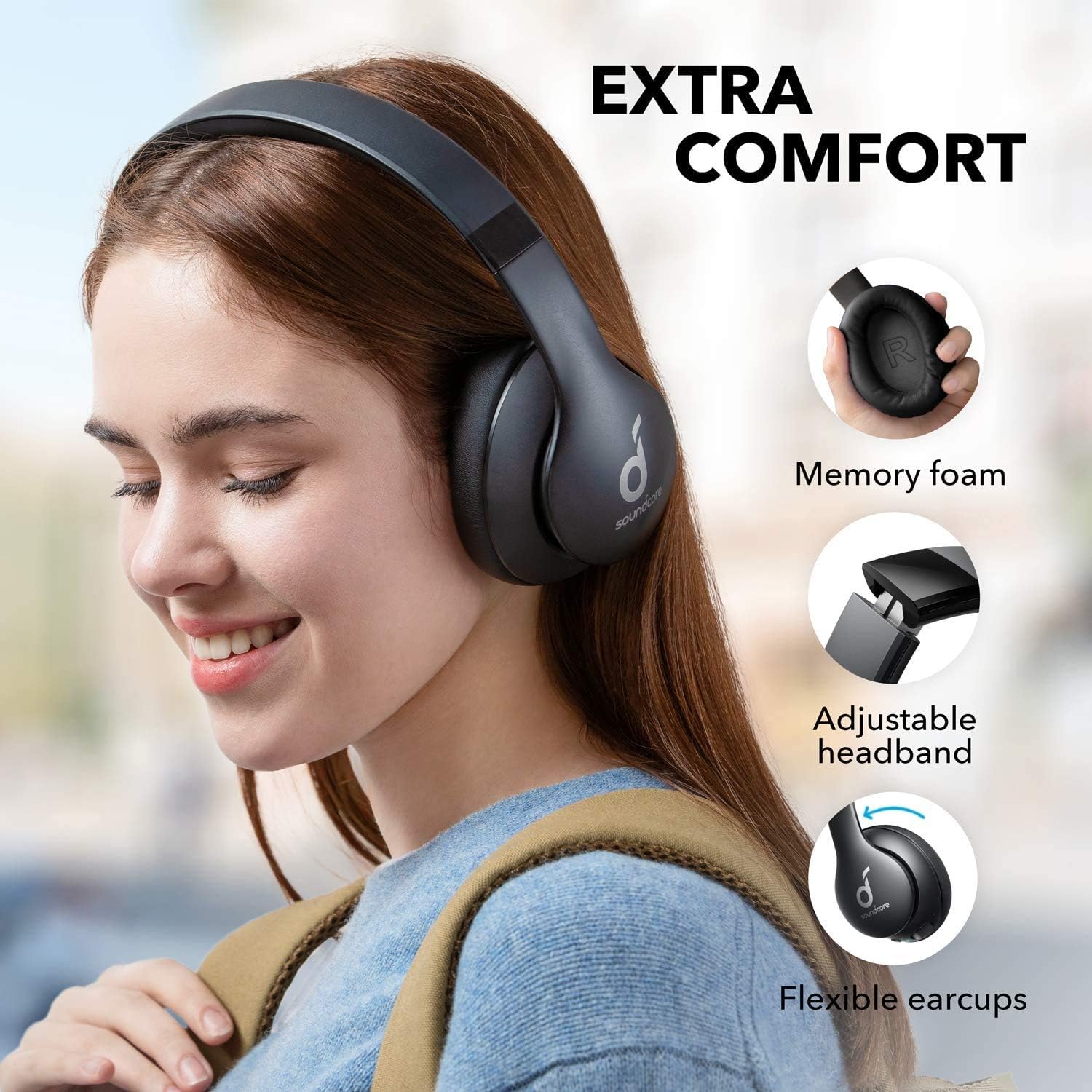
Image: Soundcore Life 2 Neo Headphones demonstrating memory foam, adjustable headband, and flexible earcups for extra comfort.
4. Saita
4.1 Cajin belun kunne
Before first use, fully charge your headphones. Connect the provided USB-C cable to the charging port on the headphones and the other end to a compatible USB power source (e.g., wall adapter, computer USB port). The LED indicator will show charging status.
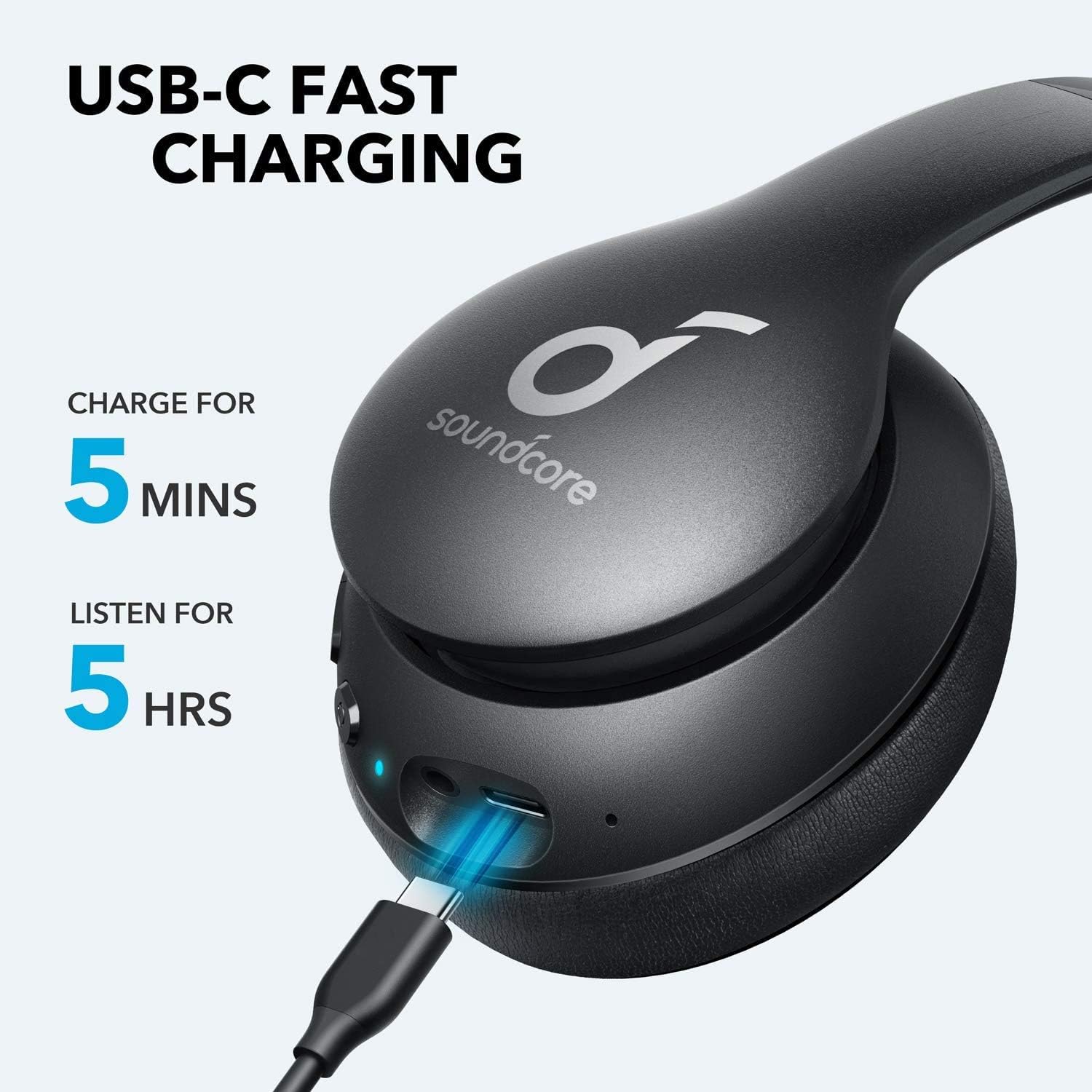
Image: Soundcore Life 2 Neo Headphones being charged via USB-C cable, illustrating the fast charging capability.
4.2 Kunnawa / Kashewa
- Don Kunnawa: Latsa ka riƙe maɓallin wuta har sai alamar LED ta haskaka.
- Don Kashe: Danna maɓallin Wuta kuma ka riƙe har sai alamar LED ta kashe.
4.3 Haɗin Bluetooth
- Tabbatar an kashe belun kunne.
- Press and hold the Power button for approximately 3-5 seconds until the LED indicator flashes blue, indicating pairing mode.
- A kan na'urarka (wayar hannu, kwamfutar hannu, kwamfuta), kunna Bluetooth kuma bincika samammun na'urori.
- Select "Soundcore Life 2 Neo" from the list of devices.
- Da zarar an haɗa, alamar LED za ta zama shuɗi mai ƙarfi.
4.4 Haɗin Waya
If Bluetooth is not available or the battery is depleted, you can use the provided 3.5mm audio cable. Plug one end into the headphone's audio jack and the other end into your device's 3.5mm audio output.
5. Umarnin Aiki
5.1 Gudanarwa
Wayoyin kunne suna da ikon sarrafawa da ke kan abin kunne:
- Maɓallin Wuta: Power on/off, play/pause music, answer/end calls.
- Ƙara girma (+): Increase volume, skip to next track (long press).
- Ƙarƙashin ƙara (-): Decrease volume, skip to previous track (long press).
- Maballin BassUp: Activate/deactivate BassUp mode for enhanced bass.
5.2 Sanya belun kunne
The Soundcore Life 2 Neo headphones are designed for over-ear comfort. Adjust the headband to fit snugly on your head, ensuring the earcups fully cover your ears. The earcups are marked 'L' for left and 'R' for right for correct orientation.

Image: A person wearing Soundcore Life 2 Neo Headphones, demonstrating proper fit and comfort.
6. Kulawa
- A riƙa tsaftace belun kunne akai-akai da kyalle mai laushi da busasshe.
- Guji fallasa belun kunne ga matsanancin zafi, zafi, ko hasken rana kai tsaye.
- Kada a yi amfani da masu tsabtace abrasive ko sauran ƙarfi.
- Ajiye belun kunne a wuri mai sanyi, bushe lokacin da ba a amfani da shi. Zane mai naɗewa yana ba da damar adana ƙaramin ajiya.
7. Shirya matsala
7.1 Ba za a iya Haɗawa da Na'ura ba
- Tabbatar cewa belun kunne suna cikin yanayin haɗawa (shuɗin LED mai walƙiya).
- Tabbatar cewa an kunna Bluetooth akan na'urarka.
- Matsar da belun kunne kusa da na'urarka.
- Gwada sake kunna duka belun kunne da na'urar ku.
- Share abubuwan haɗin Bluetooth na baya akan na'urarka kuma sake gwada haɗawa.
7.2 Babu Sauti ko Ƙananan Ƙara
- Bincika matakan ƙara akan duka belun kunne da na'urar da aka haɗa ku.
- Ensure the headphones are properly paired or connected via the 3.5mm audio cable.
- If using a wired connection, ensure the cable is fully inserted into both jacks.
- Gwada da wata na'ura ko tushen sauti daban.
7.3 Abubuwan Cajin
- Ensure the USB-C cable is securely connected to both the headphones and the power source.
- Gwada amfani da kebul na USB-C daban ko adaftar wuta.
- Verify the power source is functioning correctly.
8. Ƙayyadaddun bayanai
| Siffar | Daki-daki |
|---|---|
| Sunan Samfura | Rayuwa 2 Neo |
| Alamar | Soundcore |
| Fasahar Haɗuwa | Mara waya (Bluetooth), Waya (3.5mm) |
| Fasahar Sadarwa mara waya | Bluetooth 5.0 |
| Girman Direban Audio | 40 millimeters |
| Rayuwar Baturi | 60 Awanni |
| Lokacin Caji | Minti 5 na tsawon awanni 5 na sake kunnawa |
| Nau'in sarrafawa | Ikon Mai jarida, Murya |
| Wurin Kunne | Sama Da Kunne |
| Kayan abu | Faux Leather, Metal, Plastic |
| Nauyin Abu | Kilogram 0.5 (kilo 1.1) |
| Siffa ta Musamman | Foldable, USB connectivity, Wireless |
9. Garanti da Tallafawa
For warranty information and customer support, please refer to the documentation included with your purchase or visit the official Soundcore website. Sharuɗɗan garanti na musamman na iya bambanta ta yanki da dillali.


