1. Samfurin Ya Ƙareview
The Aigostar Wireless Doorbell system provides a convenient and reliable solution for home entry alerts. It features a self-powered transmitter and a battery-operated receiver, offering a long operating range and multiple customization options.
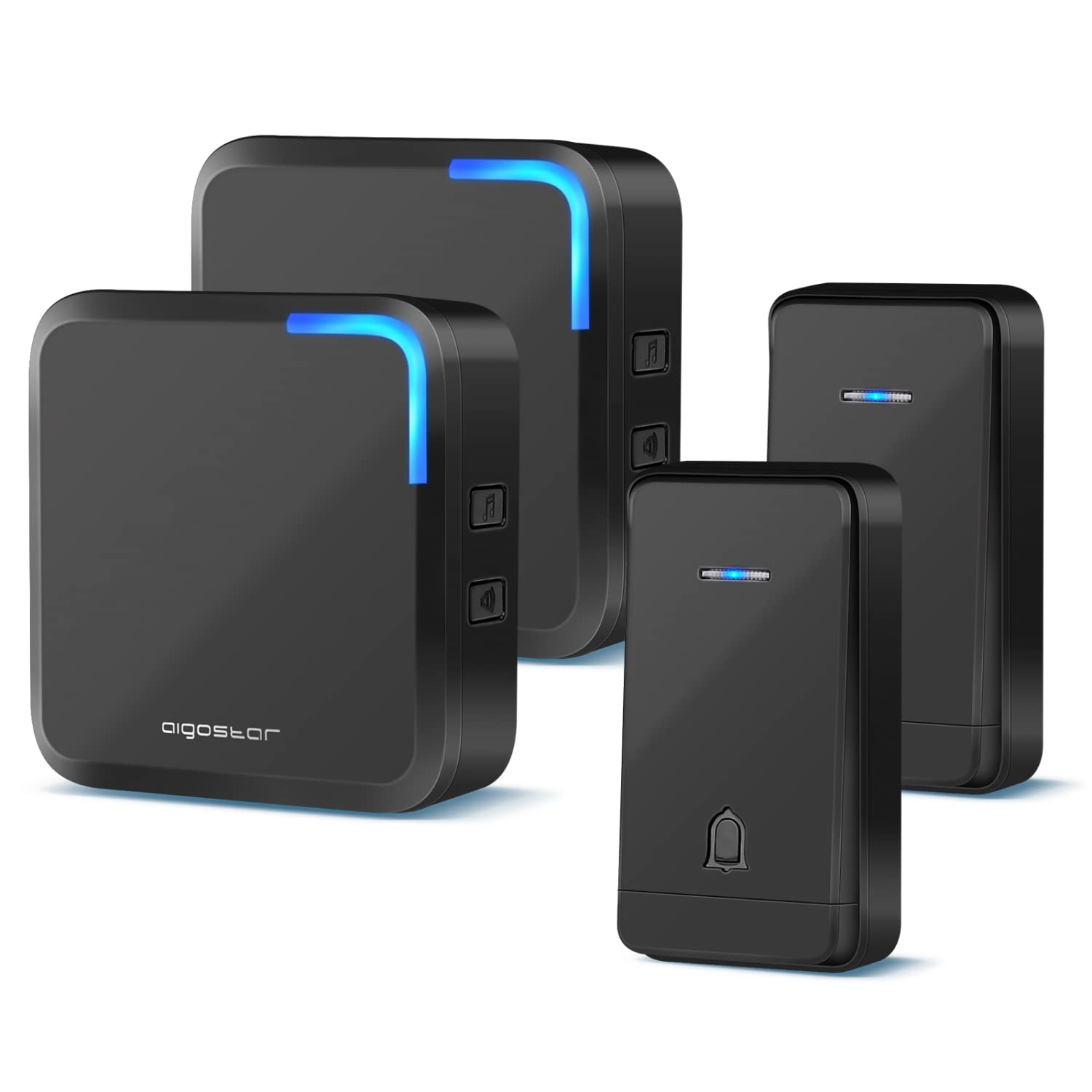
Hoto na 1: Ƙarsheview of the Aigostar Wireless Doorbell system, showing the transmitter and receiver units.
Mabuɗin fasali:
- Mai Watsawa Mai Ikon Kai: No batteries required for the push button, ensuring a long lifespan.
- Zane mai hana ruwa: IP44 rated for dust and water resistance, suitable for outdoor use in various weather conditions (-4°F to 140°F).
- Tsawon Tsawon Aiki: Up to 1000ft (300m) in open areas, or 328ft (100m) indoors, allowing coverage throughout your property.
- Kalmomi masu iya canzawa: 32 selectable melodies, including traditional 'Ding Dong'.
- Ƙarar Daidaitacce: 4 volume levels with a maximum of 110 dB.
- Faɗakarwar Filashin LED: Visual indication on the receiver for enhanced notification.
- Ayyukan ƙwaƙwalwa: Retains selected chime and volume settings after power loss.
2. Abubuwan Kunshin
Kafin shigarwa, da fatan za a tabbatar cewa duk abubuwan da aka gyara suna nan a cikin kunshin:
- Self-Powered Transmitter(s)
- Battery-Operated Receiver(s)
- Hawan Screws da Anchors
- Tef ɗin Maɗaukaki Biyu
- Manual mai amfani

Image 2: Contents of the Aigostar Wireless Doorbell package, including transmitters, receivers, and mounting hardware.
3. Saita da Shigarwa
The Aigostar Wireless Doorbell system is designed for easy installation. The transmitter and receiver units are pre-paired at the factory.
3.1 Saitin Mai karɓa
- Insert 3 AAA batteries (not included) into the battery compartment of the receiver.
- Place the receiver in a central location within your home, ensuring it is within the operating range of the transmitter.
3.2 Shigar da watsawa
The transmitter can be installed using either adhesive tape or screws.
Method A: Adhesive Tape
- A tsaftace wurin da ake so a ɗora shi sosai domin a tabbatar da cewa ya bushe kuma babu ƙura ko mai a jikinsa.
- Peel off one side of the double-sided adhesive tape and apply it to the back of the transmitter.
- Peel off the other side of the tape and firmly press the transmitter onto the cleaned surface. Hold for 30 seconds to ensure good adhesion.

Image 3: Step-by-step guide for mounting the transmitter using double-sided adhesive tape.
Method B: Screws
- Yi amfani da screwdriver don buɗe murfin baya na mai watsawa a hankali.
- Alama wurin hawan da ake so akan bango.
- Drill two holes at the marked positions. Insert the expansion bolts into the holes.
- Align the back cover with the drilled holes and secure it with screws.
- Attach the main body of the transmitter onto the secured back cover.

Image 4: Detailed instructions for mounting the transmitter using screws and anchors.

Image 5: A visual comparison of the two installation methods: adhesive tape and screws.
4. Umarnin Aiki
4.1 Canza Waƙoƙi
To change the melody, press the 'Music' button on the side of the receiver. Each press will cycle through the 32 available chimes. Stop pressing when you hear your desired melody.

Image 6: The receiver unit, highlighting the buttons for melody selection and volume adjustment.
4.2 Daidaita Girma
To adjust the volume, press the 'Volume' button on the side of the receiver. There are 4 volume levels, ranging from 0 dB (mute) to 110 dB. Cycle through the levels until you reach your preferred volume.

Image 7: Visual representation of the 4 adjustable volume levels on the receiver.
4.3 LED Flash Alert
The receiver features an LED light that flashes when the doorbell is pressed, providing a visual alert in addition to the audio chime. This is particularly useful in noisy environments or for individuals with hearing impairments.
Video 1: Demonstrates the self-powered transmitter, wireless range, IP44 waterproofing, 32 chimes, 4 volume levels, and LED flash feature of the Aigostar Wireless Doorbell.
5. Kulawa da Kulawa
- Tsaftacewa: Wipe the doorbell units with a soft, dry cloth. Do not use abrasive cleaners or solvents.
- Battery Replacement (Receiver): When the receiver's sound becomes weak or inconsistent, replace the 3 AAA batteries.
- Mai watsawa: The transmitter is self-powered and does not require battery replacement.
- Ƙididdiga mai hana ruwa: The transmitter is IP44 waterproof. While designed for outdoor use, avoid submerging it in water.

Image 8: The IP44 waterproof transmitter shown enduring snow and sun, indicating its suitability for diverse weather conditions.
6. Shirya matsala
If you encounter issues with your Aigostar Wireless Doorbell, refer to the following common solutions:
- Babu Sauti daga Mai karɓa:
- Check if the receiver batteries are correctly inserted and not depleted.
- Ensure the volume is not set to 0 dB (mute).
- Verify the transmitter and receiver are within operating range and not obstructed by thick walls or metal objects.
- Doorbell Not Ringing:
- Confirm the transmitter button is being pressed firmly.
- Check for any physical damage to the transmitter.
- If the units were moved, they might need to be re-paired (refer to manufacturer's website for specific re-pairing instructions if needed, as this model is typically pre-paired).
- Gajeren zangon aiki:
- Relocate the receiver to a more central position.
- Avoid placing units near large metal structures, heavy concrete walls, or other electronic devices that may cause interference.
7. Ƙayyadaddun bayanai
| Siffar | Ƙayyadaddun bayanai |
|---|---|
| Lambar Samfura | B08TGP227L |
| Range Aiki | Up to 1000ft (300m) in open area; 328ft (100m) indoors |
| Karin waƙa | 32 zažužžukan chimes |
| Matakan girma | Matakai 4 (0 dB zuwa 110 dB) |
| Ikon watsawa | Self-powered (no battery required) |
| Mai karɓar Mai karɓa | 3 x AAA baturi (ba a haɗa su ba) |
| Kimar hana ruwa | IP44 (Mai watsawa) |
| Yanayin Aiki | -4°F zuwa 140°F (-20°C zuwa 60°C) |
| Mai ƙira | Aigostar |
| Nauyin Abu | 14.4 oganci (jimlar fakitin) |
| Girman Kunshin | 7.8 x 3.78 x 2.83 inci |
8. Garanti da Tallafawa
Aigostar products are designed for reliability and performance. For warranty information, technical support, or customer service inquiries, please refer to the contact details provided with your purchase or visit the official Aigostar website.
You can visit the Aigostar Store for more information: Aigostar Store on Amazon