1. Gabatarwa
The COMPUTHERM T-32 room thermostat is designed for controlling most boilers and air conditioners available in the EU. It can be easily connected to any gas boiler with a two-wire thermostatic connection point, and to all air conditioning systems or electrical appliances, whether they have a 24V or 230V control circuit.
This digital thermostat allows for more precise temperature measurement and adjustment compared to traditional thermostats. It helps reduce energy costs while maintaining comfort by regulating the connected appliance (e.g., a gas boiler or pump) based on the measured and set temperatures.
Mabuɗin fasali:
- Madaidaicin Kula da Zazzabi: Easily set desired temperature between 5°C and 30°C in 0.5°C increments.
- Constant Indoor Temperature: Switching sensitivity of ±0.2°C or 0.1°C ensures a uniform and stable room temperature.
- Daidaituwar Mahimmanci: Suitable for boilers with a two-wire connection and various HVAC systems (24V or 230V).
- Yanayin dumama da sanyaya: Supports both heating and cooling functions.
- Nuni na Nuni: Provides clear and accurate temperature readings.
2. Saita da Shigarwa
Muhimmi: Dole ne mutumin da ya cancanta ya shigar da na'urar.
Abubuwan Kunshin 2.1
Tabbatar cewa duk abubuwan da aka gyara suna nan:
- 1x COMPUTHERM T-32 Digital Room Thermostat
- 2 x AAA baturi
- Mounting hardware (screws and wall plugs)

Figure 1: Package contents including the thermostat, batteries, and mounting hardware.
2.2 Shigar da Baturi
- Carefully remove the back cover of the thermostat.
- Insert the two AAA batteries into the battery compartment, ensuring correct polarity (+/-).
- Sauya murfin baya.
2.3 Hawa da Waya
The thermostat is designed for wall mounting in a room. Choose a location away from direct sunlight, drafts, or heat sources that could affect temperature readings.
- Separate the front panel from the back plate.
- Yi alama a wurin da ake so a ɗora a bango.
- Haɗa ramuka kuma saka matosai na bango.
- Secure the back plate to the wall using the provided screws.
- Connect the two-wire control circuit from your boiler or HVAC system to the terminals on the back plate. Refer to the wiring diagram on the back of the thermostat for correct connections.
- Carefully reattach the front panel to the back plate.

Hoto 2: Na baya view of the thermostat with wiring terminals and battery compartment details.
3. Aiki
3.1 Nuna Samaview
The digital display shows the current room temperature and the set desired temperature. The thermostat features three control buttons below the display.

Hoto 3: Gaba view of the COMPUTHERM T-32 thermostat with its digital display and three control buttons.
3.2 Setting the Desired Temperature
Use the temperature control buttons (typically marked with up and down arrows or similar symbols) to adjust the desired temperature. Each press changes the temperature by 0.5°C within a range of 5°C to 30°C.
- Danna maɓallin Kibiya ta sama button to increase the desired temperature.
- Danna maɓallin Kibiya ƙasa button to decrease the desired temperature.
The thermostat will automatically regulate the connected heating or cooling appliance to maintain the set temperature within its switching sensitivity of ±0.2°C.
3.3 Heating Mode Operation
In heating mode, if the measured room temperature falls below the set temperature minus the switching sensitivity (e.g., 22°C - 0.2°C = 21.8°C), the thermostat will activate the heating appliance. It will deactivate the heating when the room temperature rises above the set temperature plus the switching sensitivity (e.g., 22°C + 0.2°C = 22.2°C).
3.4 Cooling Mode Operation
In cooling mode, the operation is reversed. If the measured room temperature rises above the set temperature plus the switching sensitivity, the thermostat will activate the cooling appliance. It will deactivate cooling when the room temperature falls below the set temperature minus the switching sensitivity.
Note: After a temperature change using the thermostat's adjustment buttons, the switching sensitivity is temporarily not considered, allowing the thermostat to react to a difference of ±0.1°C for immediate response.
4. Kulawa
- Tsaftacewa: Wipe the thermostat with a soft, dry cloth. Do not use abrasive cleaners or solvents.
- Madadin Baturi: Replace batteries when the low battery indicator appears on the display. Always use new AAA alkaline batteries.
- Kauce wa Kankara: Ensure no objects block the thermostat's ventilation slots or sensor, as this can affect temperature accuracy.
5. Shirya matsala
| Matsala | Dalili mai yiwuwa | Magani |
|---|---|---|
| Nunin thermostat babu komai. | Matattu ko shigar batura ba daidai ba. | Sauya batura, yana tabbatar da daidaitaccen polarity. |
| Tsarin dumama / sanyaya baya amsawa. | Incorrect wiring; system power off; thermostat in wrong mode. | Check wiring connections (consult a professional); ensure system power is on; verify thermostat is set to appropriate mode (heating/cooling). |
| Karancin zafin jiki mara inganci. | Thermostat located near heat source/draft; sensor obstructed. | Relocate thermostat if possible; ensure no obstructions around the sensor. |
| Temperature fluctuates too much. | High switching sensitivity setting (not applicable for T-32 as it's fixed). | The T-32 has a fixed sensitivity of ±0.2°C. Ensure proper placement and insulation of the room. |
6. Ƙayyadaddun bayanai
- Samfura: Saukewa: T32
- Tushen wutar lantarki: 2x AAA 1.5V Alkaline Batteries (included)
- Sarrafa Voltage: 24V AC ko 230V AC
- Ƙarfin lodi: 8 Amperes
- Yankin Gwargwadon Zazzabi: 5°C zuwa 30°C
- Tsarin Yanayin Zazzabi: 5°C zuwa 30°C
- Ƙara Saitin Zafin Jiki: 0.5°C
- Juya Hankali: ±0.2°C (or ±0.1°C after manual adjustment)
- Girma (L x W x H): 8.5 x 8.5 x 2.8 cm
- Nauyi: 160g ku
- Haɗin kai: Waya
- Launi: Fari


Figure 4: Dimensions of the COMPUTHERM T-32 thermostat.
7. Garanti
The COMPUTHERM T-32 Digital Room Thermostat comes with a Garanti na masana'anta na shekara 5. Da fatan za a riƙe shaidar siyan ku don da'awar garanti. Garanti ya ƙunshi lahani a cikin kayan aiki da aikin aiki ƙarƙashin amfani na yau da kullun.
8. Taimako
For further assistance or if you encounter issues not covered in this manual, please refer to the official COMPUTHERM website or contact your retailer. Always ensure that any electrical work is performed by a qualified professional.
For more information, you may visit the manufacturer's website: www.calorsol.de
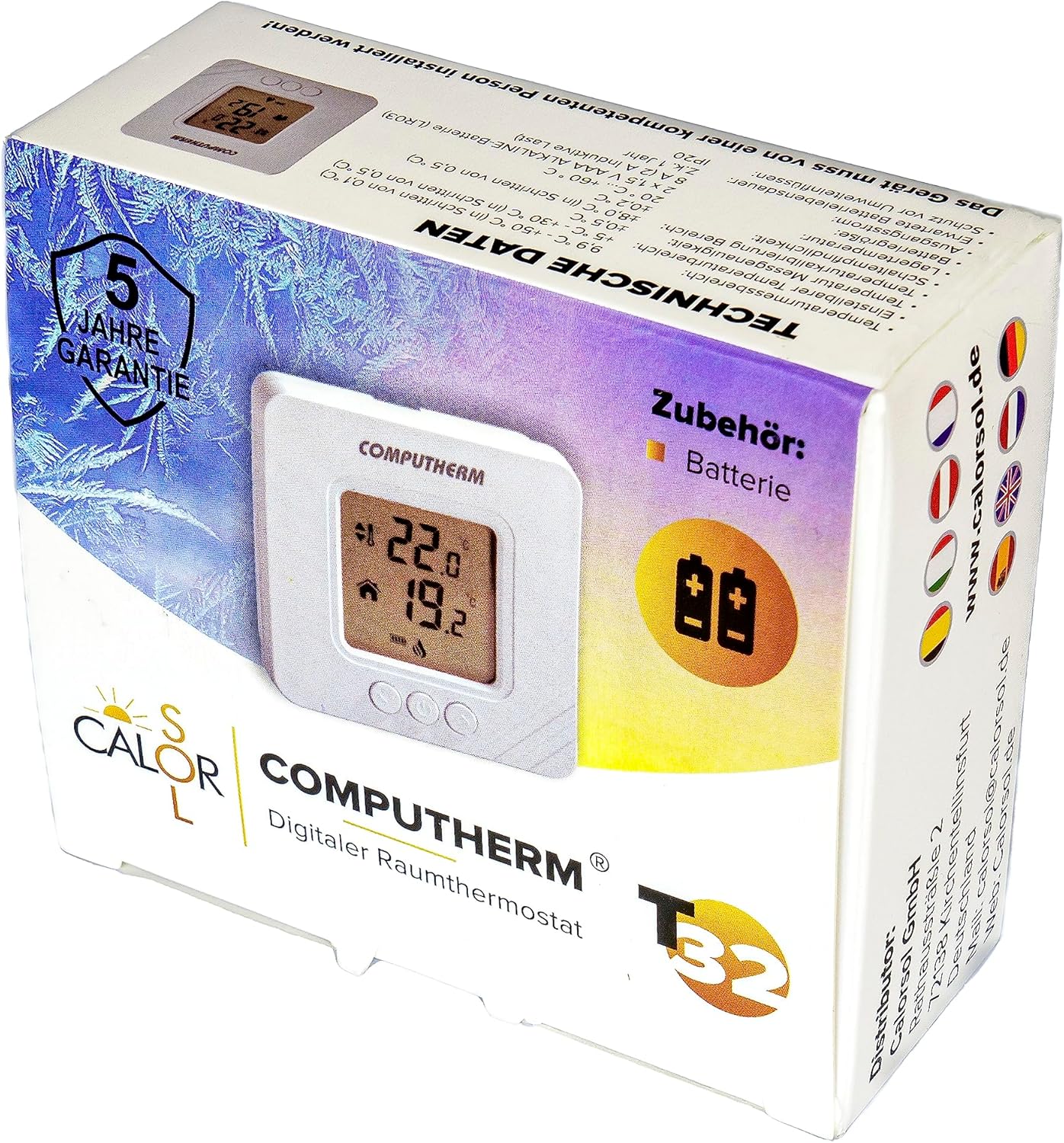
Figure 5: Product packaging displaying warranty information and technical data.


