Gabatarwa
Thank you for choosing the iHome AC Pro 2-Port USB Wall Charger. This manual provides essential information for the safe and efficient use of your new charger. Please read these instructions thoroughly before operation and retain them for future reference.
Bayanin Tsaro
- Do not expose the charger to liquids, moisture, or extreme temperatures.
- Do not disassemble or attempt to repair the charger. This may void the warranty and pose a safety risk.
- Ensure the wall outlet is easily accessible and not overloaded.
- Cire caja daga wurin fitar da wutar lantarki lokacin da ba a amfani da ita ko lokacin guguwar lantarki.
- A kiyaye nesa da yara.
Samfurin Ƙarsheview
The iHome AC Pro 2-Port USB Wall Charger is designed for convenient and efficient charging of your electronic devices. Its compact and flat design allows for easy access to outlets in tight spaces and portability for travel.
Mabuɗin Siffofin
- Dual USB Cajiyoyin: Charge up to two devices simultaneously.
- Ultra-Slim Profile: Designed to fit behind furniture and in narrow spaces without blocking other outlets.
- Tashar Cajin gaggawa: Includes a dedicated 2.4A port for faster charging of compatible devices.
- Abubuwan da ake naɗewa: For enhanced portability and protection during travel.
- Yarda da Duniya: Works with a wide range of USB-powered devices including smartphones, tablets, and other gadgets.

Image: The iHome 2-Port USB Wall Charger featuring its two USB ports, allowing simultaneous charging of two devices.
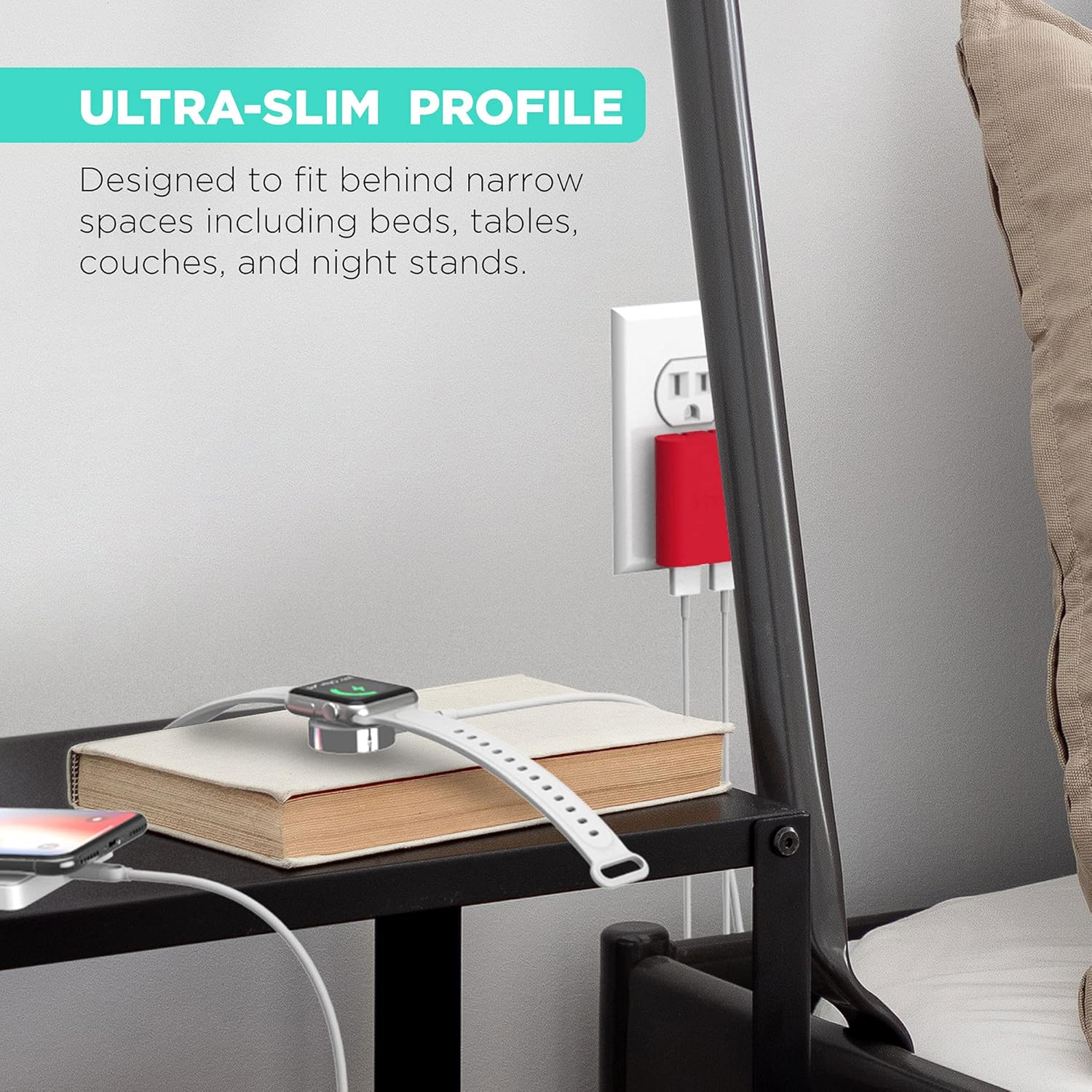
Image: The ultra-slim profile of the iHome charger, demonstrating its ability to fit discreetly behind furniture like a nightstand.

Hoto: Kusanci view of the iHome charger, pointing out the 3.4A USB port designed for rapid charging.

Image: The iHome charger with its foldable prongs, illustrating its compact design for convenient storage and travel.

Hoto: Nunin hotoasing the universal compatibility of the iHome charger with a range of devices including smartphones, tablets, and wearables.
Saita
- Buɗe Ƙofofin: A hankali a cire maƙallan da za a iya naɗewa daga jikin caja har sai sun kulle a wurin.
- Toshe cikin AC Outlet: Insert the charger into a standard 120V AC wall outlet. The flat design ensures it sits flush against the wall.
- Haɗa Na'urorin: Plug your device's USB charging cable into one of the available USB ports on the charger.
Umarnin Aiki
The iHome AC Pro 2-Port USB Wall Charger is designed for simple plug-and-play operation. Once plugged into a wall outlet, it is ready to charge your devices.
Cajin na'urorin ku
- Identify the appropriate USB cable for your device.
- Connect one end of the USB cable to your device and the other end to an available USB port on the iHome charger.
- For faster charging, utilize the dedicated 2.4A USB port (often indicated by a blue interior or specific labeling) for compatible smartphones and tablets. The other port provides standard charging speed.
- Na'urarka yakamata ta nuna cewa tana caji.
Video: Demonstrates the iHome AC Pro 3.4 Amp 2-Port USB Wall Charger, highlighting its flat foldable plug and ease of use for charging various devices.
Kulawa
- Tsaftacewa: Cire haɗin caja daga tashar wutar lantarki kafin tsaftacewa. Yi amfani da kyalle mai laushi, bushe don goge saman. Kada a yi amfani da masu tsabtace ruwa ko iska.
- Ajiya: When not in use, fold the prongs for compact storage. Store in a cool, dry place away from direct sunlight.
Shirya matsala
| Matsala | Dalili mai yiwuwa | Magani |
|---|---|---|
| Na'urar ba ta caji. | Ba a shigar da caja da kyau ba; na USB mara kyau; batun na'urar. | Ensure charger is securely plugged into a live outlet. Try a different USB cable. Test the charger with another device. |
| Saurin yin caji. | Using a standard port for a fast-charge compatible device; cable quality. | Ensure you are using the 2.4A rapid charging port for devices that support it. Use a high-quality USB cable. |
| Caja yana jin dumi. | Aiki na yau da kullun yayin caji. | A slight warmth is normal. If it becomes excessively hot, discontinue use and contact support. |
Ƙayyadaddun bayanai
- Lambar Samfura: IH-CT539R
- Shigar da Voltage: 120 Volts
- Jimlar Tashoshin USB: 2
- Amplokaci: 3.4 Amps (Total)
- Watatage: 10 watts
- Siffa ta Musamman: Fast Charging (via dedicated 2.4A port)
- Girma: 8.07 x 4.41 x 0.91 inci (Kunshin)
- Nauyin Abu: 2.89 oz
- Mai ƙira: Abubuwan da aka bayar na Lifeworks Technology, Inc.
Bayanin Garanti
This iHome product is covered by a limited manufacturer's warranty. For specific warranty terms and conditions, please refer to the documentation included with your purchase or visit the official iHome website. Ajiye shaidar siyan ku don da'awar garanti.
Tallafin Abokin Ciniki
For further assistance, technical support, or to inquire about replacement parts, please contact iHome customer service. Contact information can typically be found on the product packaging or the official iHome webshafin. Hakanan zaka iya ziyartar shafin. iHome Store akan Amazon don ƙarin bayanin samfur da albarkatun tallafi.


