Gabatarwa
The XTOOL D7W is an advanced wireless OBD2 diagnostic scanner designed for comprehensive vehicle system analysis. This tool provides extensive diagnostic capabilities, including bidirectional control, ECU coding, and over 39 special reset functions. It supports a wide range of vehicle brands and incorporates modern communication protocols like CAN FD and DoIP, offering efficient and precise vehicle maintenance and repair solutions.

Image: XTOOL D7W diagnostic tablet and wireless VCI module.
Abubuwan Kunshin
Tabbatar cewa duk abubuwa suna nan a cikin kunshin:
- D7W Tablet (Main diagnostic unit)
- VCI Box (Vehicle Communication Interface)
- Kebul na USB (Nau'in-C)
- Caja na kwamfutar hannu
- US Adapter
- Adaftar EU
- EN Adapter
- Daukar Harka
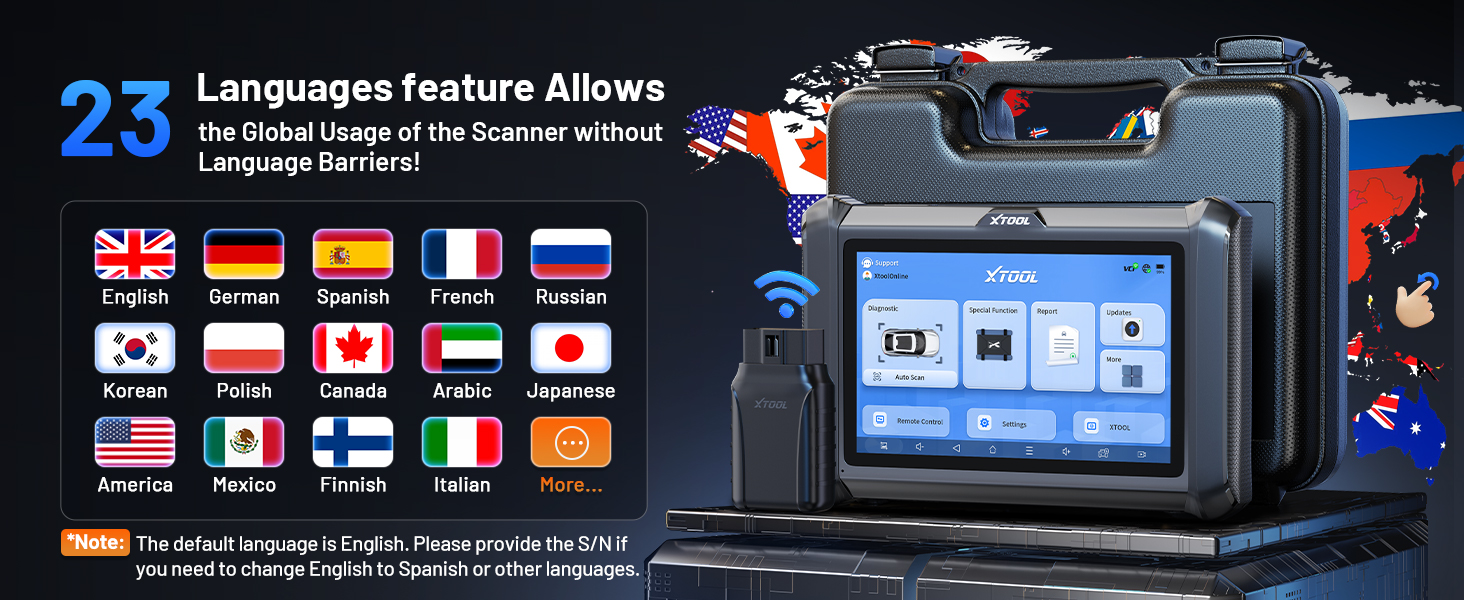
Image: Visual representation of the XTOOL D7W package contents, including the tablet, VCI box, cables, adapters, and carrying case.
Saita
- Cajin Tablet: Connect the D7W tablet to the power adapter using the provided USB Type-C cable. Ensure the tablet is fully charged before first use.
- Kunna Wuta: Press and hold the power button on the tablet to turn it on.
- Connect VCI Box: Plug the VCI box into the vehicle's OBD2 port. The OBD2 port is typically located under the dashboard on the driver's side.
- Establish Wireless Connection: The D7W tablet features built-in Wi-Fi for direct communication with the VCI box. No external Wi-Fi router is required for this connection. The tablet will automatically attempt to connect to the VCI box.
- Initial Software Setup: Follow the on-screen prompts to complete the initial software setup, including language selection and Wi-Fi network configuration for internet access (for updates).

Image: Diagram illustrating the wireless connection between the XTOOL D7W tablet and the VCI box, highlighting the freedom from tangled wires.
Umarnin Aiki
1. Cikakkun Binciken Tsarin Tsarin
The D7W performs comprehensive diagnostics across all available vehicle systems, including Engine, ABS, SRS, Transmission, BCM, and more. This function allows you to:
- Read and Clear Diagnostic Trouble Codes (DTCs)
- View Live Data (up to 8 PIDs simultaneously)
- Dakko Daskare Bayanan Frame
- Access ECU Information
- Perform Auto VIN scanning for automatic vehicle identification
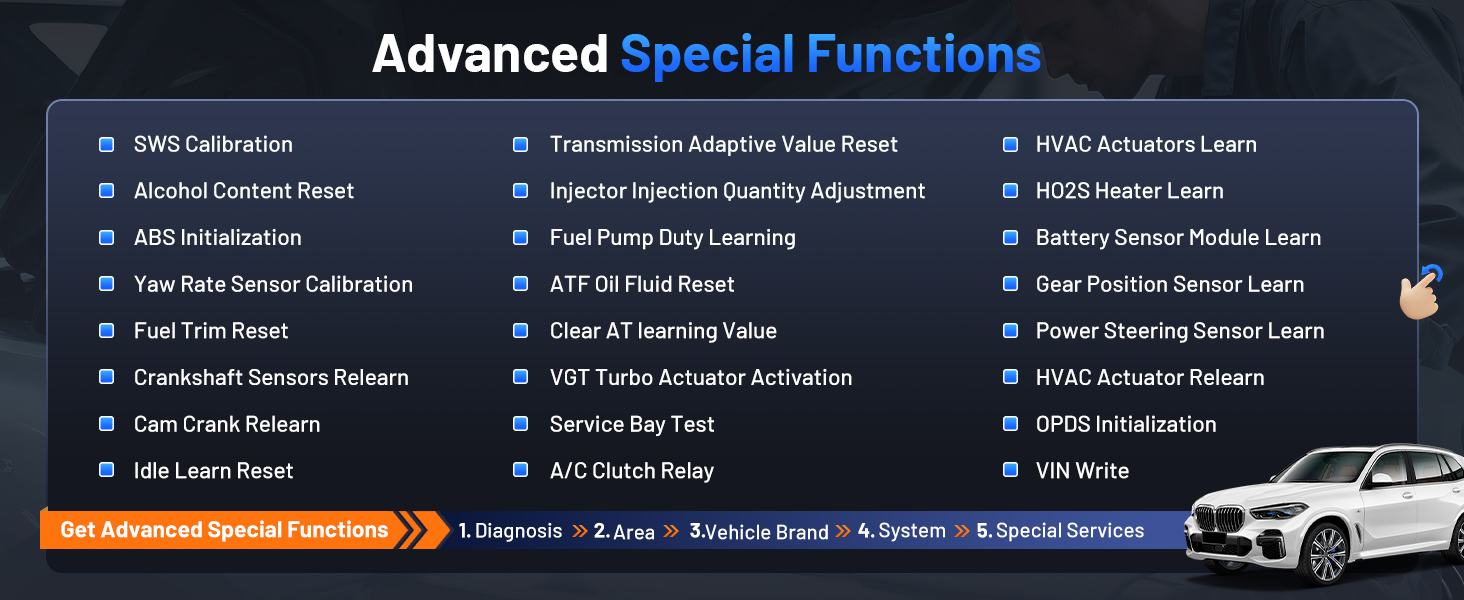
Image: Screenshot of the XTOOL D7W performing full system diagnostics, showing various diagnostic functions.
2. Bidirectional Control (Active Tests)
This function allows the diagnostic tool to send commands to vehicle components to test their functionality, aiding in faster fault isolation. Exampsun hada da:
- Gwajin Buzz Injector
- ABS Pump Control
- Kunna Fan Mai sanyaya
- Kunna/Kashe Mai
- Window/Door Lock Tests

Hoto: Examples of bidirectional control (active tests) such as injector buzz test, ABS pump control, and sound horn test.
3. Special Functions (39+ Resets)
The D7W offers a wide array of maintenance and reset services, including but not limited to:
- Sake saitin mai
- Sake saitin Birki na Wutar Lantarki (Electronic Parking) EPB
- Sake saitin TPMS (Tsarin Kula da Matsi na taya).
- BMS (Tsarin Gudanar da Baturi) Sake saitin
- SAS (Steering Angle Sensor) Calibration
- ABS Bleeding
- Coding Injector
- Sake Karatun Maguzawa
Hoto: Overview of the 39+ maintenance services available on the XTOOL D7W, including various reset and calibration functions.
4. Advanced ECU Coding & PMI Programming
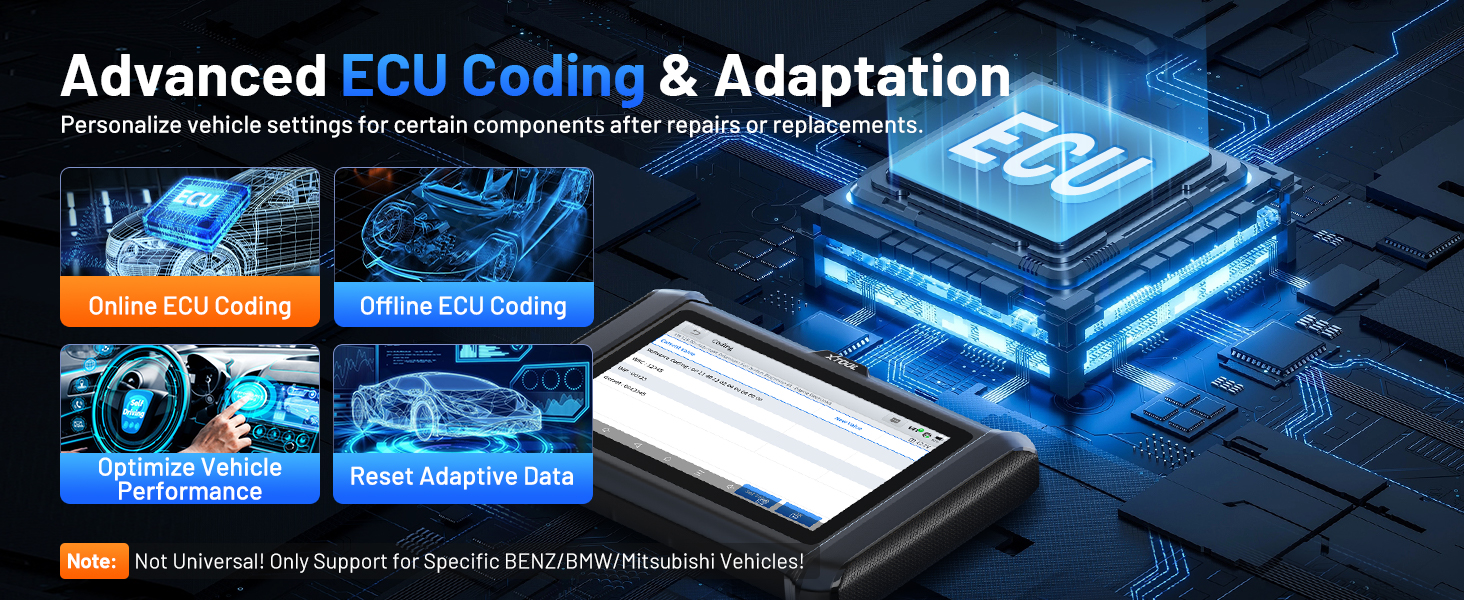
This feature allows for personalization of vehicle settings and recoding adaptive data for certain components after repairs or replacements. PMI (Programmable Module Installation) programming enables programming data from an original module to a new unit for module replacement, particularly for Ford, Lincoln, and Mazda vehicles. Lura: ECU Coding is not universally supported for all vehicles; it is specific to certain brands like VW, Audi, Skoda, Benz, and Mitsubishi.
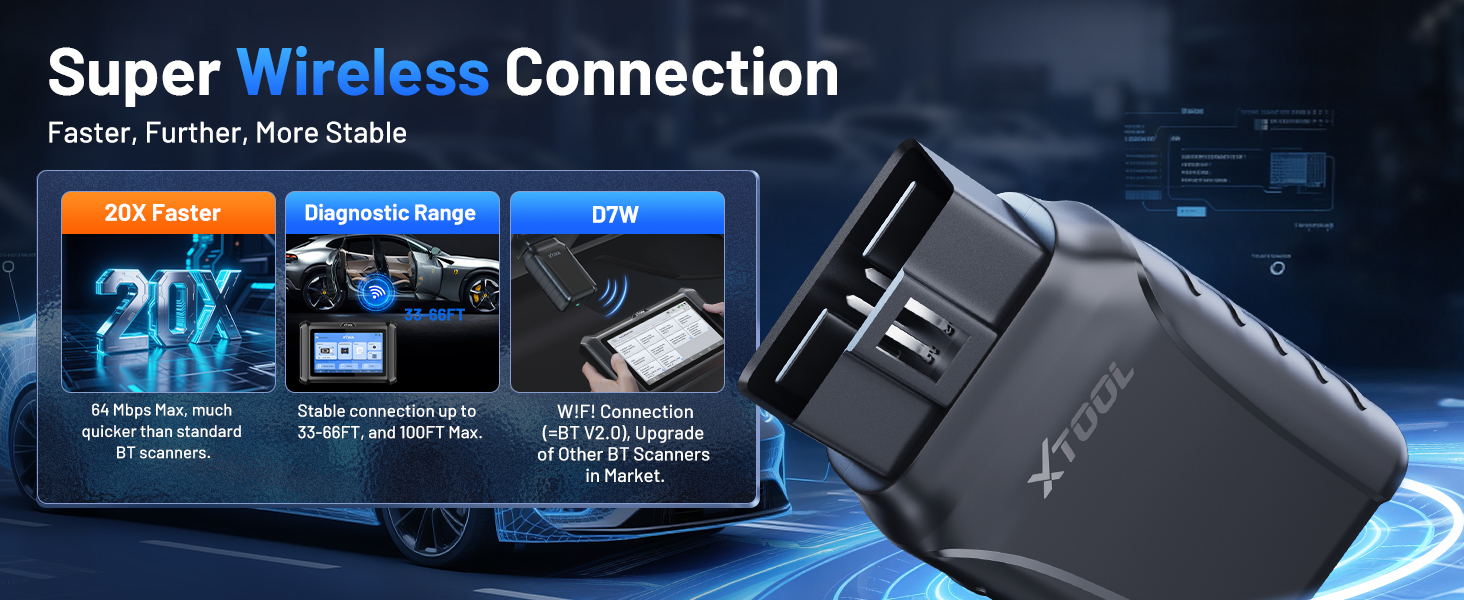
Image: Visual explanation of advanced ECU coding and adaptation, showing how it optimizes vehicle performance and resets adaptive data.
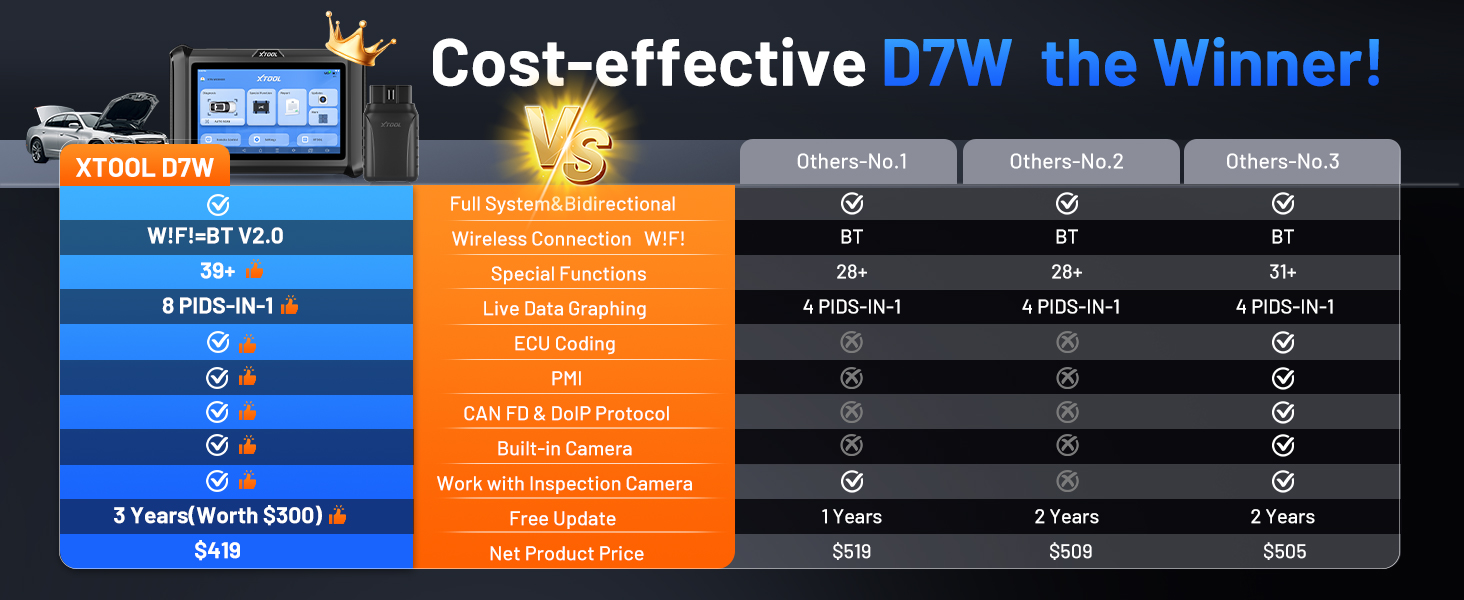
Image: Illustration of PMI and offline ECU programming for Ford, Lincoln, and Mazda vehicles, demonstrating module replacement procedures.
Kulawa
- Sabunta software: Regularly check for and install software updates via Wi-Fi to ensure compatibility with the latest vehicle models and diagnostic functions. The device includes 3 years of free updates.
- Kulawar Baturi: To prolong battery life, avoid fully discharging the tablet frequently. Store the device in a cool, dry place when not in use.
- Tsaftacewa: Yi amfani da taushi, damp zane don tsaftace allon kwamfutar hannu da jiki. A guji masu tsaftace ko abubuwan da ke rage kitse.
- Ajiya: Store the device and its accessories in the provided carry case to protect them from damage.
Shirya matsala
- Na'urar Ba Ya Kunnawa: Ensure the tablet is sufficiently charged. Connect it to the charger and wait a few minutes before attempting to power on again.
- Ba a Haɗa VCI ba: Verify the VCI box is securely plugged into the vehicle's OBD2 port. Check the vehicle's ignition status. Ensure the tablet's Wi-Fi is enabled and attempting to connect to the VCI.
- Ayyukan Ganewa Baya Aiki: Confirm that the vehicle model and year are correctly selected. Ensure the software is up to date. Some functions may not be supported on all vehicle makes/models. Refer to the vehicle compatibility list or contact support.
- Sannun Ayyuka: Close any unnecessary applications running in the background. Ensure sufficient storage space is available.
Ƙayyadaddun bayanai
| Siffar | Ƙayyadaddun bayanai |
|---|---|
| Samfura | XTOOL D7W |
| Tsarin Aiki | Android 10.0 |
| Nunawa | 7-inch Touchscreen |
| Ƙwaƙwalwar ajiya | 2GB RAM + 64GB Ajiya |
| Baturi | 5000mAh (7.3V) Lithium Polymer |
| Hanyar haɗi | Built-in Wi-Fi (Wireless VCI) |
| Ka'idojin tallafi | CAN FD, DoIP, FCA (with active subscription) |
| Girma | 12.6 x 11.25 x 4.1 inci |
| Nauyin Abu | 5.06 fam |
| Harsuna | Harsuna 23 sun goyi bayan |

Image: Comparison table highlighting the enhanced features of the XTOOL D7W compared to previous models like D7, D7S, and D7BT.
Garanti da Taimako
XTOOL D7W ya zo tare da a Garanti na shekaru 2. Additionally, it includes Shekaru 3 na sabunta software kyauta from the date of purchase, ensuring your tool remains current with the latest vehicle data and functionalities.
For technical assistance, troubleshooting, or any inquiries, please contact XTOOL customer support:
- Imel: xtooldirect@outlook.com
- 24/7 Technical Assistance is available.
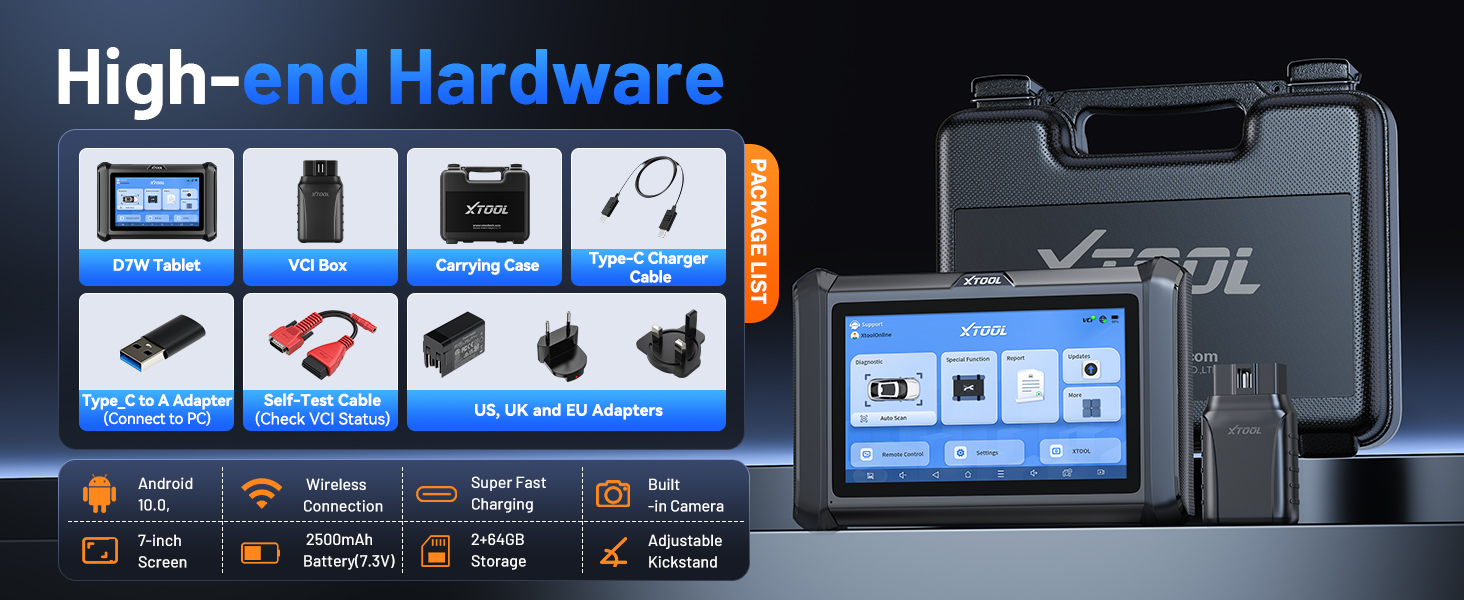
Image: Information regarding XTOOL's professional services, including 24/7 tech assistance, 2-year warranty, and 3 years of free updates.


