Gabatarwa
The boAt Rockerz 335 Pro is a wireless neckband designed to provide a high-quality audio experience. It incorporates advanced audio technologies and user-friendly features for convenience and durability.
Mabuɗin Siffofin
- Qualcomm aptX & aptX HD Audio Technology: Ensures seamless reproduction of immersive sound.
- Qualcomm cVc Noise Cancellation: Captures your voice clearly during calls by reducing background noise.
- Ƙwararren sake kunnawa: Yana bayar da har zuwa awanni 50 na sake kunnawa akan cikakken caji guda ɗaya.
- ASAP Charge Technology: Provides up to 10 hours of playtime with just 10 minutes of charging.
- boAt Signature Sound: Delivers an enhanced audio experience for your playlists.
- Power-Sensitive Smartbuds: Simplifies power management; separate earbuds to power on, unite them to power off.
- Juriya na Ruwa IPX5: Protects the neckband from splashes and sweat, suitable for active use.
- Bluetooth v5.0 & Dual Pairing: Ensures instant connectivity to media devices and allows simultaneous connection to two devices.
- Taimakon Mataimakin Murya: Access Google Assistant or Siri with a single press.
- Nau'in-C Port: Provides a convenient and seamless charging experience.
Me ke cikin Akwatin
Upon unboxing your boAt Rockerz 335 Pro, you should find the following items:
- 1 x boAt Rockerz 335 Pro Neckband
- 1 x Additional Earbuds (pairs of different sizes)
- 1 x Kebul na Caji (Nau'in-C)
- 1 x Manhajar mai amfani
Samfurin Ƙarsheview
Familiarize yourself with the components of your boAt Rockerz 335 Pro neckband.

Hoto: Overview of the boAt Rockerz 335 Pro highlighting its key features and design elements.
Sarrafa da Manuniya
- Metal Control Board: Houses the buttons for playback, volume, and call management.
- Power-Sensitive Smartbuds: Magnetic earbuds that automatically power the device on when separated and off when united.
- Alamar LED: Displays charging status, pairing mode, and power status.
- Tashar Cajin Nau'in C: Located on the control board for convenient charging.

Image: Detail of the power-sensitive smartbuds, illustrating how separating them powers the device on and uniting them powers it off.
Saita Umarnin
1. Charging the Neckband
Before initial use, fully charge your Rockerz 335 Pro.
- Connect the Type-C charging cable to the charging port on the neckband.
- Haɗa ɗayan ƙarshen kebul ɗin zuwa cikin adaftar wutar USB (ba a haɗa shi ba) ko tashar USB ta kwamfuta.
- The LED indicator will show charging status (e.g., red for charging, blue for fully charged).
The neckband features Farashin ASAP, providing 10 hours of playback with just 10 minutes of charging. A full charge offers up to 50 hours of playback.
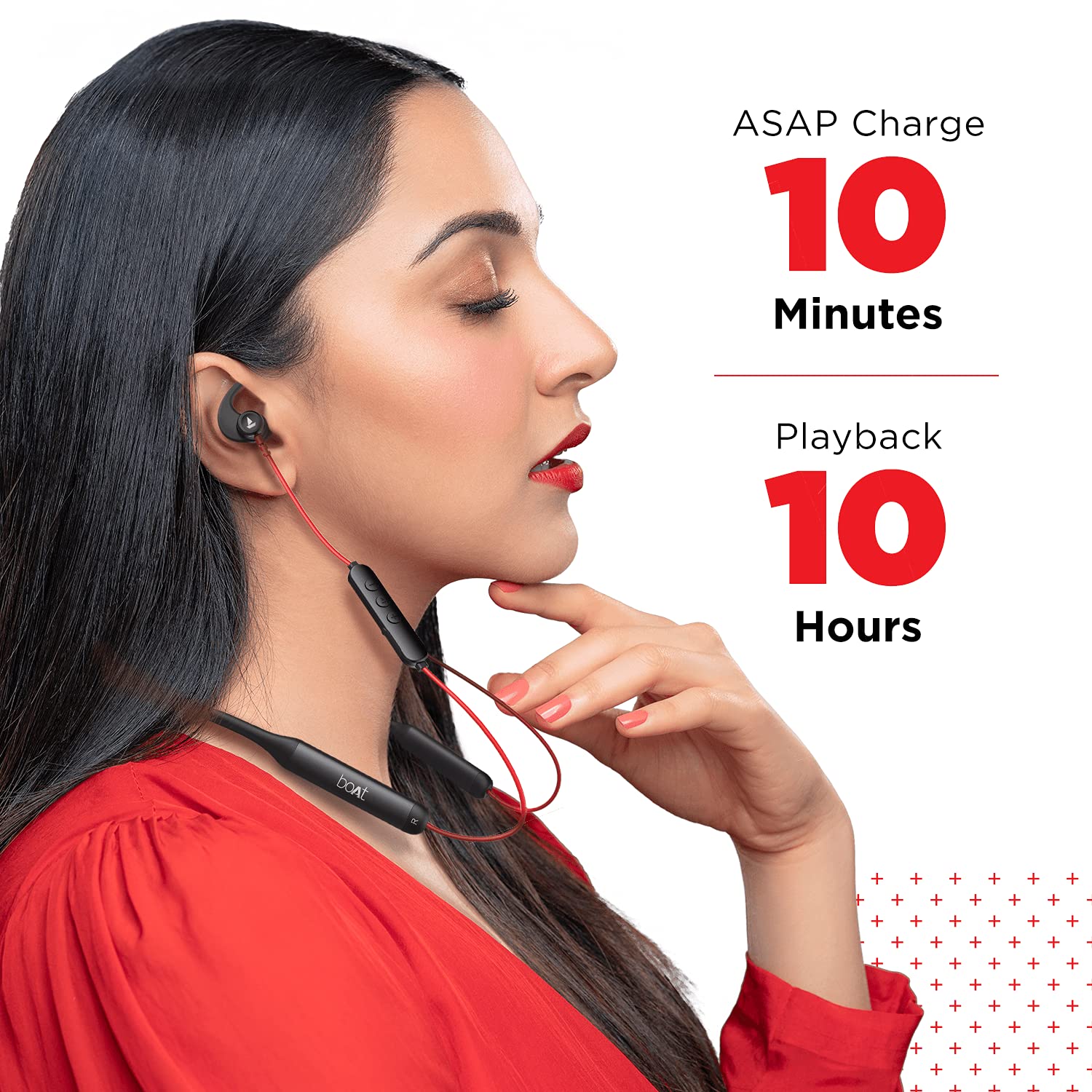
Image: Demonstrates the ASAP Charge feature, highlighting quick charging for extended playback.

Image: Illustrates the impressive 50-hour total playback time of the neckband.
2. Haɗawa da Na'ura
The Rockerz 335 Pro uses Bluetooth v5.0 for wireless connectivity.
- Kunna Wuta: Separate the magnetic earbuds to power on the neckband. The LED indicator will flash, indicating pairing mode.
- Kunna Bluetooth: A kan wayar salula, kwamfutar hannu, ko kwamfutar tafi-da-gidanka, kunna Bluetooth.
- Zaɓi Na'ura: In your device's Bluetooth settings, search for and select "boAt Rockerz 335 Pro".
- Tabbatarwa: Once connected, the LED indicator will change, and you may hear an audio prompt.
Haɗa Biyu: The neckband supports dual pairing, allowing you to connect to two devices simultaneously. After pairing with the first device, disable its Bluetooth, pair with the second device, then re-enable Bluetooth on the first device. The neckband will connect to both.
Umarnin Aiki
Kunna/Kashe Wuta
- Kunna Wuta: Separate the magnetic earbuds.
- Kashe Wuta: Unite the magnetic earbuds.
Sake Sake kunnawa
- Kunna/Dakata: Press the Multi-function Button (MFB) once.
- Waƙa ta gaba: Danna maɓallin "+" na dogon lokaci.
- Tafiya ta baya: Danna maɓallin "-" na dogon lokaci.
- Upara sama: Danna maɓallin "+" a takaice.
- Downara ƙasa: Danna maɓallin "-".
Gudanar da Kira
- Amsa/Ƙarshen Kira: Danna MFB sau ɗaya.
- Karɓar Kira: Danna MFB na dogon lokaci.
- Maimaitawa: Latsa MFB sau biyu.
Mataimakin Murya
Activate your device's voice assistant (Google Assistant or Siri) with a single press of the dedicated Voice Assistant button on the control board.

Image: Highlights the Qualcomm aptX audio technology for superior sound and cVc noise cancellation for clear calls.
Kulawa
Resistance Ruwa (IPX5)
The boAt Rockerz 335 Pro is rated IPX5, meaning it is resistant to splashes and sweat. This makes it suitable for workouts and light rain. However, it is not designed for submersion in water. Avoid exposing the charging port to moisture.
Tsaftacewa
Don kula da ingantaccen aiki da tsafta:
- Wipe the neckband and earbuds with a soft, dry cloth.
- Kada a yi amfani da masu tsabtace abrasive ko sauran ƙarfi.
- Tabbatar cewa tashar caji ta tsabta kuma ta bushe kafin yin caji.
Shirya matsala
If you encounter issues with your boAt Rockerz 335 Pro, refer to the following common solutions:
| Matsala | Magani mai yiwuwa |
|---|---|
| Ba za a iya kunnawa ba | Ensure earbuds are separated. Charge the device fully. |
| Ba za a iya haɗawa da na'ura ba | Ensure Bluetooth is enabled on your device. Make sure the neckband is in pairing mode (LED flashing). Forget the device in your phone's Bluetooth settings and try pairing again. |
| Babu sauti ko ƙaramin ƙara | Check volume levels on both the neckband and your connected device. Ensure the neckband is properly connected. Try re-pairing. |
| Matsalar ingancin kira | Ensure the microphone is not obstructed. Move closer to your connected device. Check for environmental noise. |
| ASAP Charge not working | Ensure you are using a compatible Type-C cable and power adapter. Check the charging port for debris. |
Ƙayyadaddun bayanai
Detailed technical specifications for the boAt Rockerz 335 Pro:
- Sunan Samfura: Rockerz 335 Pro
- Fasahar Haɗuwa: Mara waya
- Fasahar Sadarwa mara waya: Bluetooth v5.0
- Nau'in Direba Audio: Direba mai ƙarfi
- Rayuwar Baturi: Har zuwa Awanni 50
- Lokacin Caji: 10 Minutes (for 10 hours playback via ASAP Charge)
- Tashar Caji: Nau'in-C
- Matsayin Juriya na Ruwa: IPX5 (Ruwan Resistant)
- Abu: Metal (Control Board)
- Nauyin Abu: 50 Grams
- Nau'in Sarrafa: Ikon murya
- Siffofin Musamman: Saurin Caji, Haɗe Makarufo, Mai hana gumi
- Noise Control Features: Noise Cancellation (cVc)
- Na'urori masu jituwa: Wayoyin hannu, Allunan hannu, Kwamfutocin tafi-da-gidanka
- Platform Hardware: Wayar hannu
- Baturi: 2 batirin lithium ion da ake buƙata (an haɗa)
- Girman samfur: 17 x 13 x 13 cm
Garanti da Taimako
Your boAt Rockerz 335 Pro comes with a Garanti na Shekara 1 from the date of purchase. For any product-related issues, service requests, or further assistance, please refer to the official boAt customer support channels.
For detailed information on warranty claims, service centers, or to register a complaint, please visit the official boAt support portal. You can also track the status of your service requests online.
Bidiyo: Wannan bidiyo yana nuna yadda ake yin gyaran fuskaview of the boAt Rockerz 335 Pro Wireless Neckband, covering its key features, design, and battery life. It also includes a segment on how to utilize the boAt customer support portal for service requests and product replacements.


