1. Gabatarwa
This manual provides detailed instructions for the proper setup, operation, and maintenance of your UGREEN 7-Port USB 3.0 Hub. Please read this manual thoroughly before using the product to ensure optimal performance and safety.
The UGREEN 7-Port USB 3.0 Hub (Model 90307) is designed to expand your device's USB connectivity, offering seven USB 3.0 ports for data transfer and charging. It features independent switches for each port and an external 24W (12V 2A) power supply for stable performance with multiple connected devices.
2. Samfurin Ya Ƙareview
Abubuwan Kunshin 2.1
- 1 x UGREEN 7-Port USB 3.0 Hub
- 1 x 1.5M Power Adapter Cable (12V 2A)
- 1 x 1M USB-C to USB-A Cable
2.2 Layout Na'ura
The hub features seven USB 3.0 ports, each with an individual power switch and LED indicator. The device also includes a DC 12V power input and a USB-C input for connection to your host device.
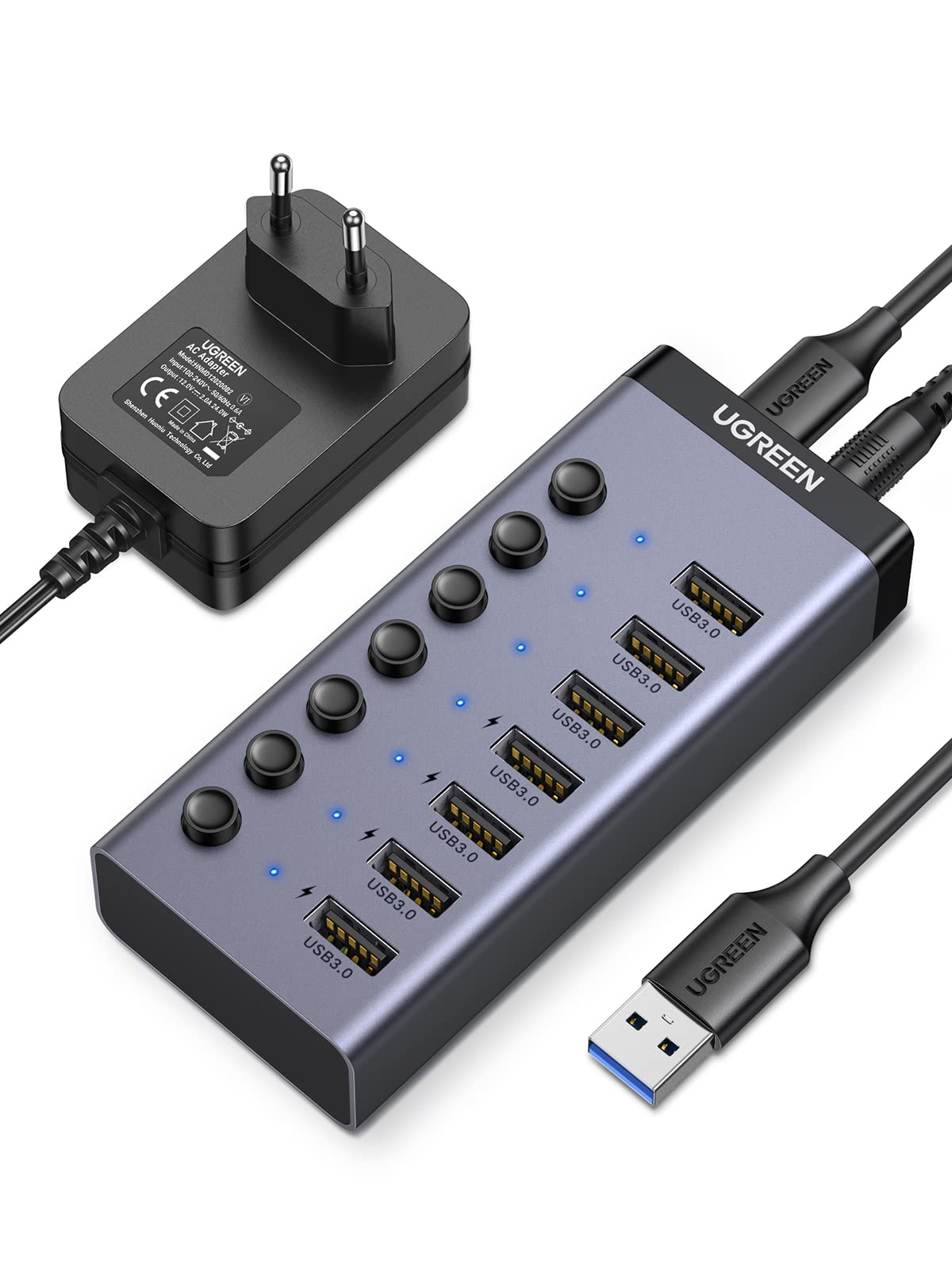
Image: UGREEN 7-Port USB 3.0 Hub with its included cables and power adapter, showing the overall product and its components.

Hoto: Sama-sama view of the UGREEN 7-Port USB 3.0 Hub, illustrating the seven USB 3.0 data ports and indicating that four of these ports also support charging.
3. Saita Umarnin
- Haɗa Adaftar Wuta: Plug the 1.5M power adapter cable into the DC 12V input port on the hub. Connect the other end of the power adapter to a wall outlet. This external power supply ensures stable operation for all connected devices, especially power-hungry ones.
- Haɗa zuwa Na'urar Mai watsa shiri: Use the 1M USB-C to USB-A cable to connect the hub's USB-C input port to an available USB-A port on your computer (PC, laptop, PS5, PS4, Xbox One, iMac, etc.).
- Kunna Wuta: The hub is plug-and-play; no drivers are required for Windows 11/10/8.1/8/7/Vista/XP, Linux, or MacOS systems.

Hoto: Rufewa view of the hub's power input section, detailing the DC 12V port and the USB-C port for connecting to the host device.
4. Umarnin Aiki
4.1 Haɗa na'urorin USB
Plug your USB devices (e.g., mouse, keyboard, external hard drive, USB flash drive, card reader, printer) into any of the seven USB 3.0 ports on the hub.

Image: A diagram illustrating the wide compatibility of the UGREEN USB hub with various devices such as mice, keyboards, hard drives, USB sticks, PS5/PS4, and printers, as well as operating systems like Windows, Linux, and MacOS.
4.2 Individual Port Control
Each USB port has an independent on/off switch and an LED indicator. Press the button above a port to activate or deactivate it. The LED will illuminate when the port is active.

Image: A hand pressing one of the individual on/off switches on the UGREEN USB hub, demonstrating the independent control feature for each port, accompanied by an LED indicator.
4.3 Canja wurin Data
The hub supports USB 3.0, providing data transfer speeds up to 5 Gbps. This allows for quick transfer of large files.

Image: A graphic demonstrating the high-speed data transfer capability of the UGREEN USB 3.0 hub, showing 5Gbps speed for transferring 1GB files a cikin dakika 5.
4.4 Charging Functionality
Four of the USB 3.0 ports also support the BC 1.2 charging protocol, allowing you to charge compatible devices simultaneously with data transfer. The total power for connected devices should not exceed 24W. If a connected device does not support BC 1.2, the maximum charging current will be 5V 1A.
Note: This hub is not recommended for charging laptops due to its 24W power limit.

Image: The UGREEN USB hub actively charging multiple smartphones and a pair of earbuds, demonstrating its smart charging capabilities across four ports.
5. Kulawa
- Keep the hub clean by wiping it with a dry, soft cloth.
- Avoid exposing the hub to liquids, moisture, or extreme temperatures.
- Kada kayi ƙoƙarin kwance ko gyara na'urar da kanka. Tuntuɓi tallafin abokin ciniki don taimako.
- Ensure proper ventilation around the hub during operation to prevent overheating. The aluminum casing is designed for efficient heat dissipation.
6. Shirya matsala
| Matsala | Magani mai yiwuwa |
|---|---|
| Ba a gane na'urar ta kwamfuta ba. |
|
| Saurin canja wurin bayanai a hankali. |
|
| Devices not charging or charging slowly. |
|
| Hub feels warm during operation. | This is normal, especially when multiple devices are connected or charging. The aluminum casing is designed to dissipate heat. Ensure adequate ventilation around the hub. |
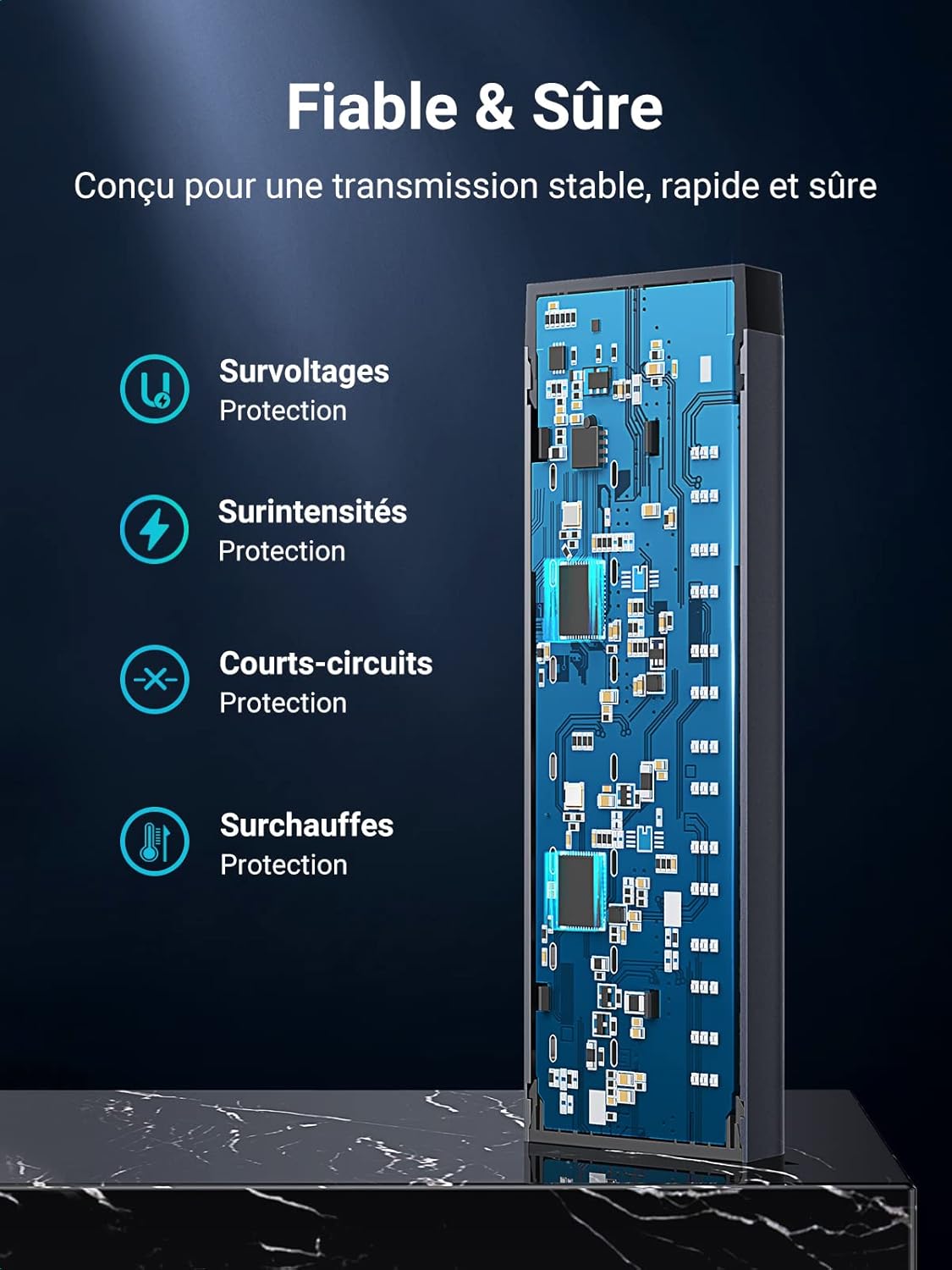
Image: The UGREEN USB hub highlighting its built-in safety features, including protection against overvoltage, overcurrent, short-circuits, and overheating, ensuring reliable and safe operation.
7. Ƙayyadaddun bayanai
| Siffar | Daki-daki |
|---|---|
| Alamar | UGREEN |
| Lambar Samfura | 90307 |
| Launi | Blue (as per product images, though spec says 'bleu') |
| Interface | Kebul na USB 3.0 |
| Jimillar tashoshin jiragen ruwa na USB | 7 |
| Yawan Canja wurin Bayanai | Har zuwa 5 Gbps |
| Tushen wutan lantarki | External 12V 2A (24W) |
| Cajin Tashoshi | 4 ports support BC 1.2 charging protocol |
| Kayan abu | Aluminum |
| Girma (L x W x H) | 11.4 x 1.9 x 2.3 cm (approximate, from image) |
| Tsarukan Ayyuka masu jituwa | Windows 11/10/8.1/8/7/Vista/XP, Linux, MacOS, Chrome OS |
| Cable Length (Power Adapter) | mita 1.5 |
| Cable Length (USB-C to USB-A) | 1 mita |

Image: The UGREEN USB hub being held in a hand next to a laptop and smartphone, illustrating its compact and portable design, along with its dimensions.
8. Garanti da Tallafawa
Don bayanin garanti ko goyan bayan fasaha, da fatan za a koma zuwa UGREEN na hukuma website ko tuntuɓi sabis na abokin ciniki kai tsaye. Ajiye rasidin sayan ku don da'awar garanti.
Official UGREEN Website: www.green.com


