Gabatarwa
The Naxa NSH-3001 Wi-Fi Smart Camera provides reliable home security monitoring with 24/7 HD recording capabilities. This camera allows you to check in on your home remotely from anywhere using your smartphone. It features motion detection, two-way audio communication, night vision, and customizable activity alerts.
This manual provides detailed instructions for setting up, operating, and maintaining your Naxa NSH-3001 Wi-Fi Smart Camera to ensure optimal performance and security.
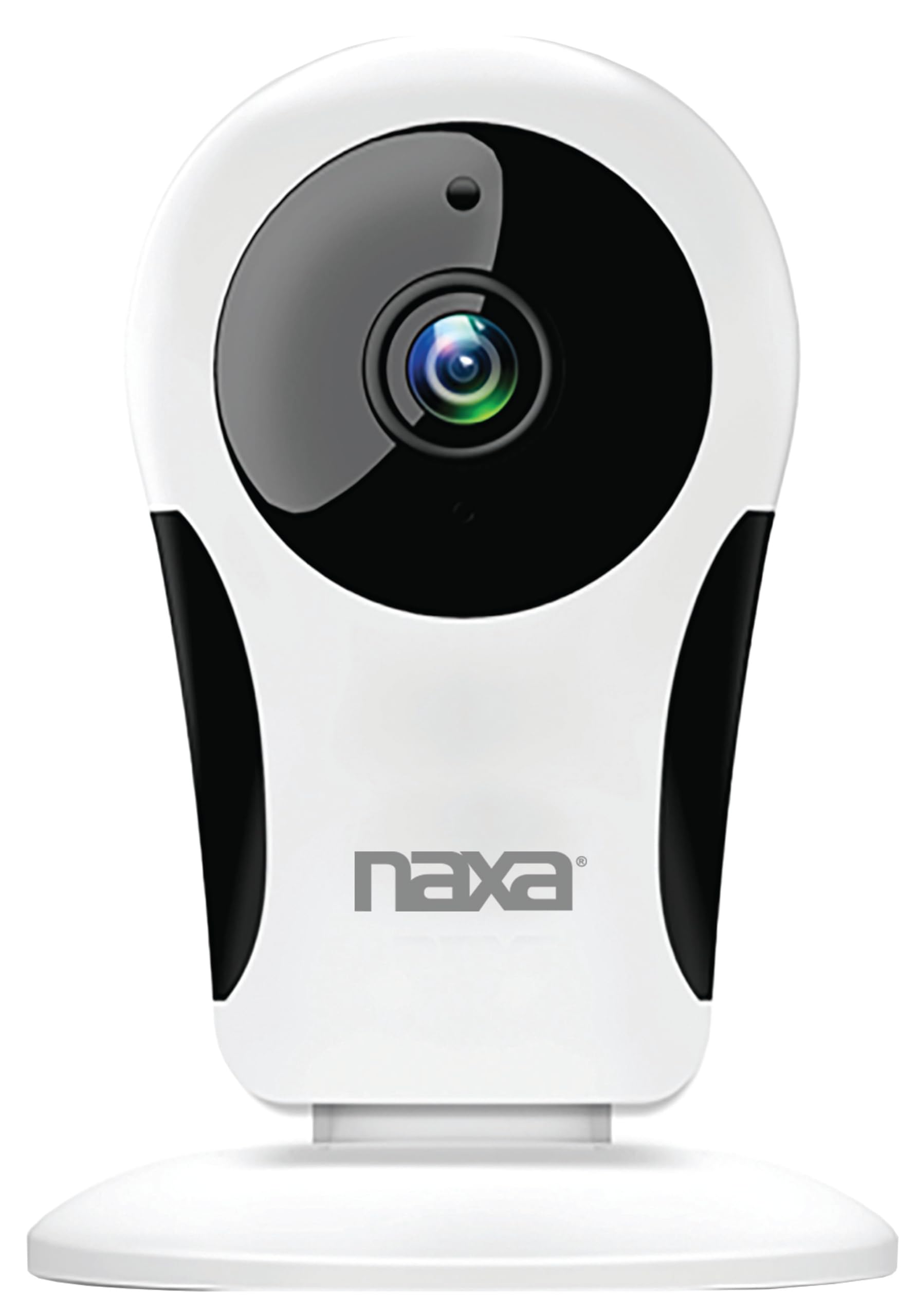
Hoto: Gaba view of the Naxa NSH-3001 Wi-Fi Smart Camera, showing the lens and Naxa logo.
Me ke cikin Akwatin
Upon unpacking your Naxa NSH-3001 Wi-Fi Smart Camera, please ensure all the following components are present:
- Wi-Fi Smart Kamara
- Adaftar wutar AC
- Kebul na USB
- Jagorar mai amfani (wannan takaddar)
Samfurin Ƙarsheview
Familiarize yourself with the main components of your Naxa NSH-3001 Wi-Fi Smart Camera.

Image: The Naxa NSH-3001 Wi-Fi Smart Camera displayed alongside icons representing its key features: HD Resolution, Encrypted ID, 2-Way Audio, Cloud Service, Motion Detection, IR Night Vision, Time Scheduling, and Hotspot capability.
- Lens na kyamara: Yana ɗaukar bidiyo footage.
- Infrared (IR) LEDs: Provide night vision capabilities.
- Makarafo: Don shigar da sauti da sadarwa ta hanyoyi biyu.
- Mai magana: Don fitar da sauti da sadarwa ta hanyoyi biyu.
- Micro USB Port: Don haɗin wutar lantarki.
- Maballin Sake saitin: Ana amfani da shi don sake saita kamara zuwa saitunan masana'anta.
- Ramin katin SD Micro: For local storage of recorded footage (Micro SD card not included).
Jagorar Saita
1. Ƙarfafa Kan Kamara
- Connect the provided USB cable to the camera's Micro USB port.
- Haɗa dayan ƙarshen kebul na USB zuwa adaftar wutar AC.
- Toshe adaftar wutar AC cikin madaidaicin tashar lantarki.
- The camera will power on, and an indicator light will show its status (refer to the camera's LED indicator guide for specific light patterns).
2. Downloading the Smart Life App
The Naxa NSH-3001 camera is controlled via the Smart Life app. Download it to your smartphone:
- For iOS devices, search for "Smart Life" in the Apple App Store.
- For Android devices, search for "Smart Life" in the Google Play Store.
- Install the app and create an account if you don't already have one.

Image: The Naxa NSH-3001 Wi-Fi Smart Camera shown with the Smart Life app logo and icons for the Apple App Store and Google Play, indicating app compatibility.
3. Haɗa zuwa Wi-Fi
Ensure your smartphone is connected to a 2.4 GHz Wi-Fi network. The NSH-3001 camera only supports 2.4 GHz Wi-Fi.
- Open the Smart Life app and tap "Add Device" or the "+" icon.
- Select "Security & Video Surveillance" and then "Smart Camera".
- Follow the on-screen instructions in the app to connect your camera to your Wi-Fi network. This typically involves scanning a QR code generated by the app with the camera's lens.
- Once connected, the camera's indicator light will change (refer to the LED indicator guide), and you will see the camera added to your app.
4. Hawan Kamara
The NSH-3001 camera is designed for wall mount installation, but can also be placed on a flat surface. Choose a location that provides the desired viewing angle (105 degrees) and is within range of your Wi-Fi signal.

Image: The Naxa NSH-3001 Wi-Fi Smart Camera positioned on a nightstand in a bedroom, demonstrating a typical indoor placement.
- For wall mounting, use appropriate screws and anchors (not included) to secure the camera's base to the wall.
- Adjust the camera's angle to cover the desired area.
Umarnin Aiki
Rayuwa View da kuma Samun Dama Daga Nesa
Once connected, you can access your camera's live feed from anywhere using the Smart Life app on your smartphone.
- Open the Smart Life app and select your NSH-3001 camera from the device list.
- Bidiyon kai tsaye zai bayyana.
Sadarwar Sauti Mai Hanya Biyu
The camera supports two-way audio, allowing you to hear and speak through the camera.
- A cikin rayuwa view interface of the app, tap the microphone icon to speak.
- Danna alamar lasifika don sauraron sauti daga wurin da kyamarar take.
Gano Motsi da Faɗakarwa
The camera can detect motion and send real-time push notifications to your phone.
- Navigate to the camera settings within the Smart Life app.
- Enable "Motion Detection" and adjust sensitivity levels as needed.
- Configure alert schedules and notification preferences.
Hangen Dare
The NSH-3001 features an IR-cut filter for clear night vision, automatically switching between day and night modes based on ambient light.
- Night mode activates automatically in low-light conditions.
- The IR-cut filter ensures optimal clarity in both day and night recordings.
Video Recording and Storage
The camera supports 24/7 HD recording. Footage can be stored locally or via cloud service (subscription may be required).
- Ma'ajiyar Katin Micro SD: Insert a compatible Micro SD card (up to 128GB, not included) into the camera's SD card slot for continuous or event-based recording.
- Ma'ajiyar gajimare: Check the Smart Life app for available cloud storage options and subscription details.
- Review rubuce footage directly through the Smart Life app.
Video Tuning
Adjust video parameters directly from your smartphone for optimal image quality.
- Within the Smart Life app, access video settings to adjust contrast, brightness, saturation, and sharpness.
Tsara lokaci
Set schedules for camera operation, recording, or alerts.
- Use the Smart Life app's scheduling feature to define specific times for motion detection, recording, or other functions.
Kulawa
Proper maintenance ensures the longevity and optimal performance of your Naxa NSH-3001 Wi-Fi Smart Camera.
- Tsaftacewa: A hankali shafa ruwan tabarau na kamara da jiki tare da laushi, bushe bushe. Ka guji yin amfani da sinadarai masu tsauri ko goge goge.
- Sabunta software: Regularly check the Smart Life app for firmware updates for your camera. Keeping the firmware updated ensures you have the latest features and security enhancements.
- Wuri: Ensure the camera is placed in a stable location and protected from extreme temperatures, direct sunlight, and moisture.
Shirya matsala
If you encounter issues with your Naxa NSH-3001 Wi-Fi Smart Camera, refer to the following common solutions:
| Matsala | Magani mai yiwuwa |
|---|---|
| Kamara baya haɗawa da Wi-Fi |
|
| No video feed in the app |
|
| Ba a karɓi faɗakarwar motsi ba |
|
| Sauti mai hanya biyu baya aiki |
|
If problems persist, please contact Naxa customer support.
Ƙayyadaddun bayanai
| Siffar | Daki-daki |
|---|---|
| Sunan Samfura | NSH-3001 |
| Alamar | Naxa |
| Fasahar Haɗuwa | Wi-Fi (2.4GHz) |
| Ƙimar Ɗaukar Bidiyo | 720p |
| Viewcikin Angle | 105 Digiri |
| Siffa ta Musamman | Firikwensin Motsi, Ganin Dare, Sauti Mai Hanya Biyu |
| Amfanin Cikin Gida/Waje | Indoor, Outdoor (Note: IP54 rating suggests splash resistance, not full outdoor weatherproofing) |
| Tushen wutar lantarki | Corded Electric |
| Na'urori masu jituwa | Smartphone (via Smart Life App) |
| Nau'in hawa | Dutsen bango |
| Adana | Micro SD Card (up to 128GB, not included), Cloud Storage (optional) |
| Girma (L x W x H) | 3.2 x 3.2 x 4.3 inci |
| Nauyin Abu | 3.2 oz |
| Kayan abu | Filastik |
| Ƙimar Kariya ta Ƙasashen Duniya | IP54 |
Garanti da Taimako
Naxa Electronics, Inc. manufactures the NSH-3001 Wi-Fi Smart Camera. For specific warranty information, please refer to the warranty card included with your product or visit the official Naxa website.
For technical support, troubleshooting assistance beyond this manual, or inquiries about your product, please contact Naxa customer service. Contact details can typically be found on the Naxa website ko a kan marufi na samfur.
Naxa Official Website: www.naxa.com


