1. Gabatarwa
Thank you for choosing the R-Music Novo RM483874 Wireless Bluetooth Earbuds. This manual provides essential information for setting up, operating, and maintaining your earbuds to ensure optimal performance and longevity. Please read this manual thoroughly before use.
2. Abubuwan Kunshin
Tabbatar cewa duk abubuwa suna cikin kunshin ku:
- R-Music Novo RM483874 Wireless Earbuds
- Cajin Cajin mara waya
- USB-C Cajin Cable
- Manual mai amfani
3. Samfurin Ya Ƙareview
The R-Music Novo RM483874 earbuds are designed for daily use, offering clear stereo sound and an integrated microphone for calls. The compact charging case provides extended battery life.

Figure 3.1: R-Music Novo RM483874 wireless earbuds and open charging case.
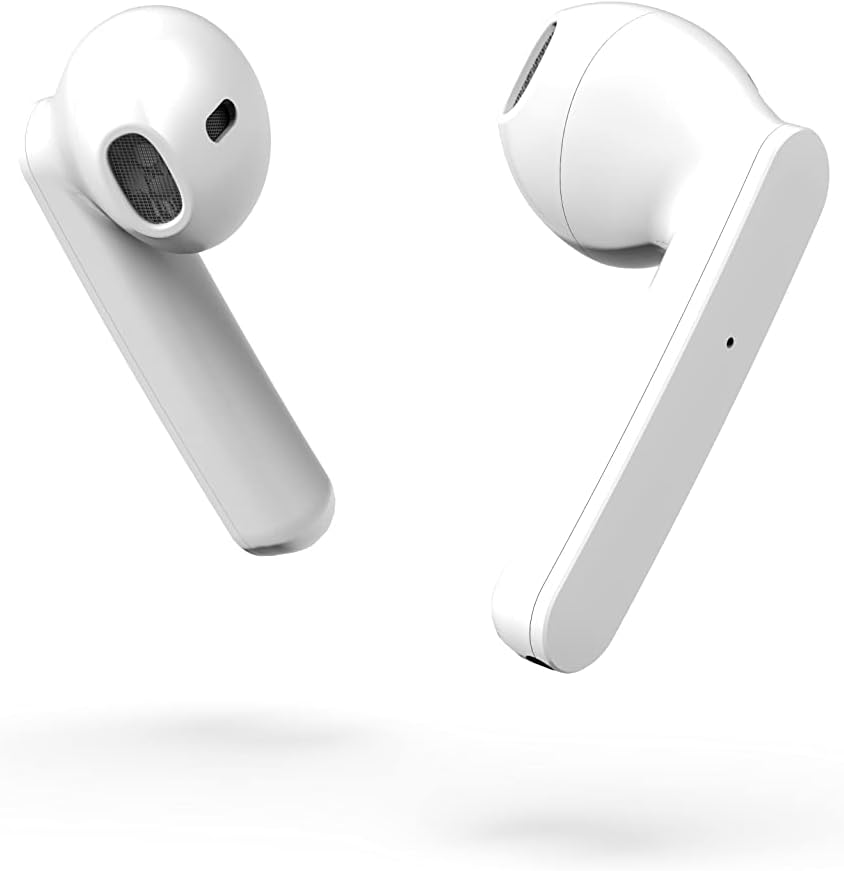
Hoto na 3.2: Gefen kusa view of the earbuds, highlighting their design.
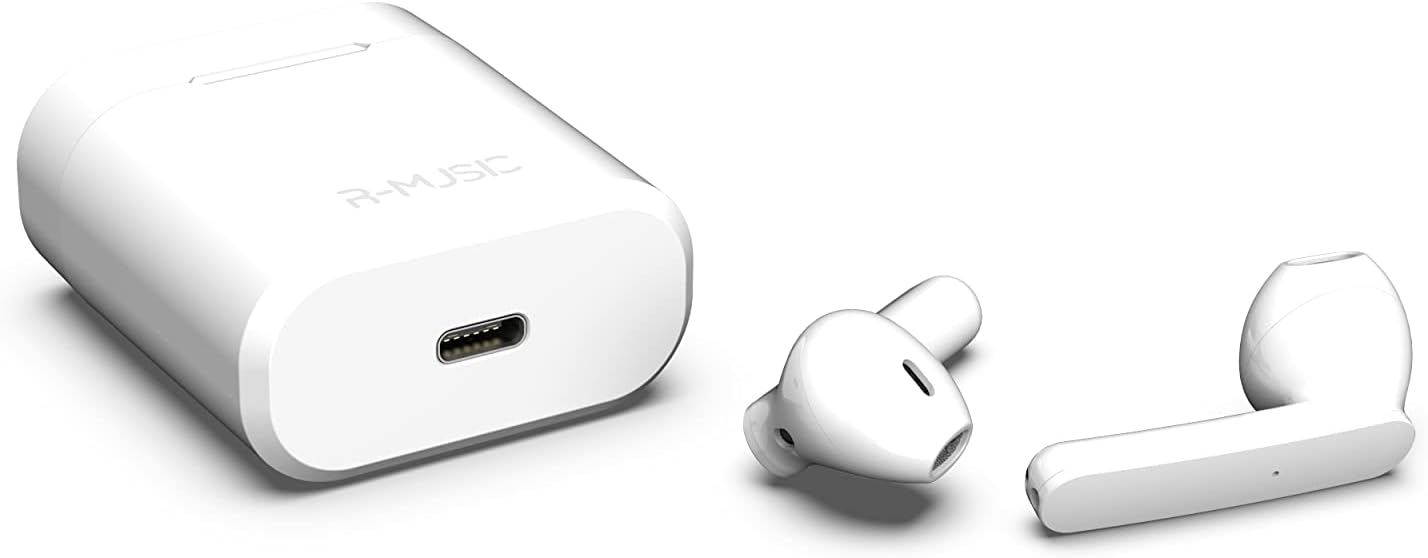
Figure 3.3: Charging case with USB-C port and earbuds.
4. Saita
4.1 Fara Cajin
- Kafin fara amfani da farko, sanya belun kunne biyu a cikin cajin caji.
- Connect the USB-C charging cable to the port on the charging case and to a power source.
- An indicator light inside the case will show the battery level during charging. Ensure the case and earbuds are fully charged.
4.2 Haɗa tare da Na'ura
The R-Music Novo RM483874 earbuds feature quick and easy pairing:
- Buɗe akwatin caji ka cire belun kunne guda biyu. Za su shiga yanayin haɗawa ta atomatik.
- On your device (e.g., smartphone), navigate to the Bluetooth settings.
- Bincika available devices and select "R-Music Novo" (or similar name) from the list.
- Da zarar an haɗa, za ku ji tabbacin sauti, kuma belun kunne za su kasance a shirye don amfani.
5. Umarnin Aiki
5.1 Kunnawa / Kashewa
- Kunna Wuta: Remove the earbuds from the charging case. They will automatically power on and attempt to connect to the last paired device.
- Kashe Wuta: Sanya belun kunne a mayar da su cikin cajin caji. Za su kashe ta atomatik kuma su fara caji.
5.2 Gudanar da taɓawa
The earbuds are equipped with touch controls for convenient operation:
- Kunna/Dakata: Matsa guda ɗaya akan ko wane belun kunne.
- Waƙa ta gaba: Matsa sau biyu akan belun kunne na dama.
- Tafiya ta baya: Matsa sau biyu akan belun kunne na hagu.
- Amsa/Ƙarshen Kira: Matsa guda ɗaya akan ko dai na'urar kunne yayin kira mai shigowa ko kira mai aiki.
- Karɓar Kira: Danna ka riƙe kowanne kunne yayin kira mai shigowa.
- Kunna Mataimakin Murya: Triple tap on either earbud (functionality may vary by device).
5.3 Yin Kira
The integrated microphone allows for hands-free calling. Ensure the earbuds are connected to your phone via Bluetooth. Use the touch controls to manage calls.
5.4 Listening to Music
Enjoy clear and balanced stereo sound. Use the touch controls to manage playback.
6. Yin caji
The earbuds provide approximately 3 hours of playback on a single charge. The charging case offers an additional 11 hours of battery life, allowing for multiple recharges on the go.
- Cajin Kulun kunne: Place the earbuds into the charging case. They will automatically charge.
- Cajin Cajin: Connect the supplied USB-C cable to the charging port on the case and a compatible USB power adapter. The indicator light will show charging status and battery level.
7. Kulawa
- Tsaftacewa: Yi amfani da kyalle mai laushi da busasshe don tsaftace belun kunne da akwatin caji. A guji amfani da sinadarai masu ƙarfi ko kayan gogewa.
- Ajiya: Lokacin da ba a amfani da su, adana belun kunne a cikin cajin cajin su don kare su da kiyaye su caji.
- Juriya na Ruwa: The earbuds are water-resistant. However, they are not designed for swimming or prolonged submersion. Avoid exposure to saltwater or other corrosive liquids.
8. Shirya matsala
| Matsala | Magani mai yiwuwa |
|---|---|
| Kunnen kunne ba ya kunna. | Ensure the charging case and earbuds are charged. Place earbuds in case, then remove them. |
| Earbuds do not pair. | Make sure Bluetooth is enabled on your device. Forget the device in your Bluetooth settings and try pairing again. Ensure earbuds are removed from the case. |
| Babu sauti daga kunnen kunne daya. | Place both earbuds back into the charging case, close the lid, then reopen and remove them. Check device audio settings. |
| Cajin caji baya caji. | Check the USB-C cable and power adapter. Ensure the cable is securely connected. |
9. Ƙayyadaddun bayanai
| Siffar | Daki-daki |
|---|---|
| Sunan Samfura | Novo |
| Lambar Samfura | RM483874 |
| Fasahar Haɗuwa | Bluetooth (mara waya) |
| Nau'in sarrafawa | Taɓa Control |
| Makirifo | Haɗe-haɗe |
| Rayuwar Baturi (Bun kunne) | Kimanin 3 hours |
| Rayuwar Baturi (tare da Case) | Approx. 3H + 11H (total 14 hours) |
| Cajin Port | USB-C |
| Matsayin Juriya na Ruwa | Mai jure ruwa |
| Kayan abu | Filastik |
| Nauyi | 37g ku |
| Girma | 5.3 x 4.7 x 2.4 cm |
| Impedance | 3 ohm |
| Sarrafa amo | Acoustic kadaici |
| Amsa Mitar | 20 Hz |
| Hankali | 109db ku |
10. Bayanin Tsaro
- Kada a tarwatsa, gyara, ko gyara samfurin.
- Keep the earbuds and charging case away from extreme temperatures, direct sunlight, and moisture.
- A guji saurare a matakan girma na tsawon lokaci don hana lalacewar ji.
- Ka kiyaye yara da dabbobin da ba za su iya isa ba.
- Zubar da samfur bisa ga ka'idojin gida.
11. Garanti da Tallafawa
R-Music products are designed for reliability and performance. For warranty information or technical support, please refer to the contact details provided at the point of purchase or visit the official R-Music website. Da fatan za a riƙe shaidar siyan ku don da'awar garanti.


