Gabatarwa
Welcome to your VTech VT680 Cordless Phone. This manual provides essential information for setting up, operating, and maintaining your new phone. The VTech VT680 is a DECT 6.0 cordless phone designed for reliable fixed-line communication.
Key features include Caller ID, a log of the last 10 received calls, a reminder alarm, and a 20-contact phonebook.

Image: VTech VT680 Cordless Phone handset and base unit positioned on a desk in a home office environment, alongside office supplies.
Abubuwan Kunshin
Da fatan za a tabbatar cewa kunshin ku ya ƙunshi abubuwa masu zuwa:
- VTech VT680 Cordless Handset
- Tushen Caji
- Adaftar Wuta
- Igiyar Layin Waya
- 2 AAA Batura Masu Caji
- Jagorar mai amfani (wannan takaddar)
Saita
1. Shigar da Baturi
Mataki 1: Nemo sashin baturin a bayan wayar hannu.
Mataki 2: Insert the two AAA rechargeable batteries, observing the correct polarity (+ and -) as indicated inside the compartment.
Mataki 3: Rufe murfin ɗakin baturi amintacce.

Hoto: Na baya view of the VTech VT680 cordless phone handset, showing the battery compartment area.
2. Haɗin Rukunin Tushe
Mataki 1: Connect one end of the telephone line cord to the TEL LINE jack on the back of the charging base.
Mataki 2: Haɗa dayan ƙarshen igiyar layin wayar zuwa jack ɗin bangon wayar ku.
Mataki 3: Connect the small end of the power adapter to the POWER jack on the back of the charging base.
Mataki 4: Plug the large end of the power adapter into a standard electrical outlet.

Hoto: Side profile of the VTech VT680 cordless phone handset docked in its charging base, illustrating its compact design.
3. Cajin Farko
Place the handset on the charging base. The handset display will show a charging indicator. Allow the handset to charge for at least 12 hours before initial use to ensure optimal battery performance and longevity.

Hoto: Gaba view of the VTech VT680 cordless phone handset docked in its charging base, displaying the screen and keypad.
Umarnin Aiki
Yin Kira
- Ickauki wayar hannu ko latsa maɓallin WAYA maballin.
- Buga lambar wayar da ake so ta amfani da faifan maɓalli.
- Danna maɓallin WAYA maballin sake don kare kiran.
Amsa Kira
Lokacin da wayar tayi ringi, ɗauki wayar hannu ko danna WAYA maballin.
Using Caller ID
When a call comes in, the caller's name and number will appear on the handset display (requires subscription to Caller ID service from your telephone provider).
Da review the call log, press the LATSA KIRA maballin. Yi amfani da UP kuma KASA arrow buttons to scroll through the last 10 received calls.
Littafin waya
The phonebook can store up to 20 contacts.
Ƙara lamba
- Danna maɓallin MENU maballin.
- Navigate to "Phonebook" and select "Add New Entry".
- Enter the contact's name and phone number using the keypad.
- Latsa ACE don adana shigarwar.
Making a Call from Phonebook
- Danna maɓallin LITTAFI maballin.
- Yi amfani da UP kuma KASA arrow buttons to find the desired contact.
- Danna maɓallin WAYA button to dial the contact.
Setting a Reminder Alarm
- Danna maɓallin MENU maballin.
- Navigate to "Alarm" or "Reminders" in the menu.
- Set the desired time and activate the alarm function.
- Latsa ACE don tabbatarwa.
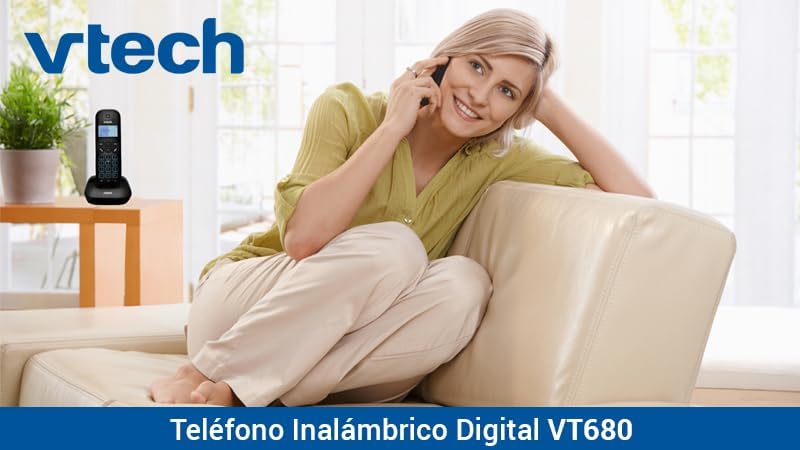
Image: A woman comfortably seated on a couch, engaged in a phone conversation using the VTech VT680 cordless phone.
Kulawa
Tsaftacewa
Wipe the handset and base unit with a soft, slightly damp cloth. Do not use harsh cleaning agents, abrasive materials, or excessive liquid, as these can damage the device.
Kula da baturi
Use only the specified AAA rechargeable batteries. Replace batteries when they no longer hold a charge effectively or if you notice a significant decrease in talk time.
Shirya matsala
If you encounter any issues with your VTech VT680 Cordless Phone, please refer to the table below for common problems and their solutions.
| Matsala | Magani |
|---|---|
| Babu sautin bugun kira | Ensure the telephone line cord is securely connected to both the base unit and the telephone wall jack. Verify the power adapter is properly connected to the base unit and a working electrical outlet. |
| Na'urar wayar hannu baya caji | Ensure the handset is correctly seated in the charging cradle. Verify the power adapter is plugged in. Clean the charging contacts on both the handset and base unit with a dry cloth. |
| Rashin ingancin kira ko kuma tsayayyen tsari | Move closer to the base unit. Check for interference from other electronic devices (e.g., Wi-Fi routers, microwaves). Try relocating the base unit. |
| Caller ID not working | Ensure you are subscribed to Caller ID service from your telephone service provider. Contact your provider to confirm the service is active. |
Ƙayyadaddun bayanai
Ƙididdiga na Fasaha
- Alamar: VTech
- Samfura: Saukewa: VT680
- Nau'in Waya: Cordless, DECT 6.0 Technology
- Launi: Baki
- Abu: Filastik
- Tushen wutar lantarki: Battery operated (2 AAA rechargeable batteries included)
- Dimensions (Handset on Base): Kimanin 16.8 x 7.8 x 15.8 cm
- Nauyi: Kusan 680 g
- Siffofin: Caller ID, 10-call log, Reminder Alarm, 20-contact Phonebook
- Line Operation: Single-line operation
Garanti da Taimako
For detailed warranty information, technical support, or to register your product, please visit the official VTech website or contact VTech customer service. Specific warranty terms and support options may vary by region.


