1. Gabatarwa
This manual provides comprehensive instructions for the safe and effective operation, maintenance, and troubleshooting of your Sofirn HS41 4000 Lumen Rechargeable LED Headlamp. Please read this manual thoroughly before using the product to ensure optimal performance and longevity.
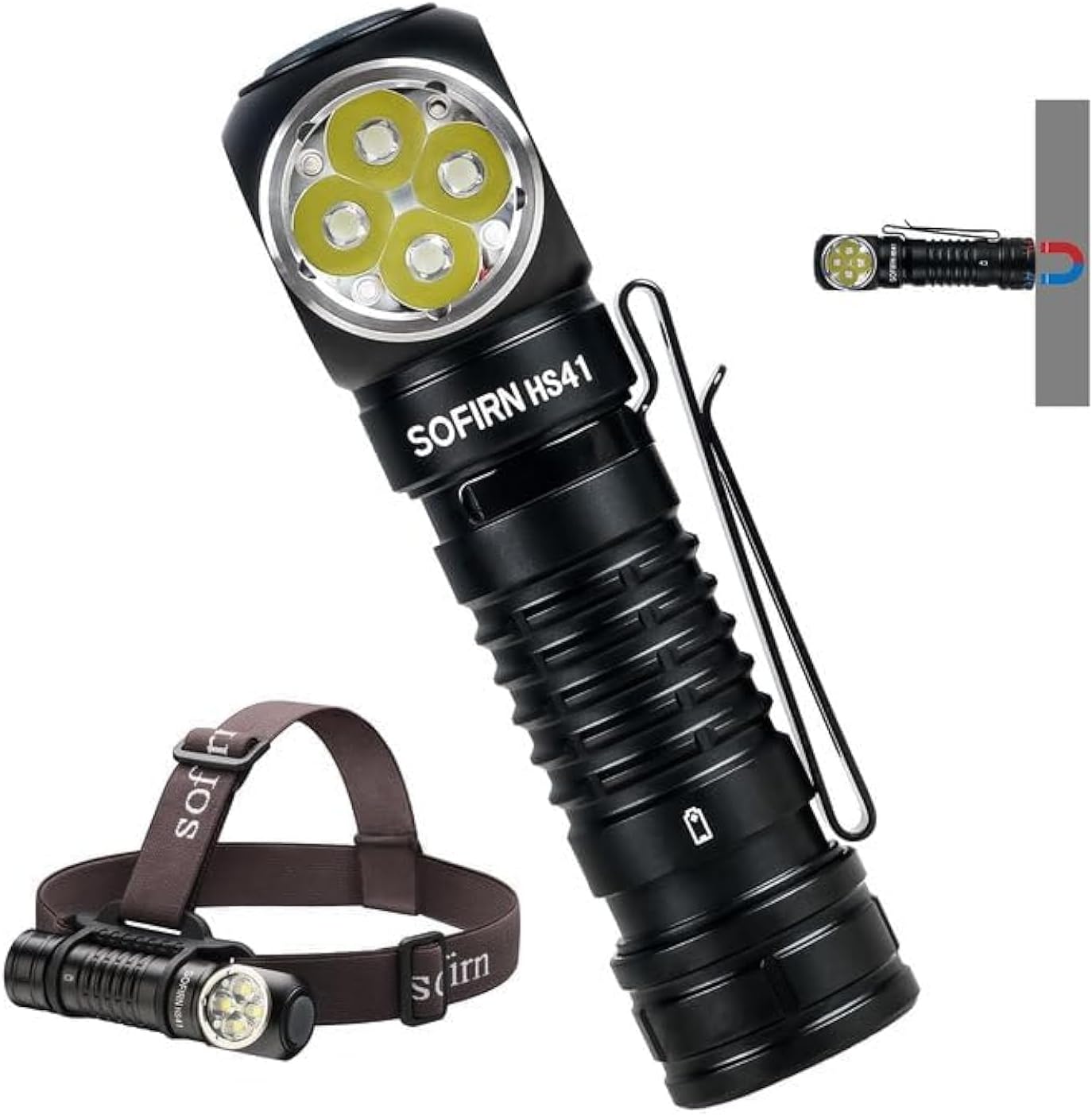
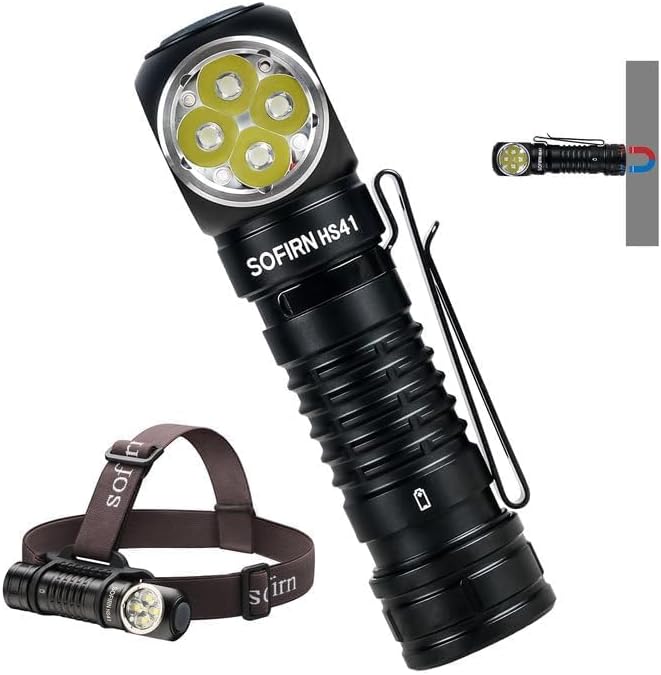
The Sofirn HS41 can be used as a headlamp with the included headband or as a versatile right-angle flashlight, featuring a magnetic base for hands-free operation.
2. Samfurin Ya Ƙareview
Mabuɗin Siffofin
- Babban Fitowa: Equipped with 4*SST20 LEDs, delivering up to 4000 lumens with a beam distance of 325 meters.
- Cajin USB-C: Built-in Type-C port for convenient and fast charging.
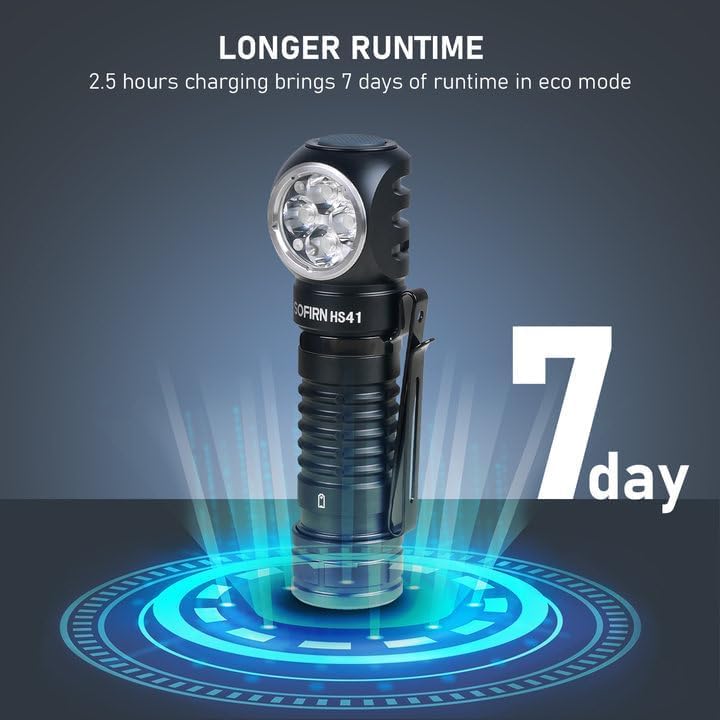
- Tsawaita lokacin gudu: Up to 29.5 days of usage in Moonlight mode on a single charge.
- Hanyoyin Haske da yawa: 9 modes including Moonlight, Eco, Low, Medium, High, Turbo, Strobe, SOS, and Beacon.
- Zane Mai Dorewa: IPX8 waterproof rating and impact resistance up to 1 meter.
- Amfani mai yawa: 90-degree L-shape design allows use as a headlamp or right-angle flashlight with a powerful magnetic tailcap.
- Siffofin Tsaro: Advanced Temperature Regulation (ATR) and Low Voltage Kariya.

This image highlights the main features of the HS41, such as its multiple lighting modes, extended battery life, convenient USB-C charging, and robust IP68 waterproof design.
Me ke cikin Akwatin
- Sofirn HS41 Headlamp
- 1x Rechargeable Lithium Polymer Battery
- 1x Sturdy Head Band
- 1 x Nau'in-C Cajin Cable
- 1 x Manual mai amfani
3. Umarnin Tsaro
- Do not shine the light directly into eyes. The high lumen output can cause temporary vision impairment.
- A kiyaye nesa da yara.
- Use only the specified battery type. Incorrect battery usage can lead to damage or safety hazards.
- Kada a tarwatsa kan kaiamp, as this may void the warranty and cause damage.
- Ka guji fallasa kaiamp zuwa matsanancin zafi ko hasken rana kai tsaye na tsawon lokaci.
- Tabbatar cewa murfin tashar USB-C a rufe yake da kyau lokacin da ba a caji ba don kiyaye juriyar ruwa.
4. Saita
Shigar da baturi
- Unscrew the tail cap of the headlamp.
- Insert the included 18650 Lithium Polymer battery with the positive (+) end facing towards the head of the light.
- Mayar da hular wutsiya a baya damtse don tabbatar da daidaitaccen lamba da juriya na ruwa.
Cajin
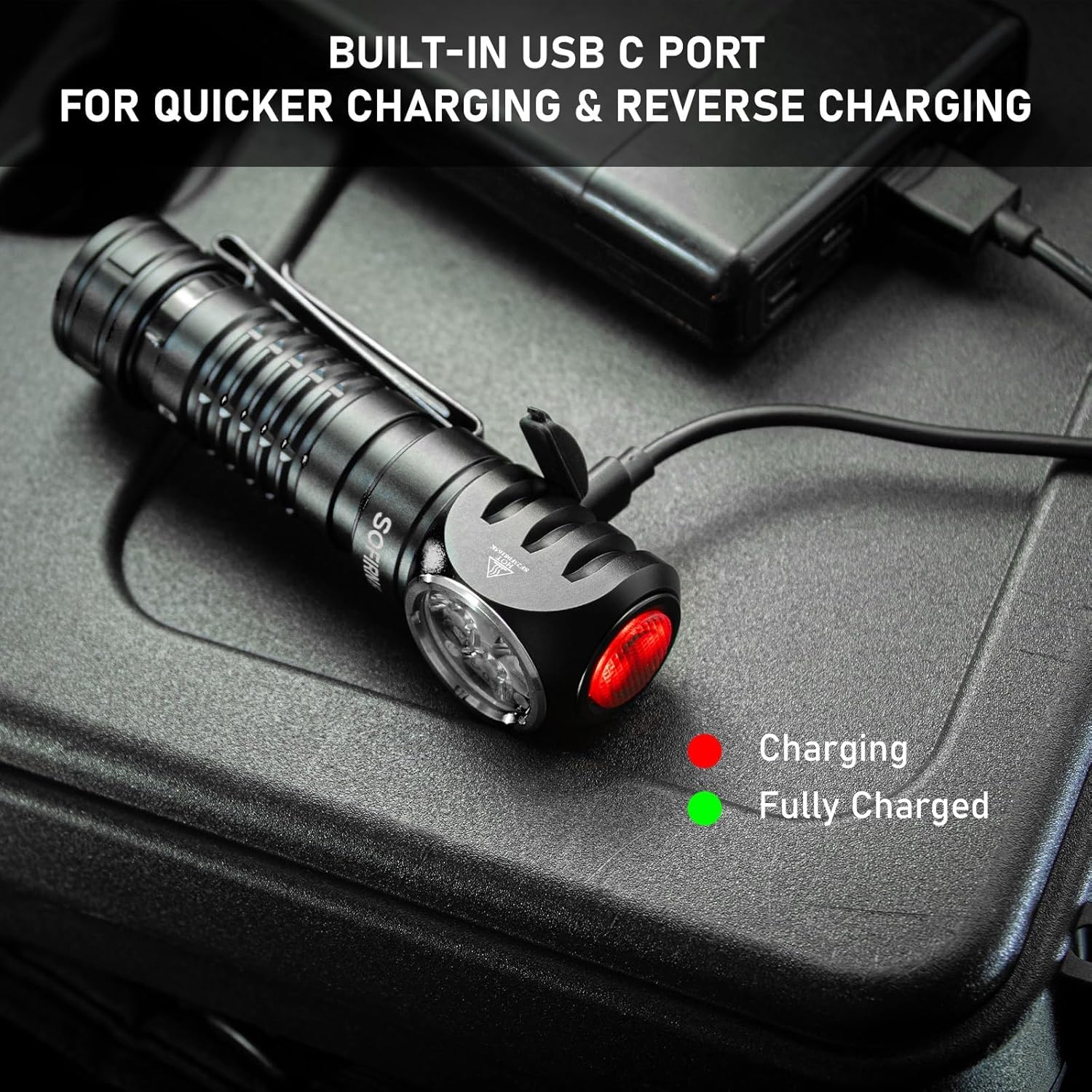
The HS41 features a built-in USB-C charging port.
- Locate the USB-C charging port on the side of the headlamp and open its protective cover.
- Connect the provided Type-C charging cable to the headlamp and to a USB power source (e.g., wall adapter, power bank, computer).
- Hasken mai nuna alama akan kaiamp will show the charging status:
- Ja: Ana ci gaba da caji
- Kore: Caji cikakke.
- Caji yawanci yana ɗaukar kimanin awanni 2.5 don cikakken caji.
- Once charging is complete, disconnect the cable and securely close the USB-C port cover to maintain water resistance.
Kanun labaraiamp features a built-in USB-C port for convenient and fast charging. The indicator light changes color to show charging status.
5. Umarnin Aiki
The HS41 is operated via a single side switch.
Basic Aiki
- Kunna/Kashe: Single click the switch to turn the light on or off.
- Change Brightness (Ramping): When the light is on, press and hold the switch to cycle through brightness levels (Moonlight, Eco, Low, Medium, High, Turbo). Release the switch at your desired brightness.
- Ƙwaƙwalwar Yanayin: Kanun labaraiamp will remember the last used brightness level (except for special modes like Strobe, SOS, Beacon).
Hanyoyin Samun Sauri
- Hasken wata: From OFF, press and hold the switch for 1 second to activate Moonlight mode.
- Babban Yanayin: From OFF, double-click the switch to directly activate High mode.
- Yanayin Strobe: From OFF, triple-click the switch to activate Strobe mode.
Kanun labaraiamp's single button allows for quick access to frequently used modes: press and hold for Moonlight, double-click for High, and triple-click for Strobe.
Special Modes (Strobe, SOS, Beacon)
- From ON, triple-click the switch to enter Strobe mode.
- While in Strobe mode, double-click to cycle through SOS and Beacon modes.
- Single click to turn off or return to the previous brightness level.

The HS41 delivers a powerful 4000 lumens, providing extensive illumination for outdoor activities. The image shows the light beam and icons representing modes like Moonlight, Eco, Low, Medium, High, Turbo, Strobe, Beacon, and SOS.
Aikin Kulle
To prevent accidental activation, the HS41 features a lockout mode.
- Kunna Kulle: From OFF, perform four quick clicks of the switch. The LED will blink twice to confirm lockout mode is active.
- Kashe Kulle: Perform four quick clicks of the switch. The light will turn on to the last used mode.

Kanun labaraiamp features a lockout mode to prevent accidental activation. It is engaged by four quick clicks when the light is off, indicated by two blinks.
Alamar Wuta
The power indicator displays the battery level for 5 seconds every time the light is turned on.
- Kore: Remaining battery power is good (70% - 100%).
- Ja: Remaining battery power is poor (30% - 69%).
- Ja mai walƙiya: Critical power (less than 30%). Recharge the battery as soon as possible.
The integrated power indicator provides real-time battery status: green (70-100%), red (30-69%), and flashing red (below 30%), prompting timely recharging.
Ƙananan Voltage Gargadi
Lokacin da baturi voltage drops below 3V, the indicator will flash red, and the headlamp will vibrate twice with a 1-minute interval between each vibration. This signals that the battery needs to be recharged immediately.

Lokacin da baturi voltage sauka a kasa 3V, da headlamp's indicator will flash red, and the device will vibrate twice with a one-minute interval, signaling a low voltage hali.
6. Kulawa
Tsaftacewa
- Goge kaiamp da taushi, damp zane don cire datti da tarkace.
- Kada a yi amfani da masu tsaftacewa ko masu kaushi, saboda suna iya lalata ƙarshen ko abubuwan ciki.
- Clean the threads of the tail cap and O-rings periodically. Apply a thin layer of silicone grease to the O-rings to maintain water resistance.
Kula da baturi
- Recharge the battery regularly, especially if the headlamp ba za a yi amfani da shi na dogon lokaci ba.
- Ajiye baturin a wuri mai sanyi, busasshiyar wuri.
- If storing for a long time, remove the battery from the headlamp to prevent parasitic drain.
Adana
- Ajiye headlamp in a dry environment, away from direct sunlight and extreme temperatures.
- Tabbatar da kaiamp is in lockout mode or the battery is removed during storage to prevent accidental activation.
7. Shirya matsala
| Matsala | Dalili mai yiwuwa | Magani |
|---|---|---|
| Haske baya kunna | Batir ya ƙare Battery incorrectly inserted Tail cap loose Shugaban kaiamp in lockout mode | Yi cajin baturi Duba polarity baturi Tattara hular wutsiya Deactivate lockout mode (4 clicks) |
| Haske yana kyalli ko duhu | Ƙananan baturi Poor contact between battery and terminals Dirty threads/contacts | Yi cajin baturi Ensure battery is fully inserted Clean threads and contacts with a cotton swab |
| Cajin baya aiki | Charging cable faulty USB power source insufficient Charging port dirty | Gwada kebul na USB-C daban Use a reliable USB power adapter Clean the USB-C port gently |
| Shugaban kaiamp gets hot quickly | Operating in Turbo/High mode for extended periods ATR (Advanced Temperature Regulation) is active | This is normal. The ATR system will automatically reduce brightness to prevent overheating. Reduce brightness manually if desired. |
8. Ƙayyadaddun bayanai
| Siffar | Ƙayyadaddun bayanai |
|---|---|
| Samfura | HS41 |
| Hasken Haske | 4*SST20 LEDs |
| Mafi Girma Haske | 4000 Lumen |
| Nisa Tsayi | mita 325 |
| Tushen wutar lantarki | 1x Rechargeable Lithium Polymer Battery (included) |
| Cajin Port | USB Type-C |
| Kayan abu | Aluminum Alloy |
| Resistance Ruwa | IPX8 (submersible up to 2 meters for 30 minutes) |
| Juriya Tasiri | 1 mita |
| Girma | 1"D x 1"W x 1"H (kimanin 30.1mm x 29mm x 115mm) |
| Nauyi | 0.71 Pounds (approx. 11.4 ounces / 79g without battery) |
| Siffofin Musamman | Adjustable Light Modes, Adjustable Strap, Magnetic Base, Low Voltage Warning, Advanced Temperature Regulation |
9. Garanti da Tallafawa
For warranty information or technical support, please contact the seller, 77 Outdoor Shop, or the manufacturer, Sofirn, directly through their official channels. Please retain your proof of purchase for any warranty claims.