1. Gabatarwa
The OneKey Pro is a state-of-the-art crypto cold wallet designed to provide ultimate security for your digital assets. This device ensures your private keys remain offline and protected from various threats. Featuring a 3.5-inch touchscreen, fingerprint unlock, and multiple secure elements, the OneKey Pro offers a user-friendly experience without compromising on security. This manual provides essential information for setting up, operating, and maintaining your device.

Figure 1: OneKey Pro Crypto Cold Wallet. This image displays the sleek design of the OneKey Pro device, highlighting its screen and overall form factor.
2. Abin da ke cikin Akwatin
Upon unboxing your OneKey Pro, please verify that all the following items are included:
- OneKey Pro Device
- Na USB Type-C USB
- Recovery Sheet x 3

Figure 2: Box contents. This image shows the OneKey Pro device, USB-C cable, and recovery sheets neatly packaged within the product box.
3. Saita Umarnin
Follow these steps to set up your OneKey Pro device:
- Initial Power On & Language Selection: Power on your device. Select your preferred language from the options displayed on the 3.5-inch touchscreen.
- Device Verification: Visit the official OneKey verification website (keys.one/verify) on a separate device. Scan the QR code displayed on your OneKey Pro screen using the website to verify the authenticity of your device and firmware. This step is crucial for security.
- Sabunta Firmware: If prompted, update your device firmware to the latest version. This can typically be done via a MicroSD card or USB connection.
- Wallet Creation or Import: Choose to either create a new wallet or import an existing one using your seed phrase. Carefully follow the on-screen instructions for generating or entering your seed phrase.
- PIN Code and Fingerprint Setup: Set a strong PIN code for your device. Additionally, configure fingerprint unlock for convenient and secure access.
Video 1: OneKey Touch Setup Tutorial. This video provides a step-by-step guide on how to set up your OneKey Touch device, including initial configuration and wallet management.
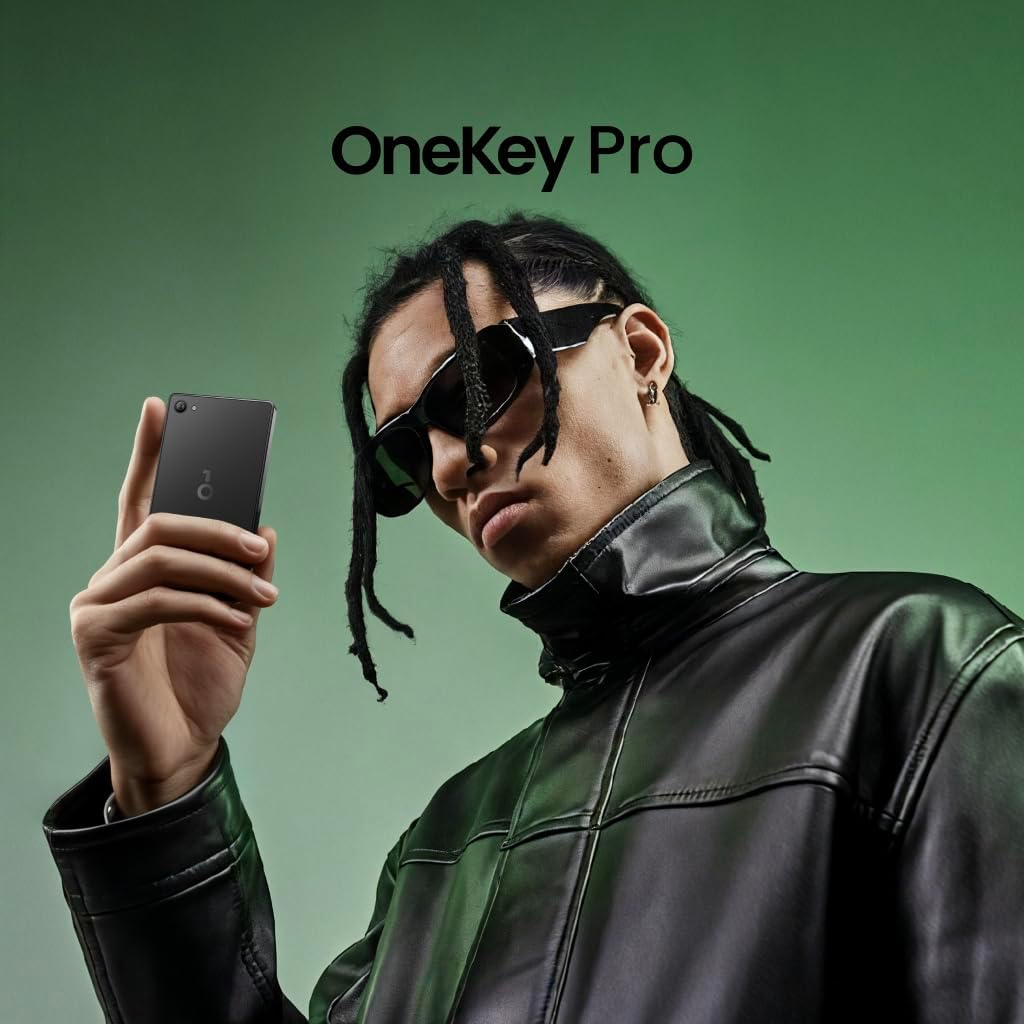
Figure 3: Device in hand during setup. This image shows the OneKey Pro being held, illustrating the user interface during the initial setup process.
4. Mabuɗin Siffofin
4.1 Ultimate Protection & Air-gapped Security
The OneKey Pro is designed for maximum security, ensuring your private keys are never exposed to the internet. It utilizes air-gapped QR signing and wireless charging, keeping your assets truly offline. The device is built with 4x EAL6+ secure elements, providing banking-grade defense against sophisticated attacks.

Figure 4: Always Security-Oriented. This image highlights the core security features of the OneKey Pro, including air-gap support, offline private keys, and EAL6+ security chips.

Figure 5: Against All Magic Attacks. This image illustrates the 4x EAL6+ certified Secure Elements integrated into the OneKey Pro, emphasizing its high level of security.

Figure 6: Air-Gap Supported. This image demonstrates the air-gapped QR code signing process, ensuring transactions are signed offline.
4.2 User-Friendly Interface
The OneKey Pro features a vibrant 3.5-inch true color touchscreen, making navigation and transaction confirmation intuitive. It supports fingerprint unlock and a simple swipe-to-sign mechanism for quick and easy operations.

Figure 7: Touch Screen. This image shows a hand interacting with the 3.5-inch touchscreen to confirm a transaction with a 'Slide to Sign' action.

Figure 8: Fingerprint Unlock. This image highlights the fingerprint sensor on the device, used for quick and secure unlocking.

Figure 9: Friendly to Use. This image points out the camera, fingerprint unlock, touchscreen, and USB-C port, emphasizing the device's accessible design.
4.3 Multi-Chain and Asset Support
The OneKey Pro supports over 100 blockchain networks and 10,000+ coins, including major cryptocurrencies like BTC, ETH, SOL, and USDT. It is also compatible with NFTs and DeFi applications, and integrates with WalletConnect v2, MetaMask, OKX, and Rabby. The device works across various operating systems including Windows, macOS, Linux, Android, and iOS.

Figure 10: Multi-Chain Support. This image displays a list of various cryptocurrencies and blockchain networks supported by the OneKey Pro, such as Bitcoin, Ethereum, Solana, and Tron.
5. Umarnin Aiki
Once your OneKey Pro is set up, you can begin managing your digital assets:
- Haɗa zuwa App: Use the OneKey companion app on your smartphone or computer. The device connects via Bluetooth or USB-C, and transactions are often initiated by scanning QR codes displayed on the app.
- Managing Assets: The touchscreen interface allows you to view your portfolio, select different cryptocurrencies, and manage your NFTs.
- Signing Transactions: To authorize a transaction, the details will be displayed on your OneKey Pro screen. Verify the details carefully and use the 'swipe-to-sign' feature or fingerprint unlock to confirm. This ensures that your private keys never leave the secure hardware.
6. Matakan Tsaro
The OneKey Pro incorporates several layers of security:
- Code-Proven & Audited: The device's firmware is fully open source with reproducible builds, allowing developers and users to inspect the codebase for transparency. It undergoes independent security audits by blockchain experts like SlowMist to identify and fix vulnerabilities.
- Tamper-Evident Packaging: The product packaging includes self-destruct labels and security seals to ensure you are the first person to open the box, preventing supply-chain attacks.
- Self-Destruct Safeguards: In the event of physical tampering, the device is designed to wipe the recovery phrase immediately.
- First-Boot Firmware Attestation: This feature verifies the integrity of the firmware upon the first boot, protecting against pre-delivery attacks.
- OneKey Clear-Signing: This technology helps prevent phishing attacks by clearly displaying transaction details for user verification before signing.

Figure 11: You're the first to open the box. This image shows a self-destruct label on the product box, indicating if the package has been opened previously.

Figure 12: Seal packaging for peace of mind. This image shows a security seal on the device's packaging, ensuring it hasn't been tampaka yi da.

Figure 13: Open source from day one. This illustration depicts the transparency of the open-source codebase, allowing for inspection and trust in the device's functionality.

Figure 14: Code audits by blockchain experts. This illustration represents the ongoing code audits conducted by experts like SlowMist to ensure security and identify vulnerabilities.
7. Kulawa
To ensure the longevity and optimal performance of your OneKey Pro:
- Kiyaye na'urar tsabta kuma ba ta da ƙura da danshi.
- Charge the device regularly using the provided USB Type-C cable.
- Store your recovery sheets in a secure, private location, separate from your device.
- Regularly check for and install firmware updates to benefit from the latest security enhancements and features.
8. Shirya matsala
If you encounter any issues with your OneKey Pro, please refer to the official OneKey support resources or contact their customer service for assistance. Common issues can often be resolved by checking the connection, restarting the device, or ensuring the firmware is up to date.
9. Ƙayyadaddun bayanai
| Siffar | Daki-daki |
|---|---|
| Sunan Samfura | OneKey Pro |
| Launi | Baki |
| Girman samfur | 3.43 x 0.4 x 7.17 inci |
| Nauyin Abu | 2.47 oz |
| Girman Nuni Allon Tsaye | Inci 3.5 |
| Fasahar Haɗuwa | USB, Bluetooth |
| Interirƙirar Abun Taɗi | USB Type A |
| Nau'in Ƙwaƙwalwar Flash | SD |
| Ƙarfin Ajiye Ƙwaƙwalwar Ƙwaƙwalwa | 512 MB |
| Baturi | 1 batirin lithium ion da ake buƙata (an haɗa) |
10. Garanti da Tallafawa
Upon receiving your package, please immediately check the product for any defects or missing components. Devices opened after the quality period may not be eligible for after-sales service. For warranty information, technical support, or any product-related inquiries, please visit the official OneKey website or contact their customer support team directly.


