1. Samfurin Ya Ƙareview
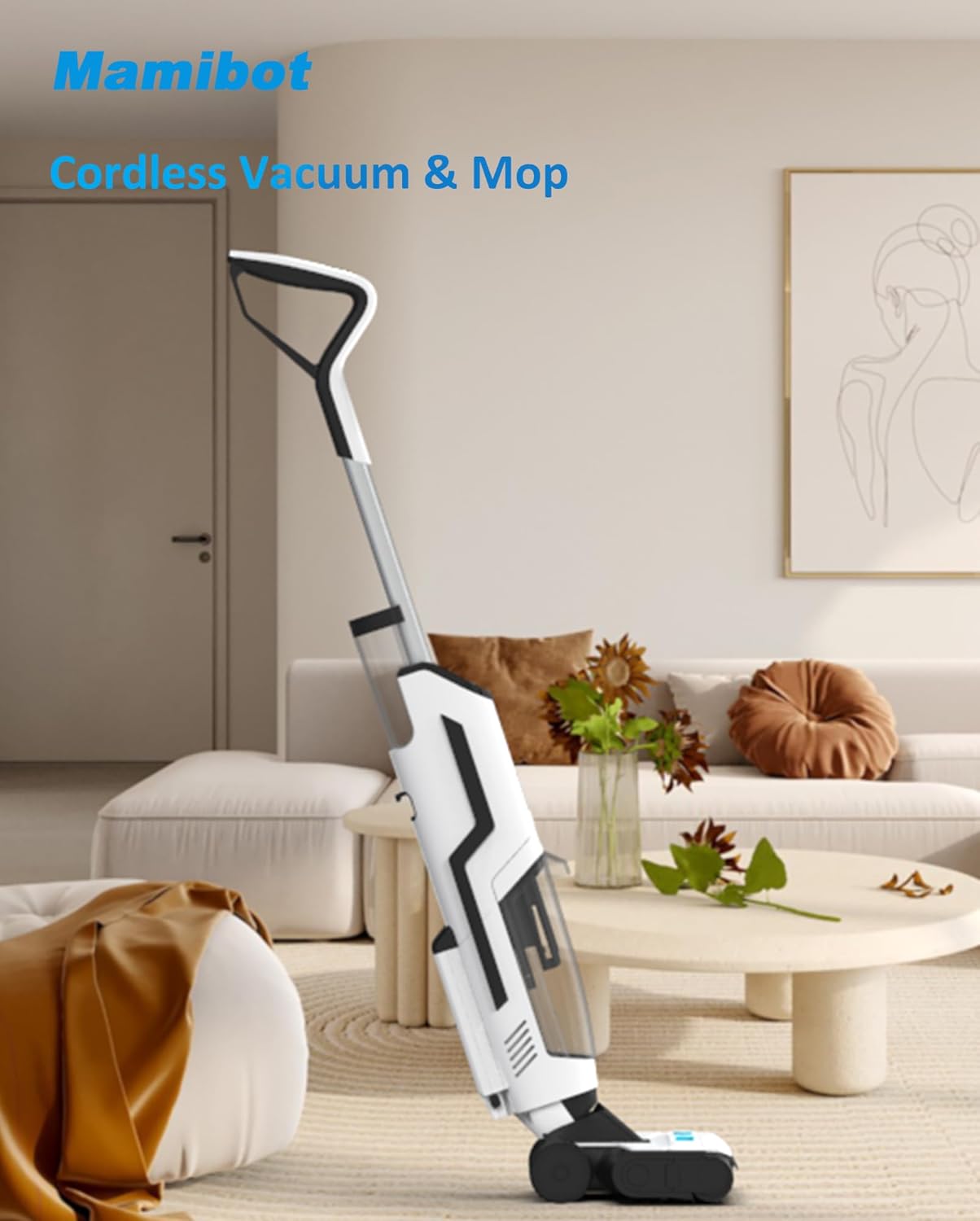
The Mamibot FLOMO I Plus is an advanced 3-in-1 cordless wet and dry vacuum cleaner and mop designed for efficient cleaning of various sealed hard floor surfaces. It integrates vacuuming, mopping, and washing functions into a single device, offering convenience and powerful cleaning performance.

This image displays the Mamibot FLOMO I Plus unit alongside its charging dock, a spare HEPA filter, and the detachable brush cover, illustrating the main components included with the product.
2. Saita da Majalisa
Follow these steps to set up your Mamibot FLOMO I Plus for first use:
- Cire Akwatunan Akwatin da Tabbatar da Abunda ke ciki: Carefully remove all components from the packaging. Verify that all parts listed in the user manual are present and undamaged.
- Majalisar Hannu: Insert the handle into the main body of the vacuum cleaner until it clicks securely into place. Ensure it is firmly attached to prevent dislodgement during operation.
- Cajin Farko: Place the assembled unit onto the charging dock. Connect the power adapter to the charging dock and plug it into a wall outlet. Allow the unit to fully charge before first use. The LED display will indicate charging status.
- Cika Tankin Ruwa Mai Tsabta: Locate the clean water tank (680ml capacity). Remove the tank, open the cap, and fill it with clean tap water. For enhanced cleaning, a small amount of compatible floor cleaning solution can be added as per manufacturer guidelines. Securely close the cap and reinsert the tank into the unit.
- Checking the Dirty Water Tank: Ensure the dirty water tank (550ml capacity) is empty and properly installed before operation.
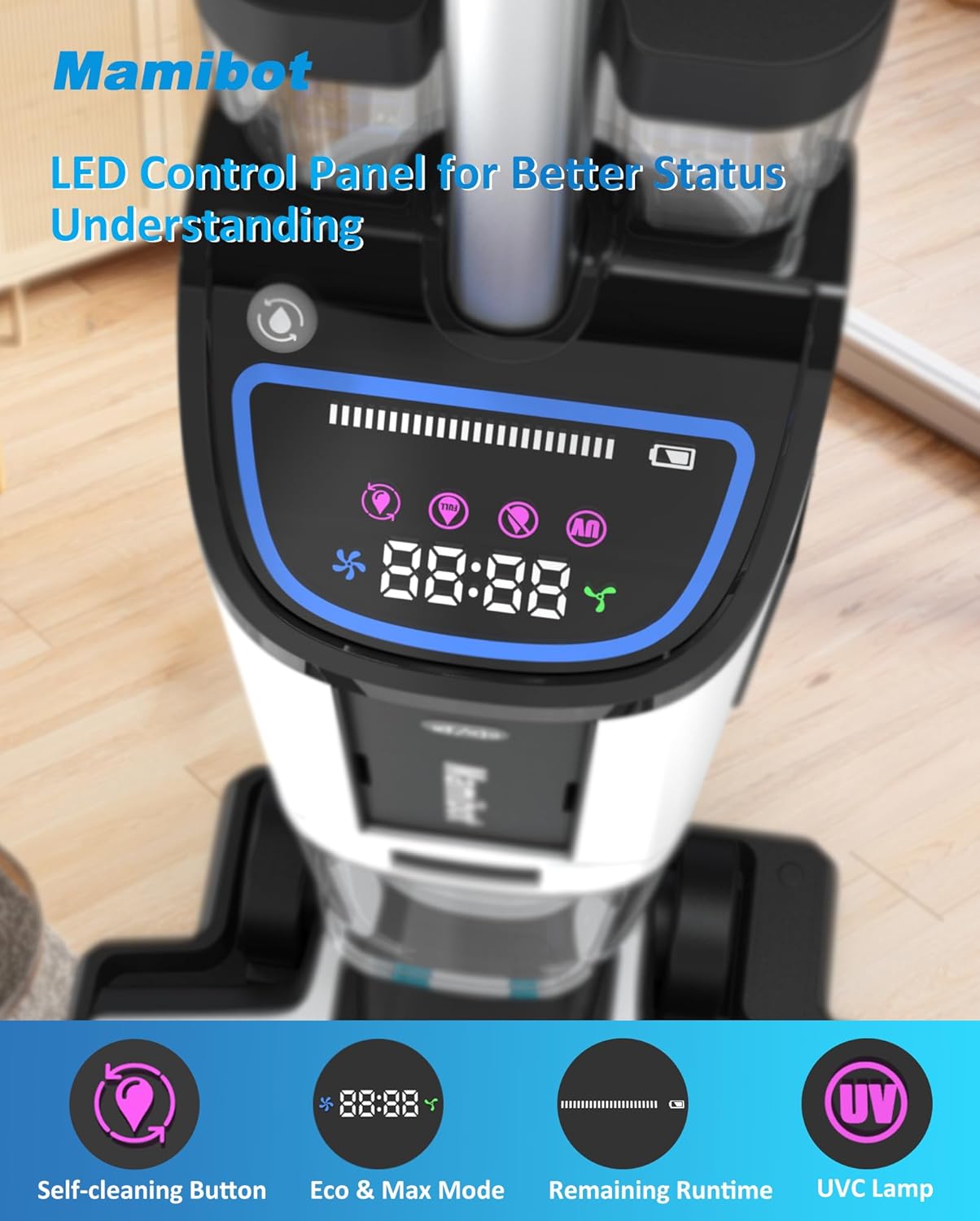
A daki-daki view of the vacuum's LED display, highlighting icons for self-cleaning, power modes (Eco/Max), battery life indicator, and the UVC lamp function, providing real-time status updates.

This image illustrates the dual tank system of the Mamibot FLOMO I Plus, clearly showing the clean water tank (680ml capacity) and the dirty water tank (730ml capacity), designed for efficient separation of clean and dirty liquids during operation.
3. Umarnin Aiki
Learn how to effectively use your Mamibot FLOMO I Plus for optimal cleaning results:
- Kunnawa/Kashewa: Press the power button on the handle to turn the unit on. Press it again to turn off. The LED display will illuminate upon activation.
- Selecting Cleaning Mode: The unit features Eco and Max modes. Press the mode selection button on the handle to switch between these modes. Eco mode is suitable for light cleaning and extends battery life, while Max mode provides stronger suction (5.5Kpa) for tougher messes.
- Water Spraying: The unit automatically dispenses water during operation. For stubborn stains, you can control additional water spraying via a dedicated button on the handle.
- Dabarun Tsaftacewa: Guide the vacuum cleaner slowly over the floor surface. For best results, move the unit in a forward and backward motion, allowing the roller brush to effectively scrub and vacuum.
- Tsabtace-Tsarin Sama Mai Yawa: The Mamibot FLOMO I Plus is suitable for various sealed hard floor types, including hardwood, tile, laminate, and marble. Avoid using on unsealed or carpeted surfaces.

The vacuum cleaner is shown in action, effectively cleaning a floor with various types of debris, highlighting its capability to handle tough messes and provide thorough cleaning.

This image illustrates the Mamibot FLOMO I Plus performing both vacuuming and mopping functions simultaneously, demonstrating its time-saving efficiency for floor cleaning.

The image shows the Mamibot FLOMO I Plus effectively cleaning different types of hard floors, such as wood and tile, with a visual representation of its multi-floor washing and vacuuming capabilities.
4. Kulawa
Regular maintenance ensures the longevity and optimal performance of your Mamibot FLOMO I Plus:
- Tsarin Tsaftace Kai: After each use, place the unit on its charging dock and activate the self-cleaning function. This feature automatically rinses the inner tube and roller brush, preventing odors and maintaining hygiene.
- Emptying and Cleaning the Dirty Water Tank: It is crucial to empty and rinse the dirty water tank immediately after each use to prevent unpleasant odors and bacterial growth. Detach the tank, discard the dirty water, rinse thoroughly with clean water, and allow it to air dry before reattaching.
- Kulawar Roller Brush: Periodically remove the roller brush for manual cleaning. The brush cover is detachable for easy access. Rinse the roller brush under running water to remove any trapped debris or hair. Ensure it is completely dry before reinserting.
- Tace HEPA: The HEPA filter should be cleaned regularly to maintain suction efficiency. Remove the filter, tap it gently to dislodge dust, and rinse it under running water if necessary. Allow the filter to air dry completely for at least 24 hours before reinstallation. Do not use the unit with a wet filter.
The image shows the Mamibot FLOMO I Plus docked on its charging station, with visual cues indicating the automatic self-cleaning cycle and the air-drying function for the roller brush, ensuring hygiene and readiness for next use.

This image highlights the Mamibot FLOMO I Plus's one-touch self-cleaning system, showing the roller and internal tubes being washed with continuous clean water, followed by an air-drying function for the roller.

The image emphasizes the detachable brush cover of the Mamibot FLOMO I Plus, illustrating how it facilitates easy cleaning and contributes to a water recovery rate of over 90%, minimizing residual moisture on floors.
5. Shirya matsala
Koma zuwa teburin da ke ƙasa don batutuwan gama gari da mafitarsu:
| Matsala | Dalili mai yiwuwa | Magani |
|---|---|---|
| Naúrar baya kunnawa | Battery is low or depleted. Unit not properly charged. | Place the unit on the charging dock and ensure it is fully charged. Check power connection to the dock. |
| Rashin tsotsa ko aikin tsaftacewa | Dirty water tank is full. Clean water tank is empty. Roller brush is clogged or dirty. HEPA filter is clogged. | Empty and clean the dirty water tank. Refill the clean water tank. Clean the roller brush. Clean or replace the HEPA filter. |
| Unpleasant odor from the unit | Dirty water tank not cleaned after use. Roller brush or internal components are dirty. | Immediately empty and thoroughly clean the dirty water tank. Run the self-cleaning cycle. Manually clean the roller brush and brush cover. Ensure all components are dry before storage. |
| Zubar ruwa | Water tanks not properly installed. Tank caps not securely closed. | Ensure both clean and dirty water tanks are correctly seated and locked into place. Verify that all tank caps are tightly sealed. |
| Roller brush not spinning | Roller brush is jammed by debris or hair. | Turn off the unit, remove the brush cover, and clear any obstructions from the roller brush. |
6. Ƙayyadaddun bayanai
Key technical specifications for the Mamibot FLOMO I Plus:
| Siffar | Daki-daki |
|---|---|
| Alamar | Mamibot |
| Sunan Samfura | FLOMO I Plus |
| Siffofin Musamman | Cordless, Lightweight, Washable Filter, Wet/Dry, Upright Vacuum for Pet Hair |
| Launi | Baki + Fari |
| Girman samfur | 10.8"L x 10.63"W x 4.49"H |
| Abubuwan da aka haɗa | Goge |
| Nau'in Tace | Filin HEPA |
| Rayuwar Baturi | Up to 30 minutes (approximate, varies by mode) |
| Nisa Tafarki | Inci 11.42 |
| Voltage | 25.55 Volts |
| Ƙarfin Tankin Ruwa Tsabtace | 680 Milliliters |
| Karbar Tankin Ruwa Datti | 550 Milliliters |
| Tushen wutar lantarki | Ana Karfin Batir (Batir Lithium ion 1 ya haɗa) |
| Hanyar sarrafawa | Taɓa |
| Factor Factor | Kai tsaye |
| Nauyin Abu | 10.12 fam |
7. Garanti da Tallafawa
Mamibot products are manufactured to high-quality standards and are backed by a limited warranty. For specific warranty terms and conditions, please refer to the warranty card included with your product or visit the official Mamibot website.
For technical support, troubleshooting assistance, or to inquire about replacement parts, please contact Mamibot customer service through the contact information provided on the official Mamibot website or your purchase platform. When contacting support, please have your product model number (FLOMO I Plus) and purchase details ready.


