1. Samfurin Ya Ƙareview
The Mibro 2 True Wireless Bluetooth Earbuds with SinglePoint technology and an IPX5 rating offer a seamless and durable audio experience. The elegant white design ensures a sleek look, while the SinglePoint feature enhances connectivity. With an IPX5 rating, these earbuds are splash-resistant, making them suitable for various activities.
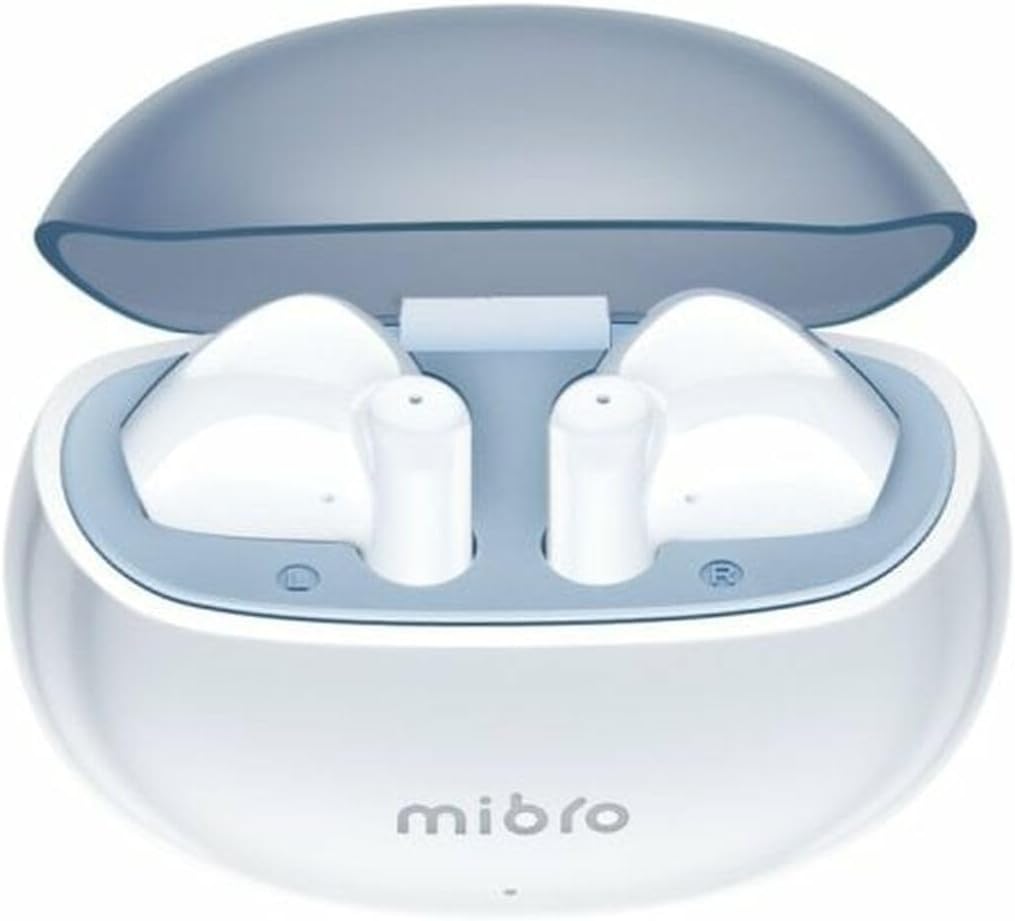
Figure 1.1: Mibro 2 Earbuds in their charging case, showcasing the sleek white design.
2. Mabuɗin Siffofin
- Seamless and durable audio experience
- SinglePoint technology enhances connectivity
- Elegant white design for a modern look
- Ideal for various activities with a stylish appearance
- Ensures a sleek and reliable audio solution

Figure 2.1: The Mibro 2 Earbuds and charging case, highlighting their compact and modern design.
3. Saitin Farko
3.1. Cajin Kayan kunne da Case
Before first use, fully charge the earbuds and the charging case. Place the earbuds into the charging case. Connect the charging case to a power source using a compatible USB cable (not included). The indicator light on the case will show charging status.
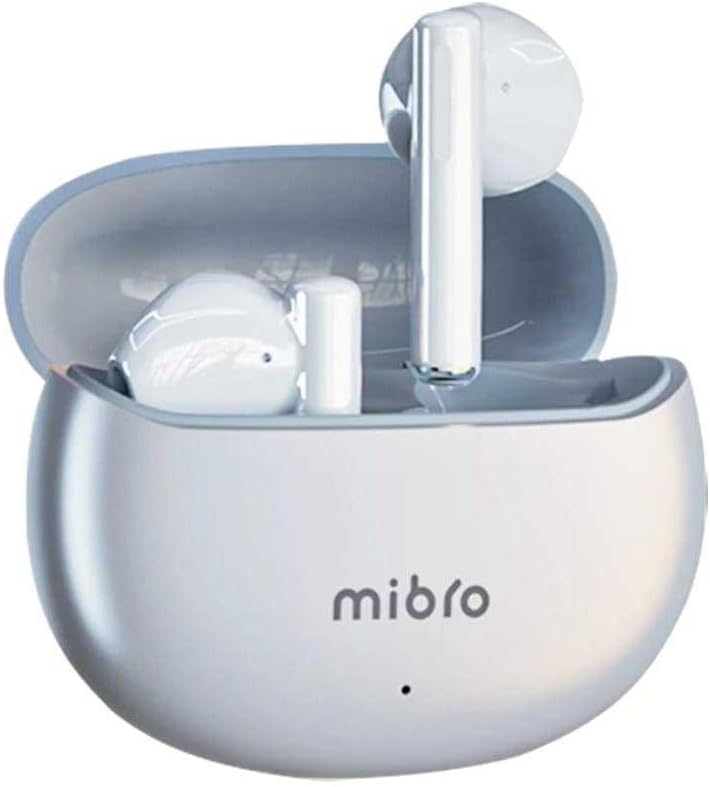
Figure 3.1: Mibro 2 Earbuds in their closed charging case, ready for charging.
3.2. Haɗawa da Na'ura
- Tabbatar ana cajin belun kunne.
- Bude akwati na caji. Na'urar kunne za ta shigar da yanayin haɗin kai ta atomatik.
- A wayarka ta hannu ko na'urar da ke da Bluetooth, je zuwa saitunan Bluetooth.
- Bincika available devices and select "Mibro 2 Earbuds" from the list.
- Da zarar an haɗa, sautin tabbatarwa zai kunna, kuma belun kunne za su kasance a shirye don amfani.

Figure 3.2: Pairing the Mibro 2 Earbuds with a mobile device.
4. Jagorar Aiki
4.1. Kunnawa / Kashewa
- Kunna Wuta: Bude akwati na caji, kuma belun kunne za su kunna ta atomatik.
- Kashe Wuta: Sanya belun kunne a baya cikin akwati na caji kuma rufe murfin. Za su cire haɗin kai ta atomatik kuma su kashe wuta.
4.2. Matsalolin taɓawa
The Mibro 2 Earbuds feature intuitive touch controls for various functions:
- Kunna/Dakata: Matsa guda ɗaya akan ko wane belun kunne.
- Waƙa ta gaba: Matsa sau biyu akan belun kunne na dama.
- Tafiya ta baya: Matsa sau biyu akan belun kunne na hagu.
- Amsa/Ƙarshen Kira: Matsa guda ɗaya akan ko wane belun kunne yayin kira mai shigowa.
- Karɓar Kira: Latsa ka riƙe kowane belun kunne na daƙiƙa 2 yayin kira mai shigowa.
- Kunna Mataimakin Murya: Matsa sau uku akan ko wane belun kunne.

Figure 4.1: Demonstrating the touch control on the Mibro 2 Earbuds.
5. Kulawa da Kulawa
- Tsaftacewa: A kai a kai tsaftace belun kunne da akwati na caji tare da laushi, bushe, yadi mara lint. Kada a yi amfani da sinadarai masu tsauri ko abubuwan da za su lalata.
- Juriya na Ruwa: The earbuds are IPX5 splash-resistant. Avoid submerging them in water or exposing them to heavy rain. Dry them thoroughly if they get wet.
- Ajiya: Ajiye belun kunne a cikin akwati na caji lokacin da ba a amfani da su don kare su da kiyaye su da caji. Ka guji matsanancin zafi.
- Kulawar Baturi: To prolong battery life, avoid fully discharging the earbuds frequently. Charge them regularly, even if not used for extended periods.
6. Shirya matsala
- Abubuwan kunne ba sa haɗawa: Ensure earbuds are charged and within range of your device. Turn off and on your device's Bluetooth. Try resetting the earbuds (refer to manufacturer's specific reset instructions if available).
- Babu sauti daga belun kunne guda ɗaya: Sanya belun kunne guda biyu a cikin akwatin caji, rufe murfin, jira na ɗan lokaci, sannan buɗe shi. Wannan yakan sake daidaita su.
- Karancin ƙara: Adjust the volume on both your connected device and the earbuds. Ensure eartips are properly sealed in your ear canal.
- Matsalar caji: Check the charging cable and power adapter. Ensure the charging contacts on the earbuds and inside the case are clean and free of debris.
7. Bayanan fasaha
| Siffar | Ƙayyadaddun bayanai |
|---|---|
| Alamar | Mibro |
| Sunan Samfura | 2 Kunnen Kunne |
| Lambar Samfurin Abu | sol-me2 |
| Fasahar Haɗuwa | Mara waya ta Bluetooth |
| Hanyar sarrafawa | Taɓa |
| Factor Factor | Cikin-Kunne |
| Launi | Fari |
| Kayan abu | Filastik |
| Nauyin Abu | 100 Grams |
| Matsayin Juriya na Ruwa | IPX5 Splash-resistant |
| Baturi mai caji | Ee |
| Siffofin Musamman | Mai nauyi |
| Na'urori masu jituwa | Wayar Hannu |
| Abubuwan da aka haɗa | Tiun kunne |
8. Garanti da Tallafawa
8.1. Garanti Bayani
Specific warranty information for the Mibro 2 True Wireless Bluetooth Earbuds is not available in the provided product data. Please refer to the product packaging or the official Mibro website don cikakken garanti sharuɗɗa da sharuɗɗa.
8.2. Tallafin Abokin Ciniki
Customer support contact details are not available in the provided product data. For assistance, please visit the official Mibro webshafin yanar gizo ko tuntuɓi dillalin da aka sayi samfurin.


