Gabatarwa
Thank you for choosing the Volkano Remus Series 30,000mAh PD Power Bank. This high-capacity portable power bank is designed to keep your devices charged efficiently while on the go. Please read this manual carefully to ensure proper use and maintenance of your device.
Bayanin Tsaro
To prevent damage to the power bank or injury to yourself, please observe the following safety precautions:
- Do not expose the power bank to extreme temperatures (hot or cold), direct sunlight, or high humidity.
- Do not disassemble, modify, or attempt to repair the device. This will void the warranty.
- Ka kiyaye bankin wutar lantarki daga ruwa da sauran abubuwan ruwa.
- Do not drop, puncture, or apply excessive force to the power bank.
- Yi amfani da ingantattun igiyoyin caji da adaftar kawai.
- A kiyaye nesa da yara.
- A zubar da bankin wutar lantarki bisa ga ƙa'idojin gida. Kar a jefar da shi a cikin sharar gida.
Abubuwan Kunshin
Da fatan za a tabbatar da cewa duk abubuwan suna cikin fakitin ku:
- Volkano Remus Series 30,000mAh PD Power Bank
- 2-in-1 Fast Charging Cable (Micro-USB and Type-C compatible)
- Manual mai amfani
Samfurin Ƙarsheview
The Volkano Remus Series Power Bank features a robust design and high-capacity battery to provide reliable power for your mobile devices.
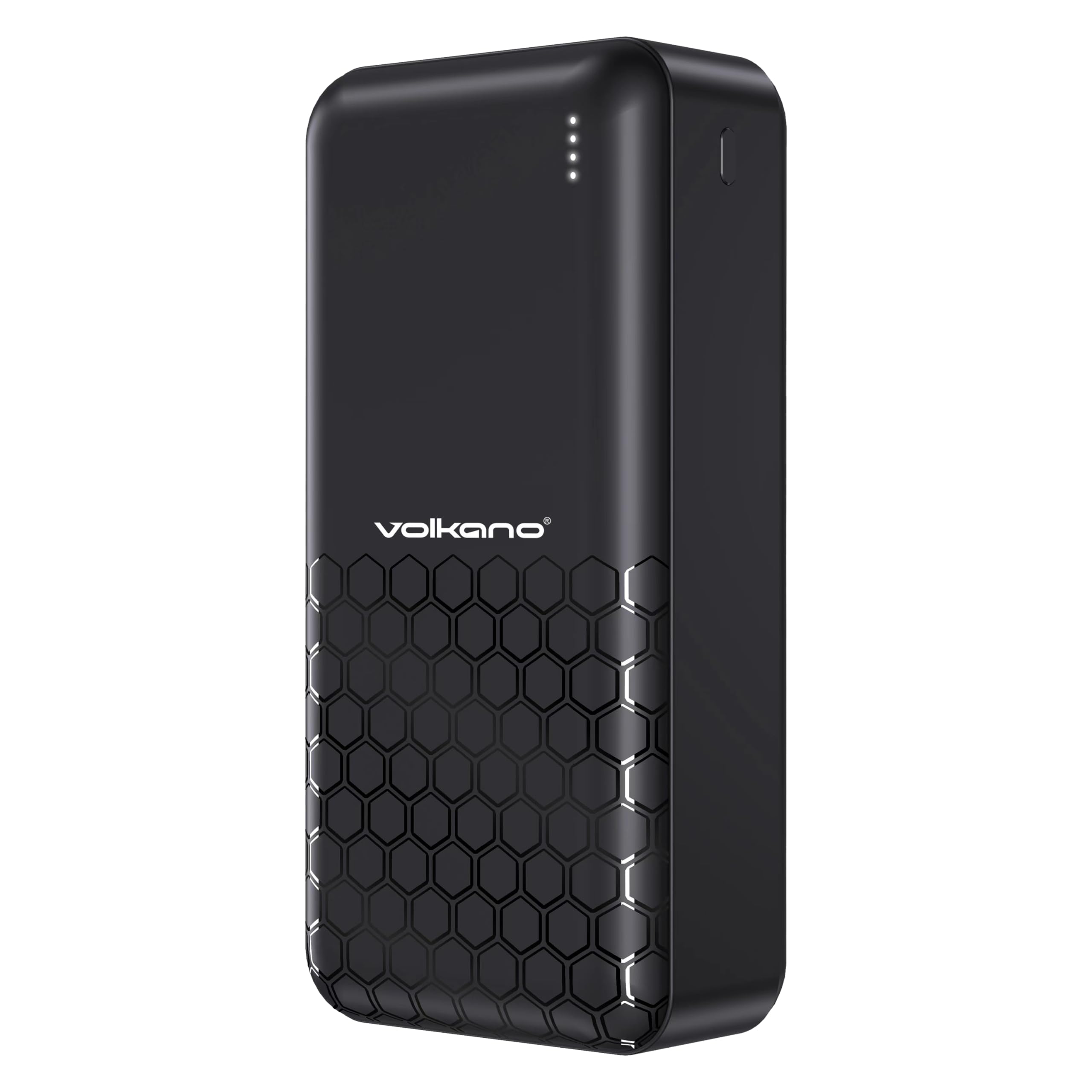
Gaba view of the Volkano Remus power bank, displaying the Volkano logo and four LED indicator lights.

Angled view of the Volkano Remus power bank, highlighting the various charging ports including USB-A and USB-C.

The Volkano Remus Series 30,000 mAh Power Bank, showcasing ta sumul zane.
Mabuɗin fasali:
- Babban Ƙarfi: Massive 30,000mAh battery capacity for multiple device charges.
- Fasaha Isar da Wuta (PD): Charges compatible devices at higher speeds, up to 50% in 30 minutes.
- 2-in-1 Fast Charging Cable: Includes a versatile cable compatible with both Micro-USB and Type-C devices.
- Tashoshin Cajin Da yawa: Features 1x 20W PD Type-C Port and 2x USB-C Charging Ports, along with 22.5W USB-A Quick Charge.
- Alamar LED: Nuna matakin baturi na yanzu.

Dalla-dalla view of the power bank's charging ports and the versatile 2-in-1 fast charging cable.

The power bank demonstrating its fast charging capabilities for various devices, including smartphones and tablets.
Saita
Cajin Farko na Bankin Wutar Lantarki
Before first use, it is recommended to fully charge your Volkano Remus Power Bank.
- Connect the included 2-in-1 charging cable (or a compatible USB-C cable) to the power bank's input port (Type-C).
- Haɗa ɗayan ƙarshen kebul ɗin zuwa adaftar bango ta USB (ba a haɗa ta ba) ko tashar USB mai ƙarfi.
- The LED indicator lights will illuminate to show the charging progress. All four lights will be solid when fully charged.
Connecting Devices for Charging
To charge your mobile devices:
- Use the included 2-in-1 cable or your device's original charging cable.
- Connect one end of the cable to an output port on the power bank (USB-A or Type-C).
- Connect the other end to your device's charging port.
- Bankin wuta zai fara caji ta atomatik na na'urarka.
Umarnin Aiki
Cajin na'urorin ku
Once your device is connected to the power bank, charging will typically start automatically. The power bank's intelligent charging system will detect your device and deliver the optimal charging speed.
Duba Matsayin Baturi
The LED indicator lights on the power bank show the remaining battery capacity:
- 4 LEDs: 75% - 100% an caji
- 3 LEDs: 50% - 75% an caji
- 2 LEDs: 25% - 50% an caji
- 1 LED: An caji 0% - 25% (an sake caji nan ba da jimawa ba)

The LED indicator lights provide a clear visual of the power bank's remaining battery charge.
Kulawa
Kulawa mai kyau zai tsawaita rayuwar bankin wutar lantarki:
- Tsaftacewa: Shafa bankin wutar lantarki tare da taushi, bushe bushe. Kada a yi amfani da masu tsabtace abrasive ko kaushi.
- Ajiya: Store the power bank in a cool, dry place away from direct sunlight and extreme temperatures. If storing for extended periods, charge it to about 50% every 3-6 months to maintain battery health.
- Gudanarwa: Guji faduwa ko ƙaddamar da bankin wutar lantarki zuwa tasiri mai ƙarfi.
Shirya matsala
If you encounter issues with your power bank, refer to the following common solutions:
- Bankin wutar lantarki baya caji: Ensure the charging cable is securely connected to both the power bank and the power source. Try a different cable or wall adapter.
- Na'urar ba ta caji daga bankin wuta: Check if the power bank has sufficient charge. Ensure the cable connecting your device to the power bank is working correctly and securely connected. Try a different output port.
- A hankali caji: Ensure you are using a fast-charging compatible cable and your device supports fast charging. Some cables or older devices may charge at standard speeds.
- Alamun LED ba sa aiki: If the power bank is not responding, try fully discharging it and then recharging it. If the issue persists, contact support.
Ƙayyadaddun bayanai
| Siffar | Ƙayyadaddun bayanai |
|---|---|
| Alamar | Volkano |
| Lambar Samfura | Saukewa: VK-9017-BK |
| Ƙarfin baturi | 30,000mAh |
| Fasahar Caji | Power Delivery (PD), Quick Charge (QC) |
| Mashigai na shigarwa | Nau'in-C |
| Fitar Tashoshi | 1x 20W PD Type-C, 2x USB-C, 22.5W USB-A |
| Launi | Baki |
| Kwanan Wata Farko Akwai | 19 ga Satumba, 2023 |
Garanti da Taimako
Your Volkano Remus Series Power Bank is covered by a Garanti mai iyaka na shekara 1 from the date of purchase, reflecting our commitment to quality and performance. You can register your product to get an additional 12-month extension, for a total of 24 months coverage by Volkano.
For any questions, technical support, or warranty claims, please contact Volkano customer service via the official Volkano Page. Your satisfaction is important to us.