1. Gabatarwa
This manual provides comprehensive instructions for the safe and efficient use of your new artfone C1+ 4G mobile phone. Please read this manual thoroughly before operating the device to ensure proper functionality and to familiarize yourself with all features. Keep this manual for future reference.

Image 1.1: The artfone C1+ 4G mobile phone with its dedicated charging dock.
2. Samfurin Ya Ƙareview
2.1 Maɓalli Maɓalli
- Zane na Abokin Amfani: Features a large 1.77-inch color display with clear menu icons and larger fonts for easy readability.
- Ingantaccen Sauti: Amazingly high volume and clear speakers, ideal for individuals with hearing difficulties.
- Siffofin Tsaro: Integrated SOS button for up to 5 emergency contacts and a conveniently located flashlight button.
- Tsawon Rayuwar Baturi: Equipped with a robust 1800mAh battery, offering 5-6 hours of continuous talk time and 240-300 hours (10-12 days) of standby time.
- Gina Mai Dorewa: Non-slip back panel and sturdy PC materials provide protection against impacts and drops.
- Versatile Network Compatibility: Unlocked and compatible with major Canadian 4G networks, supporting 2G, 3G, and 4G bands for voice calls and text messaging.
- Muhimman Ayyuka: Includes audio, video, Bluetooth, FM radio, calculator, alarm, and calendar.
Abubuwan Kunshin 2.2
Upon opening the package, ensure all items are present:
- artfone C1+ 4G Mobile Phone
- Baturi mai caji
- USB-C Cajin Cable
- Adaftar Cajin bango
- Dock Cajin
- Manual mai amfani

Image 2.1: The complete package contents, including the phone, battery, charger, dock, and manual.
3. Saita
3.1 Installing the SIM Card and Battery
- Cire Rufin Baya: Gently slide the back cover of the phone downwards or pry it open from the designated notch.
- Saka katin SIM: Locate the SIM card slot(s). Insert your 4G compatible SIM card(s) into the slot(s) with the gold contacts facing down and the cut corner aligned as indicated.
- Saka Baturi: Place the battery into the battery compartment, ensuring the gold contacts on the battery align with the contacts in the phone.
- Sauya Murfin Baya: Securely reattach the back cover until it clicks into place.
3.2 Charging the Phone
Kafin amfani da farko, cikakken cajin baturin wayar.
- Amfani da Tashar Caji: Connect the USB-C charging cable to the wall charger adapter, then plug the adapter into a power outlet. Connect the other end of the USB-C cable to the charging dock. Place the phone into the charging dock, ensuring it sits securely and the charging indicator appears on the screen.
- Cajin Kai tsaye: Alternatively, connect the USB-C charging cable directly to the USB-C port on the phone and then to the wall charger adapter plugged into a power outlet.
A full charge typically takes approximately 2-3 hours. The battery icon on the screen will indicate charging status.
4. Basic Aiki
4.1 Kunnawa / Kashewa
- Kunna Wuta: Latsa ka riƙe Red Call/Power Off button (usually marked with a phone icon) until the screen lights up.
- Kashe Wuta: Latsa ka riƙe Red Call/Power Off button until a power off option appears on the screen. Select 'Power Off' and confirm.
4.2 Yin Kira da Karɓar Kira
- Yin Kira: On the standby screen, dial the desired phone number using the keypad. Press the Green Call maballin don fara kiran.
- Amsa Kira: Lokacin da wayar tayi ringi, danna Green Call maballin amsawa.
- Ƙare Kira: Danna maɓallin Red Call/Power Off button to end an active call.
4.3 Lambobi
- Access Contacts: From the main menu, navigate to 'Contacts' or press the dedicated 'Contacts' button if available.
- Add New Contact: Select 'Options' or 'Add New' within the Contacts menu. Enter the contact's name and phone number, then save.
- Call from Contacts: Select a contact from the list and press the Green Call maballin.
4.4 Messaging (SMS)
- Saƙonnin shiga: Daga babban menu, je zuwa 'Saƙonni'.
- Create New Message: Select 'New Message' or 'Write Message'. Enter the recipient's phone number and type your message using the keypad.
- Aika Saƙo: Select 'Send' to transmit the message.

Image 4.1: The phone's user-friendly interface with large icons for easy navigation.
5. Siffofin Musamman
5.1 SOS Emergency Button
The SOS button is located on the back of the phone. It allows you to quickly contact pre-set emergency numbers in critical situations.
- Saita Lambobin Sadarwa na SOS: Navigate to the 'SOS Settings' menu. You can add up to 5 emergency contact numbers.
- Activating SOS: In an emergency, press and hold the SOS button on the back of the phone for a few seconds. The phone will emit an alarm sound and automatically send an emergency SMS to the pre-set contacts, then sequentially call them until one answers.

Image 5.1: Location of the SOS button and other functional side buttons.
5.2 Hasken walƙiya
The phone includes a built-in flashlight for convenience.
- Kunna/Kashe: Locate the dedicated flashlight button on the side of the phone. Slide or press this button to turn the flashlight on or off.

Image 5.2: The phone's strong flashlight feature in use.
5.3 FM Rediyo
Enjoy listening to FM radio stations on your device.
- Access FM Radio: Navigate to the 'FM Radio' application from the main menu.
- Duba Tashoshi: Use the options within the FM Radio app to automatically scan for available stations.
- Daidaita Girma: Use the side volume buttons to adjust the radio volume.
5.4 Talking Numbers
The talking numbers feature provides audio feedback when dialing, enhancing usability for visually impaired users.
- Kunna/A kashe: This feature can usually be toggled on or off in the phone's 'Settings' menu under 'Sound' or 'Accessibility' options.
6. Kulawa
Proper maintenance ensures the longevity and optimal performance of your artfone C1+ 4G.
- Tsaftacewa: Yi amfani da kyalle mai laushi da busasshe don tsaftace allon wayar da jikinta. A guji amfani da kayan tsaftace ruwa ko kayan gogewa.
- Kulawar Baturi: Avoid extreme temperatures. Do not expose the battery to direct sunlight or very cold conditions. Charge the phone regularly, but avoid overcharging for extended periods.
- Ajiya: If storing the phone for a long time, ensure the battery is partially charged (around 50%) and store it in a cool, dry place.
- Kariya: The phone features a non-slip design and sturdy PC materials for protection. However, avoid dropping the phone or exposing it to excessive force.
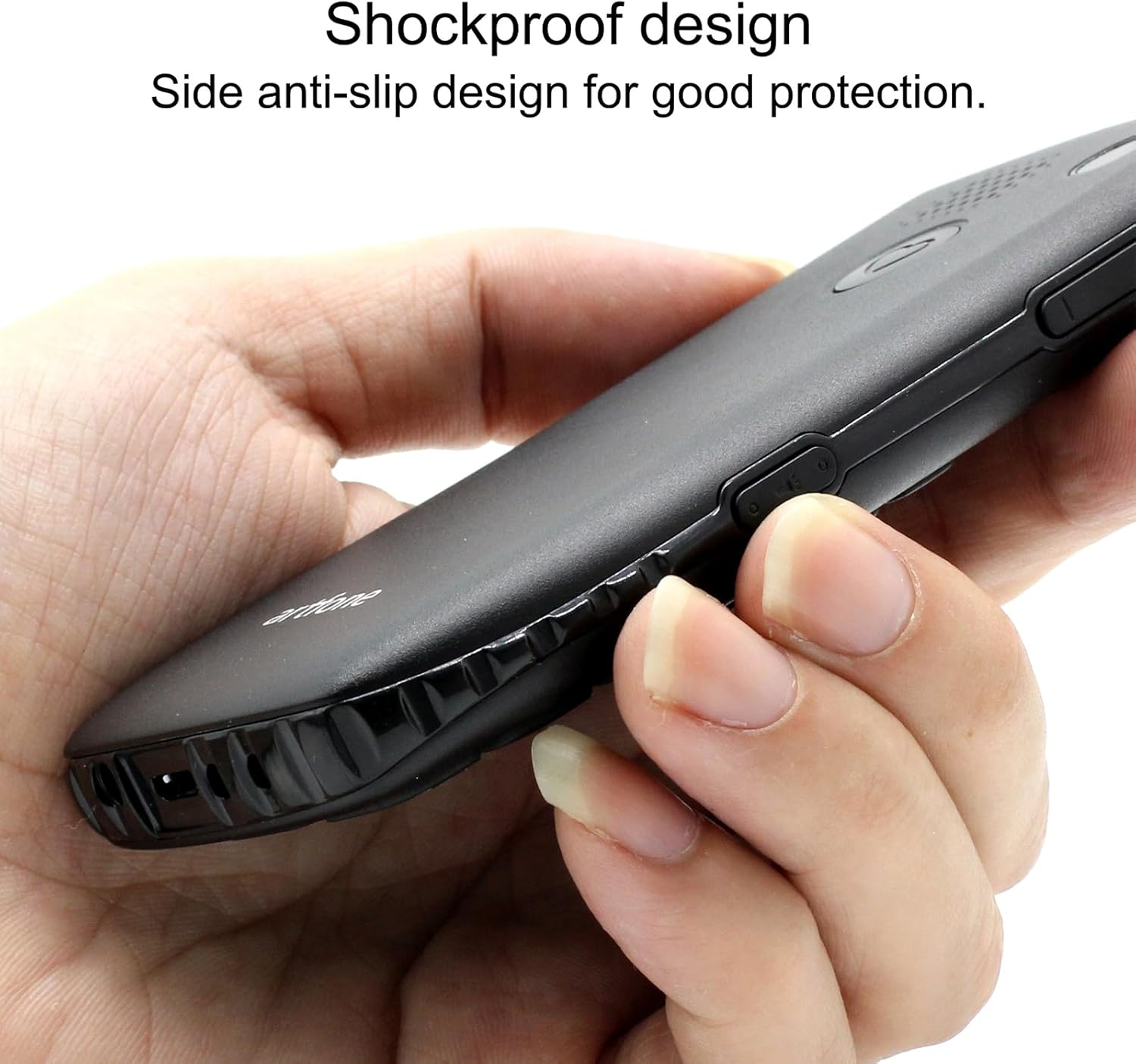
Image 6.1: The phone's shockproof design with side anti-slip features.
7. Shirya matsala
If you encounter issues with your phone, refer to the following common problems and solutions:
| Matsala | Dalili mai yiwuwa | Magani |
|---|---|---|
| Waya baya kunnawa | Batirin ƙasa; Ba a shigar da batirin daidai ba | Charge the phone for at least 30 minutes; Reinstall the battery, ensuring contacts align. |
| Ba za a iya yin / karɓar kira ba | No SIM card; SIM card not active; Out of network coverage | Ensure SIM card is inserted and active; Move to an area with better network signal. |
| Poor call quality/low volume | Weak signal; Speaker/microphone obstruction | Move to an area with better signal; Ensure speaker/microphone are not covered. Adjust call volume using side buttons. |
| Baturi yana gudu da sauri | Frequent use; Background features active | Reduce usage; Turn off unnecessary features like flashlight when not in use. |
| Maɓallin SOS ba ya aiki | No emergency contacts set; Feature disabled | Verify emergency contacts are correctly configured in SOS settings; Ensure SOS feature is enabled. |
Idan matsalar ta ci gaba bayan gwada waɗannan hanyoyin, tuntuɓi tallafin abokin ciniki.
8. Ƙayyadaddun bayanai
| Siffar | Ƙayyadaddun bayanai |
|---|---|
| Samfura | C1+ 4G |
| Tsarin Aiki | Artfone OS |
| Mai sarrafawa | Snapdragon |
| RAM | 48 MB |
| Flash Memory | 128 MB |
| Ƙarfin Ma'ajiyar Dijital | 32 GB (for media/contacts) |
| Girman allo | 1.8 Inci LCD |
| Ƙaddamarwa | 240 x 320 |
| Matsakaicin Sassauta | 60 Hz |
| Ƙwararriyar Kamara | 2 MP |
| Ƙimar Ɗaukar Bidiyo | 1280 x 720 |
| Nau'in Baturi | Lithium ion |
| Ƙarfin baturi | 1400 mAh |
| Average Battery Life (Talk) | 5.5 Awanni |
| Fasahar salula | 4G, 3G, 2G |
| Nau'in Haɗawa | USB-C |
| Shigar da Haɗin Dan Adam | Buttons |
| Factor Factor | Bar |
| Girma | 13.1 x 11.8 x 6.1 cm |
| Nauyi | 240g ku |
9. Bidiyon Samfur na hukuma
Bidiyo na 9.1: Cikakken bayaniview of the artfone C1+ 4G phone's features and design. This video demonstrates the phone's physical attributes and user interface.
Video 9.2: A demonstration of the phone's ease of use and key functionalities, highlighting its suitability for seniors.
10. Garanti da Tallafawa
Your artfone C1+ 4G mobile phone comes with a standard manufacturer's warranty. Please refer to the warranty card included in your package for specific terms and conditions, including the warranty period and coverage details.
For technical support, troubleshooting assistance beyond this manual, or warranty claims, please contact artfone customer service through their official webshafin ko bayanin tuntuɓar da aka bayar a cikin marufin samfur naka.


