1. Gabatarwa
This manual provides essential information for setting up, operating, and maintaining your Beelink SER5 MAX Mini PC. The Beelink SER5 MAX is a compact desktop computer powered by an AMD Ryzen 7 6800U processor, designed for various applications including office work, home entertainment, graphic design, and light gaming. It features high-speed memory, ample storage, and extensive connectivity options to enhance your productivity and multimedia experience.

Hoto: Overview of the Beelink SER5 MAX Mini PC, showcasing ta m zane da key fasali.
2. Abin da ke cikin Akwatin
Da fatan za a duba abubuwan da ke cikin kunshin ku don tabbatar da duk abubuwa suna nan:
- 1 x SER5 MAX 6800U Mini PC
- 1 x HDMI Cable (100CM)
- 1 x Adaftar Wuta
- 1 x Manhajar mai amfani
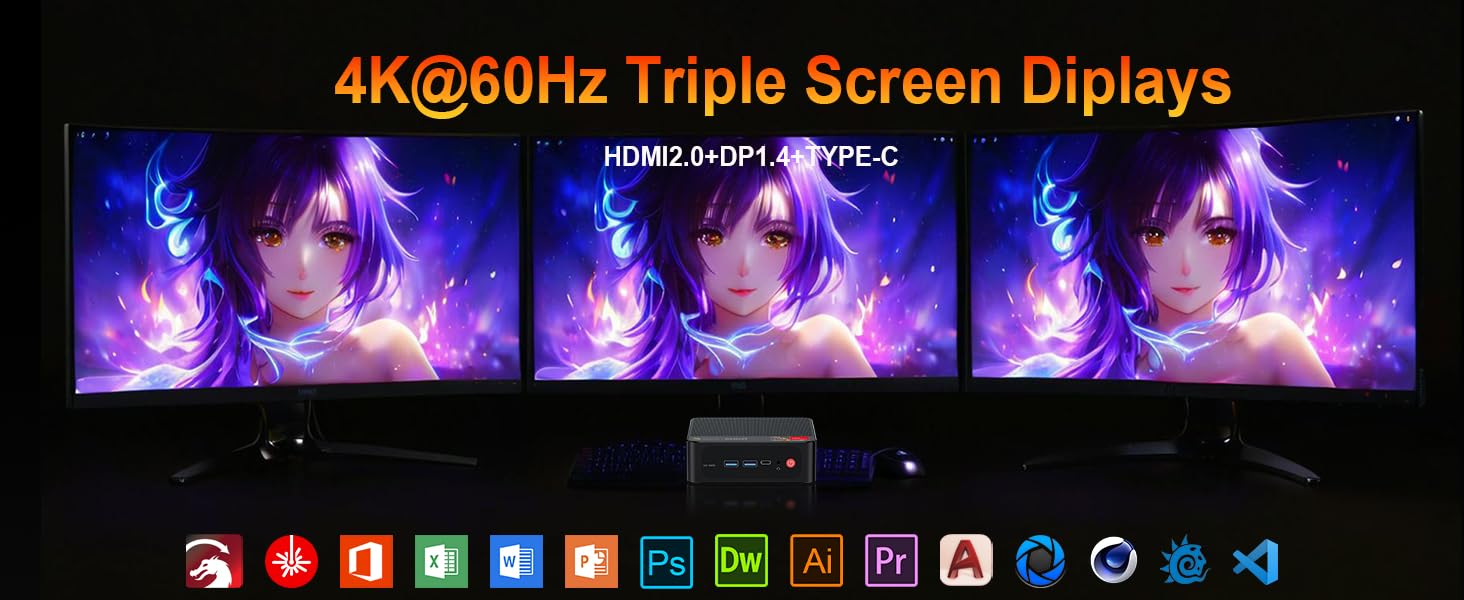
Image: Contents included in the Beelink SER5 MAX Mini PC package, showing the mini PC, power adapter, HDMI cable, and user manual.
3. Kayan Samfura
The Beelink SER5 MAX Mini PC is equipped with advanced components for optimal performance:
- Mai sarrafawa: AMD Ryzen 7 6800U (8 Cores/16 Threads, up to 4.7GHz, 16MB L3 Cache, 28W TDP).
- Hotuna: Integrated AMD Radeon RDNA 2 Graphics (12 Cores, 2200MHz).
- Ƙwaƙwalwar ajiya: 24GB LPDDR5 6300MHz RAM (2x12GB, non-replaceable).
- Ajiya: 500GB M.2 2280 PCIe 4x4 SSD. Supports dual SSDs up to 8TB total (Max 4TB each SSD).
- Fitowar Nuni: Supports 4K@60Hz Triple Display via DP1.4, HDMI 2.0, and Type-C.
- Mara waya mara waya WiFi 6 (802.11ax) for speeds up to 1200Mbps, Bluetooth 5.2.
- Haɗin Waya: Gigabit Ethernet (RJ45 1000Mbps LAN).
- Tashoshi:
- 3 x USB 3.2 Gen2 Type-A (10Gbps)
- 1 x USB 2.0 Nau'in-A
- 1 x Type-C (Data & Video Output)
- 1 x HDMI 2.0
- 1 x DisplayPort (DP1.4)
- 1 x DC Jack (Power Input)
- 1 x 3.5mm Audio Jack (HP&MIC)
- 1 x CLR CMOS Reset button
- Tsarin sanyaya: MSC2.0 Cooling System with heat pipe, heat sink, and silent fan.
- Girma: 4.9 x 4.4 x 1.6 inci (126 x 113 x 42 mm).

Hoto: Gaba da baya view of the Beelink SER5 MAX Mini PC, highlighting its various connectivity ports.

Image: A Beelink SER5 MAX Mini PC connected to three monitors, demonstrating its triple display capability for multitasking.
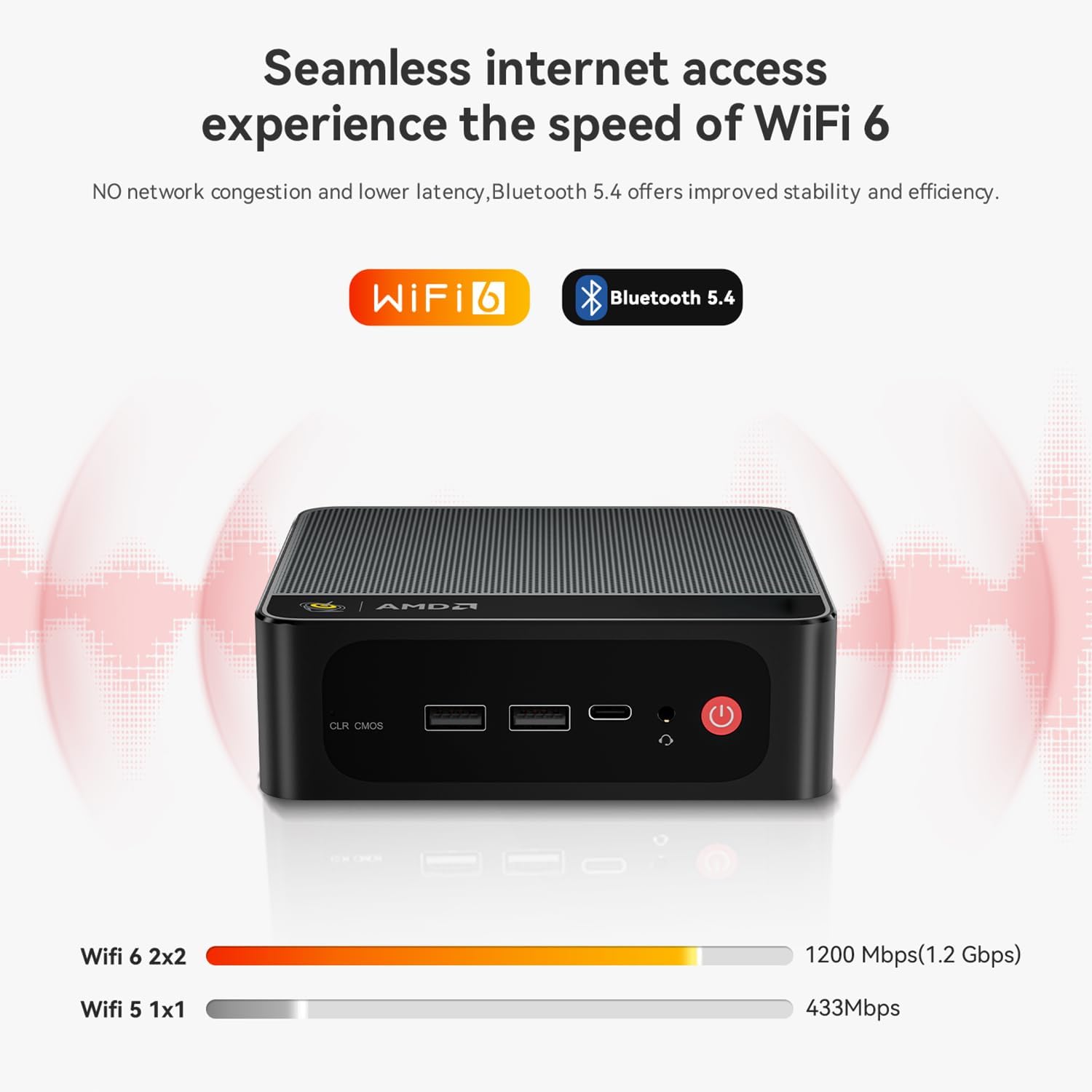
Image: Diagram illustrating the efficient MSC2.0 cooling system of the Beelink SER5 MAX, featuring a heat pipe, heat sink, and silent fan.
Samfurin Bidiyo Overview
Bidiyo: An gama aiki a hukumanceview of the Beelink SER5 MAX 6800U Mini PC, highlighting its design, features, and performance capabilities.
4. Jagorar Saita
Follow these steps to set up your Beelink SER5 MAX Mini PC:
- Abubuwan Haɗawa: Connect your monitor(s) using the HDMI, DisplayPort, or Type-C ports. Connect your keyboard and mouse to the available USB ports.
- Haɗa Ikon: Plug the power adapter into the DC Jack on the back of the Mini PC, then plug the adapter into a power outlet.
- Kunna Wuta: Press the power button located on the front of the Mini PC. The system will boot up.
- Saitin Farko: Bi umarnin da ke kan allo don kammala saitin farko na Windows 11 Pro, gami da harshe, yanki, haɗin hanyar sadarwa, da ƙirƙirar asusun mai amfani.
- Haɗin Yanar Gizo: For wired internet, connect an Ethernet cable to the LAN port. For wireless internet, select your Wi-Fi network during setup or via Windows settings.
5. Umarnin Aiki
Your Beelink SER5 MAX Mini PC comes pre-installed with Windows 11 Pro, offering a familiar and intuitive operating environment.
- Asalin Amfani: Navigate the Windows interface using your mouse and keyboard. Launch applications from the Start Menu or desktop shortcuts.
- Triple Display Setup: To utilize multiple monitors, connect them to the available HDMI, DisplayPort, and Type-C video outputs. Windows will automatically detect the displays. You can configure display settings (e.g., extend, duplicate) via Settings > System > Display.
- Haɗin Na'urorin Bluetooth: To pair Bluetooth devices (e.g., headphones, speakers), go to Saituna > Bluetooth & na'urori, kunna Bluetooth, sannan ka zaɓi 'Ƙara na'ura'.
- USB 3.2 Gen2: Utilize the high-speed USB 3.2 Gen2 ports for fast data transfer with compatible external storage devices. The Type-C port also supports data and video output.
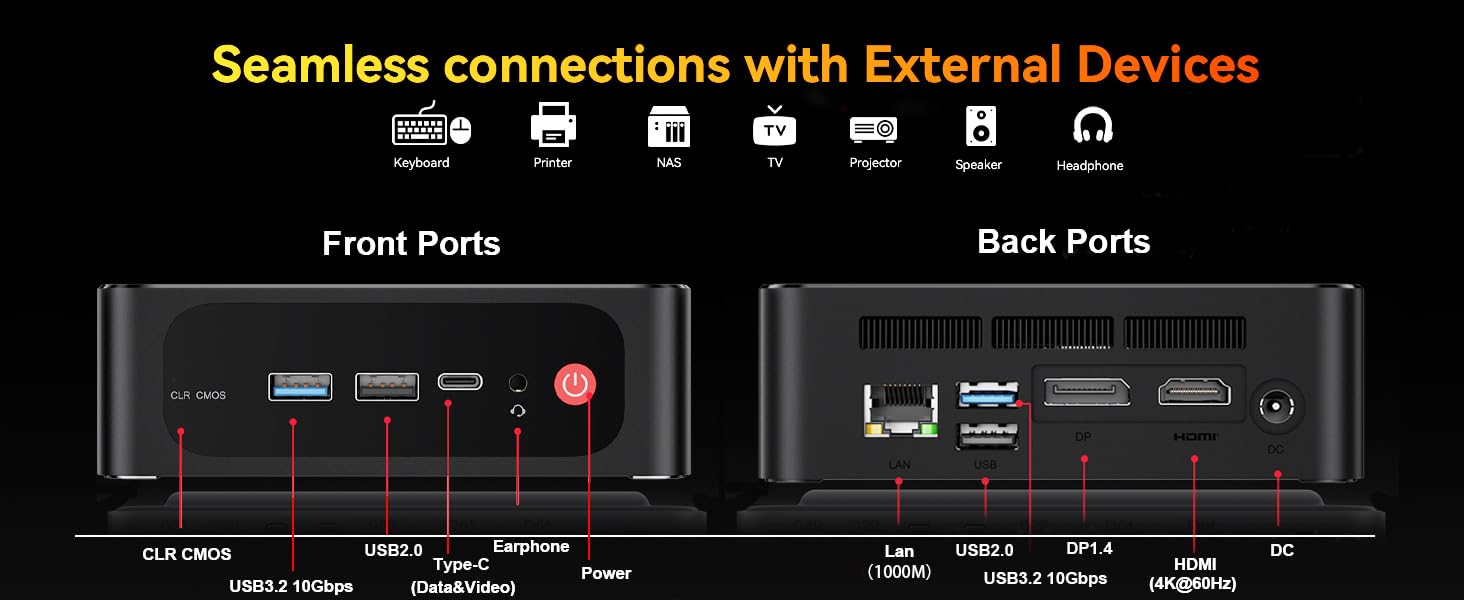
Image: The Beelink SER5 MAX Mini PC running multiple productivity applications simultaneously, demonstrating its multitasking capabilities.
6. Kulawa
Proper maintenance ensures the longevity and optimal performance of your Mini PC:
- Tsaftacewa: Regularly clean the exterior of the Mini PC with a soft, dry cloth. Use compressed air to clear dust from the ventilation grilles to maintain efficient cooling.
- Samun iska: Ensure the Mini PC is placed in a well-ventilated area, away from direct sunlight or heat sources. Do not block the air vents.
- Haɓaka Ajiya: The Mini PC supports dual M.2 2280 PCIe 4x4 SSDs. To upgrade or add storage, carefully open the chassis and install the new SSD. Refer to the detailed instructions provided with your device for specific steps.
- Sabunta software: Keep your Windows operating system and drivers updated to ensure security and performance.

Hoto: Na ciki view of the Beelink SER5 MAX Mini PC, showing the dual M.2 2280 PCIe 4.0 SSD slots for storage expansion.
7. Shirya matsala
If you encounter issues with your Beelink SER5 MAX Mini PC, refer to the following common solutions:
- Babu Ƙarfi:
- Tabbatar cewa adaftar wutar tana da haɗin da ya dace da Mini PC da kuma wurin fitar da wutar lantarki mai aiki.
- Tabbatar da tashar wutar lantarki tana aiki ta hanyar toshe a wata na'ura.
- Babu Nuni:
- Check all video cable connections (HDMI, DP, Type-C) between the Mini PC and the monitor(s).
- Tabbatar cewa an kunna na'urar lura kuma an saita ta zuwa ga tushen shigarwar da ta dace.
- Try connecting to a different monitor or using a different video cable.
- Babu Haɗin Intanet:
- For Wi-Fi, check if Wi-Fi is enabled in Windows settings and if you are connected to the correct network.
- Don haɗin waya, tabbatar da cewa kebul na Ethernet yana da haɗin da ya dace kuma na'urar sadarwa ta na'urarka tana aiki.
- Sake kunna na'ura mai ba da hanya tsakanin hanyoyin sadarwa da modem.
- Slowing System:
- Rufe aikace-aikacen da ba dole ba suna gudana a bango.
- Duba kuma shigar da duk wani sabuntawa na Windows da ke jiran aiki.
- Tabbatar da isassun iska don hana zafi fiye da kima.
- CLR CMOS Reset: If the system experiences boot issues or incorrect settings, locate the CLR CMOS button (often a small pinhole) on the front panel and press it with a paperclip for a few seconds while the device is off. This will reset BIOS settings to default.
8. Ƙayyadaddun bayanai
Detailed technical specifications for the Beelink SER5 MAX Mini PC:
| Bangaren | Ƙayyadaddun bayanai |
|---|---|
| Mai sarrafawa | AMD Ryzen 7 6800U (8C/16T, 2.7GHz base, up to 4.7GHz boost) |
| Zane-zane | AMD Radeon 680M (12 cores, 2200MHz) |
| RAM | 24GB LPDDR5 6300MHz (2x12GB SODIMM) |
| Adana | 500GB M.2 2280 PCIe 4x4 SSD (Expandable up to 8TB total) |
| Tsarin Aiki | Windows 11 Pro |
| Haɗin mara waya | WiFi 6 (802.11ax), Bluetooth 5.2 |
| Haɗin Waya | Gigabit Ethernet (RJ45 1000Mbps LAN) |
| Fitowar Bidiyo | 1x HDMI 2.0 (4K@60Hz), 1x DisplayPort 1.4 (4K@144Hz), 1x Type-C (4K@120Hz) |
| USB Ports | 3x USB 3.2 Gen2 Type-A, 1x USB 2.0 Type-A, 1x Type-C (Data&Video) |
| Audio | 1x 3.5mm Audio Jack (HP&MIC) |
| Shigar da Wuta | DC Jack (19V-3.42A, 65W) |
| Girma | 126 x 113 x 42 mm (4.9 x 4.4 x 1.6 inci) |
| Nauyi | Kimanin 1.94 fam |
| Sauran Siffofin | Wake On LAN, Auto Power On, CLR CMOS |

Image: A detailed table summarizing the technical specifications of the Beelink SER5 MAX Mini PC.
9. Garanti da Tallafawa
Beelink provides comprehensive support for your Mini PC:
- Taimakon Fasaha na Rayuwa: Access to technical assistance for the lifespan of your product.
- Sabis na Abokin Ciniki: 7/24 hours customer service available.
- Garanti: Please refer to your purchase documentation for specific warranty period details.
Yadda ake Tuntuɓar Tallafi:
- Shiga cikin asusun Amazon ɗin ku.
- Go to "Your Account".
- Je zuwa "Oda".
- Select the Beelink SER5 MAX Mini PC and choose "Ask Product Question" to contact Beelink USA directly.

Image: Information on how to contact Beelink USA for after-sales service and support.