1. Gabatarwa
Thank you for choosing the ELECTROPRIME Zealot H20 TWS Bluetooth Earphones. This manual provides detailed instructions for the proper use, setup, and maintenance of your new wireless earbuds. Please read this manual thoroughly before use to ensure optimal performance and longevity of your device.
The Zealot H20 offers a true wireless stereo experience with Bluetooth 5.0 connectivity, ensuring stable and low-latency audio. Featuring a 10mm dynamic ring speaker, these earphones deliver clear and rich sound. The magnetic charging box provides convenient storage and charging, while the touch controls offer intuitive operation.
2. Abubuwan Kunshin
Da fatan za a duba kunshin don abubuwa masu zuwa:
- ELECTROPRIME Zealot H20 TWS Bluetooth Earphones (Left and Right)
- Magnetic Charging Box
- Kebul na Caji
- Manual mai amfani
3. Samfurin Ya Ƙareview
Familiarize yourself with the components of your ELECTROPRIME Zealot H20 TWS Earphones.
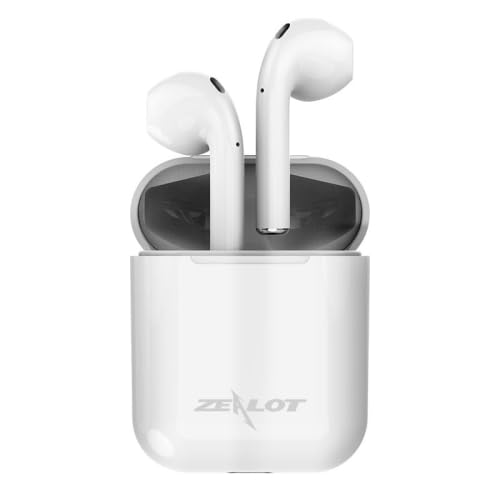
The ELECTROPRIME Zealot H20 TWS Bluetooth Earphones are shown in their white magnetic charging case. The earbuds are seated upright within the case, indicating their charging position.
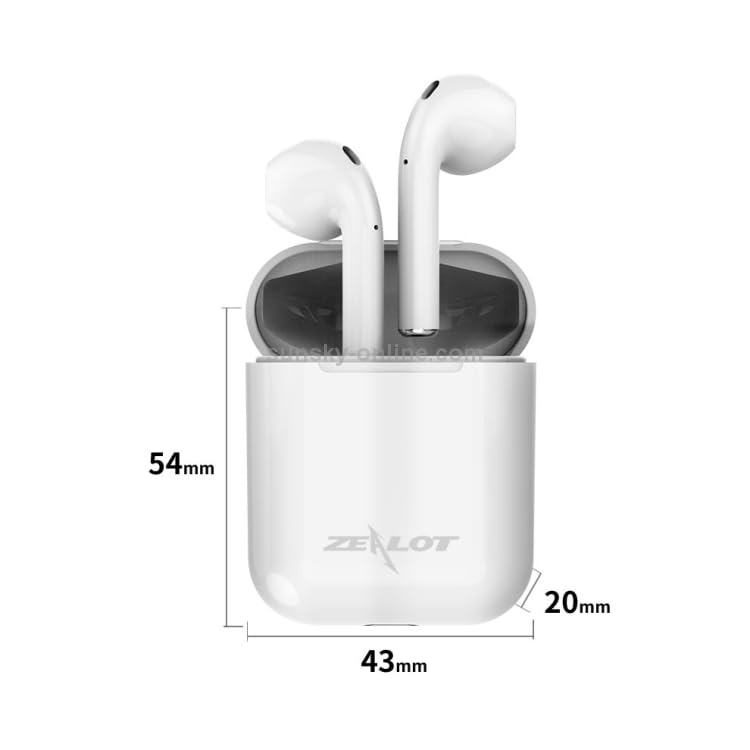
This image illustrates the dimensions of the ELECTROPRIME Zealot H20 TWS Earbuds charging case. The case measures 54mm in height, 43mm in width, and 20mm in depth. The earbuds are shown inside the case.
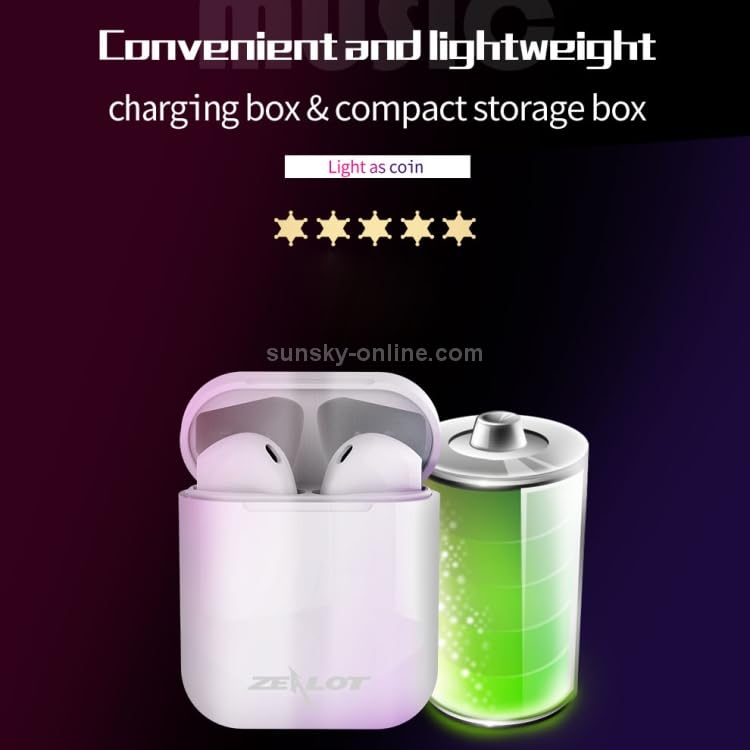
The ELECTROPRIME Zealot H20 TWS Earbuds charging case is depicted alongside a large battery icon, emphasizing its compact and lightweight design for portability.
4. Saita
4.1. Charging the Earphones and Charging Box
Before first use, ensure both the earphones and the charging box are fully charged.
- Place the earphones into the charging box. They will magnetically snap into place and begin charging automatically.
- Connect the USB charging cable to the charging port on the charging box and plug the other end into a DC 5V power source (e.g., a USB wall adapter, computer USB port).
- The indicator light on the charging box will show charging status. Once fully charged, the indicator will change or turn off.
A full charge allows the earphones to stand by for approximately one month.
4.2. Haɗawa da Na'urar Bluetooth
The earphones utilize Bluetooth 5.0 for a stable connection.
- Open the charging box and take out both earphones. They will automatically power on and enter pairing mode. You may hear a voice prompt indicating they are ready to pair.
- A kan na'urarka (wayar hannu, kwamfutar hannu, da sauransu), je zuwa saitunan Bluetooth kuma tabbatar da cewa Bluetooth yana kunne.
- Bincika available devices. You should see "Zealot H20" or a similar name appear in the list.
- Select "Zealot H20" to connect. Once connected, you will hear a confirmation voice prompt.
- If pairing fails, place the earphones back into the charging box, close the lid, wait a few seconds, and then repeat the steps.
5. Umarnin Aiki
The Zealot H20 earphones feature intuitive touch controls.
5.1. Sarrafa Taɓawa na Asali
- Kunna/Dakata: Dannawa ɗaya a kan kowane belun kunne.
- Waƙa ta gaba: Danna sau biyu a kan belun kunne na dama.
- Tafiya ta baya: Danna sau biyu a kan belun kunne na hagu.
- Amsa/Ƙarshen Kira: Dannawa ɗaya a kan kowane belun kunne yayin kira mai shigowa.
- Karɓar Kira: Danna kuma riƙe ɗaya daga cikin belun kunne na tsawon daƙiƙa 2 yayin kira mai shigowa.
- Kunna Mataimakin Murya: Triple tap on either earphone (if supported by your device).
- Kunna Wuta: Cire belun kunne daga cajin caji.
- Kashe Wuta: Sanya belun kunne a cikin akwatin caji.
5.2. Ayyukan Kira
The earphones support stereo calls with automatic noise reduction for clearer conversations.
- Ensure both earphones are connected for stereo call functionality.
- The built-in microphone and noise reduction algorithm help shield environmental noise.
5.3. Nuni Wuta
For iOS system devices, the earphone's power level can be displayed in real-time on your device's screen.
6. Kulawa
Proper care ensures the longevity and performance of your earphones.
- Tsaftacewa: Use a soft, dry, lint-free cloth to clean the earphones and charging case. Do not use harsh chemicals or abrasive materials.
- Ajiya: When not in use, store the earphones in their charging case to protect them from dust and damage. Store in a cool, dry place away from extreme temperatures.
- Bayyanar Ruwa: Avoid exposing the earphones to water or excessive moisture. They are not waterproof.
- Cajin: Yi amfani da kebul na caji da aka bayar ko wanda aka tabbatar da shi. A guji caji fiye da kima.
7. Shirya matsala
Idan kun haɗu da batutuwa, gwada mafita masu zuwa:
| Matsala | Magani mai yiwuwa |
|---|---|
| Belun kunne ba sa haɗuwa |
|
| Lasisin kunne ɗaya ne kawai ke aiki |
|
| Babu sauti |
|
| Matsalar caji |
|
8. Ƙayyadaddun bayanai
Detailed technical specifications for the ELECTROPRIME Zealot H20 TWS Earphones:
- Sigar Bluetooth: V5.0+EDR
- Nisan Watsawa: 10m
- Ƙarfin Batir Akwatin Caji: 300mAh
- Ƙarfin baturin kunne: 25mAh
- Cajin Voltage: DC 5V
- Tashin hankali na Kakakin: 32 ohms
- Martanin Mitar: 100Hz-20 kHz
- Ƙarfin fitarwa: 10mW ku
- Sigina zuwa Rabon Amo: ≥ 80dB
- Aikin Voltage: 3.7V
- Karya: 1%
- Weight (including charging compartment): 31 g
- Size (Charging Box): 43mm (W) x 20mm (D) x 54mm (H)
- Zane: Semi-a-kunne
- Abu: ABS shell with UV high-gloss process
9. Garanti da Tallafawa
ELECTROPRIME products are manufactured to high standards and are backed by a warranty. For specific warranty details, please refer to the warranty card included in your package or visit the official ELECTROPRIME website.
If you require technical assistance or have questions regarding your ELECTROPRIME Zealot H20 TWS Earphones, please contact our customer support team through the contact information provided on your purchase receipt or the ELECTROPRIME official website.
Da fatan za a riƙe shaidar siyan ku don da'awar garanti.