1. Gabatarwa da Ƙarsheview
The ELECTROPRIME JSK-B1 is a versatile USB-powered LED fill light designed for various applications, including computer video conferencing, live streaming, and general desktop illumination. It features adjustable brightness and color temperature settings to optimize lighting conditions for different environments and user preferences.
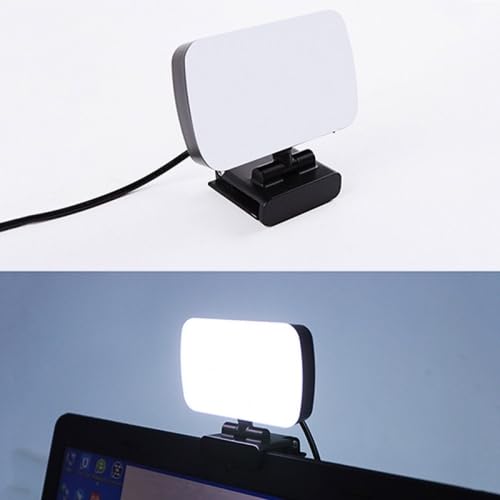
Image 1.1: The ELECTROPRIME JSK-B1 USB Portable LED Fill Light, showcasing its compact design and integrated clip.
2. Kayan Samfura
The JSK-B1 LED Fill Light is equipped with advanced features for optimal performance:
- High-Quality Illumination: Utilizes 120 2835 lamp beads for direct, brighter, and more uniform light distribution.
- Daidaitacce Zazzabi Launi: Offers three distinct color temperature settings (3000K-6500K) to match ambient lighting or desired mood.
- Ten-Level Brightness Control: Provides stepless adjustment across ten brightness levels, allowing precise light intensity customization.
- Matsayi mai sassauƙa: Features 360-degree left/right rotation and 160-degree up/down rotation for easy angle adjustment.
- Convenient Wire Control: Simple and intuitive wire control for power and light adjustments.
- Kebul na USB: Plug-and-play functionality via a standard USB interface for broad compatibility.
- Amfani da dalilai da yawa: Ideal for computer video calls, live broadcasts, keyboard illumination, and as a night light.
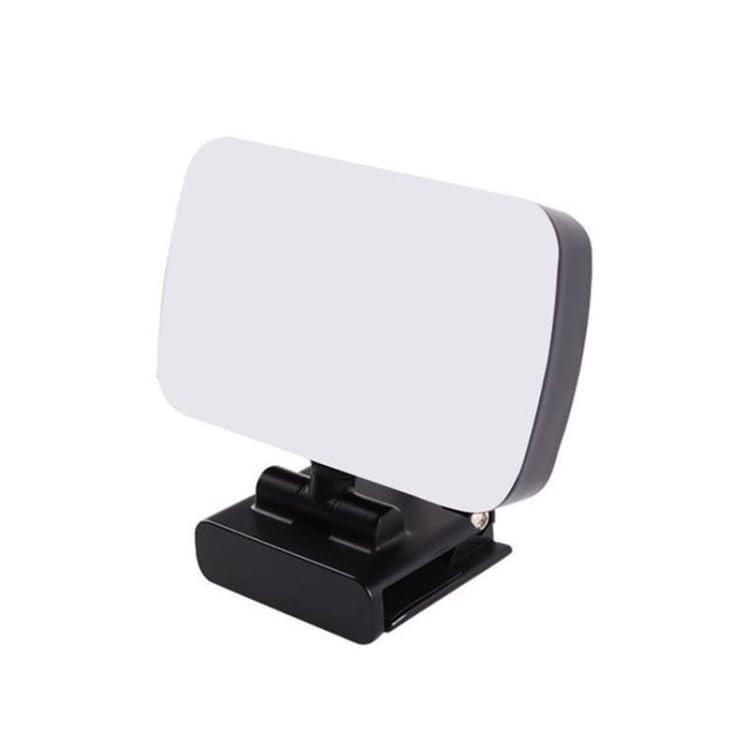
Hoto 2.1: Gefe view of the ELECTROPRIME JSK-B1, highlighting its compact form factor.
3. Jagorar Saita
Follow these steps to set up your ELECTROPRIME JSK-B1 LED Fill Light:
- Shirya: Carefully remove the LED fill light from its packaging.
- hawa: Attach the integrated clip of the light to the top edge of your desktop monitor, laptop screen, or any suitable surface. Ensure it is securely fastened.
- Haɗa Ikon: Insert the USB connector of the light's cable into an available USB port on your computer, laptop, or a compatible USB power adapter (5V). The light is plug-and-play and does not require additional drivers.
- Daidaita kusurwa: Once powered, adjust the light's angle using its 360-degree horizontal and 160-degree vertical rotation capabilities to direct the light as needed.

Image 3.1: The JSK-B1 light mounted on a laptop, illustrating its use in a typical setup.
4. Umarnin Aiki
The ELECTROPRIME JSK-B1 LED Fill Light is controlled via its integrated wire control unit.
4.1 Kunnawa / Kashewa
- Press the power button on the wire control to turn the light on or off.
4.2 Daidaita Haske
- Use the '+' button on the wire control to increase brightness.
- Use the '-' button on the wire control to decrease brightness.
- The light offers ten stepless brightness levels, allowing fine-tuning of illumination.
4.3 Adjusting Color Temperature
- Press the color temperature button (often indicated by a sun or color icon) on the wire control to cycle through the three available color temperature settings (e.g., warm, natural, cool).
5. Kulawa
To ensure the longevity and optimal performance of your LED fill light, follow these maintenance guidelines:
- Tsaftacewa: Gently wipe the light panel and body with a soft, dry, or slightly damp zane. Kada a yi amfani da masu tsabtace abrasive ko sauran ƙarfi.
- Ajiya: Idan ba a amfani da shi, a ajiye hasken a wuri mai sanyi da bushewa, nesa da hasken rana kai tsaye da kuma yanayin zafi mai tsanani.
- Gudanarwa: Ka guji jefa na'urar ko sanya ta ga tasiri mai ƙarfi, saboda wannan na iya lalata abubuwan ciki.
- Kulawar Kebul: Kada a lanƙwasa ko matse kebul na USB fiye da kima. Kullum a cire kebul daga filogi, ba kebul ba, lokacin da ake cire haɗin.
6. Shirya matsala
If you encounter issues with your ELECTROPRIME JSK-B1 LED Fill Light, refer to the table below for common problems and solutions:
| Matsala | Dalili mai yiwuwa | Magani |
|---|---|---|
| Haske baya kunnawa | No power supply or faulty USB connection. | Ensure the USB cable is securely plugged into a working USB port. Try a different USB port or power adapter. |
| Brightness adjustment not working. | Wire control unit malfunction or light already at min/max brightness. | Check if the light responds to other buttons. Ensure you are pressing the correct '+' or '-' buttons. |
| Color temperature adjustment not working. | Wire control unit malfunction. | Press the color temperature button firmly. If unresponsive, try disconnecting and reconnecting the USB power. |
| Haske yana kyalli ko ba shi da kwanciyar hankali. | Insufficient power supply or loose connection. | Ensure the USB power source provides stable 5V. Check for any damage to the USB cable or connector. |
7. Ƙayyadaddun bayanai
Detailed technical specifications for the ELECTROPRIME JSK-B1 LED Fill Light:
| Siga | Daraja |
|---|---|
| Samfura | Saukewa: JSK-B1 |
| Shell Material | ABS |
| Aikin Voltage | 5V |
| Tsawon Kebul | mita 1.9 |
| Rage Haske | 800-3000 Lux |
| Ƙarfi | 7W |
| Light-emitting Size | 100 x 60 x 15 mm |
| Cikakken nauyi | 147g ku |
| Kunshin Nauyin | 0.24 kg (0.53 lb) |
| Girman Kunshin | 12 x 10 x 5 cm (4.72 x 3.94 x 1.97 inci) |
| Interirƙirar Abun Taɗi | USB |
| Nau'in Haɗawa | USB |
8. Garanti Bayani
This product is covered by a warranty policy. For detailed information regarding warranty terms, conditions, and duration, please refer to the official ELECTROPRIME warranty documentation provided with your purchase or visit the ELECTROPRIME official website.
9. Tallafin Abokin Ciniki
For further assistance, technical support, or inquiries regarding your ELECTROPRIME JSK-B1 LED Fill Light, please contact ELECTROPRIME customer service. You can typically find contact information on the product packaging, the official ELECTROPRIME webshafin yanar gizo, ko kuma ta hanyar wurin siyan ku.


