1. Gabatarwa
This manual provides essential instructions for the safe and effective use of your YANMONGI Magnetic USB Charging Cable, designed specifically for the DIVElink BH802 Smartwatch. Please read this manual thoroughly before use to ensure optimal performance and longevity of your device and charger.

Image 1.1: The YANMONGI Magnetic USB Charging Cable connected to a DIVElink BH802 Smartwatch, illustrating the product's primary components.
The charging cable features an advanced automatic control system to prevent overcharging, over-discharging, and overheating, ensuring a stable and reliable charging process for your smartwatch. Its portable design allows for convenient charging in various environments.
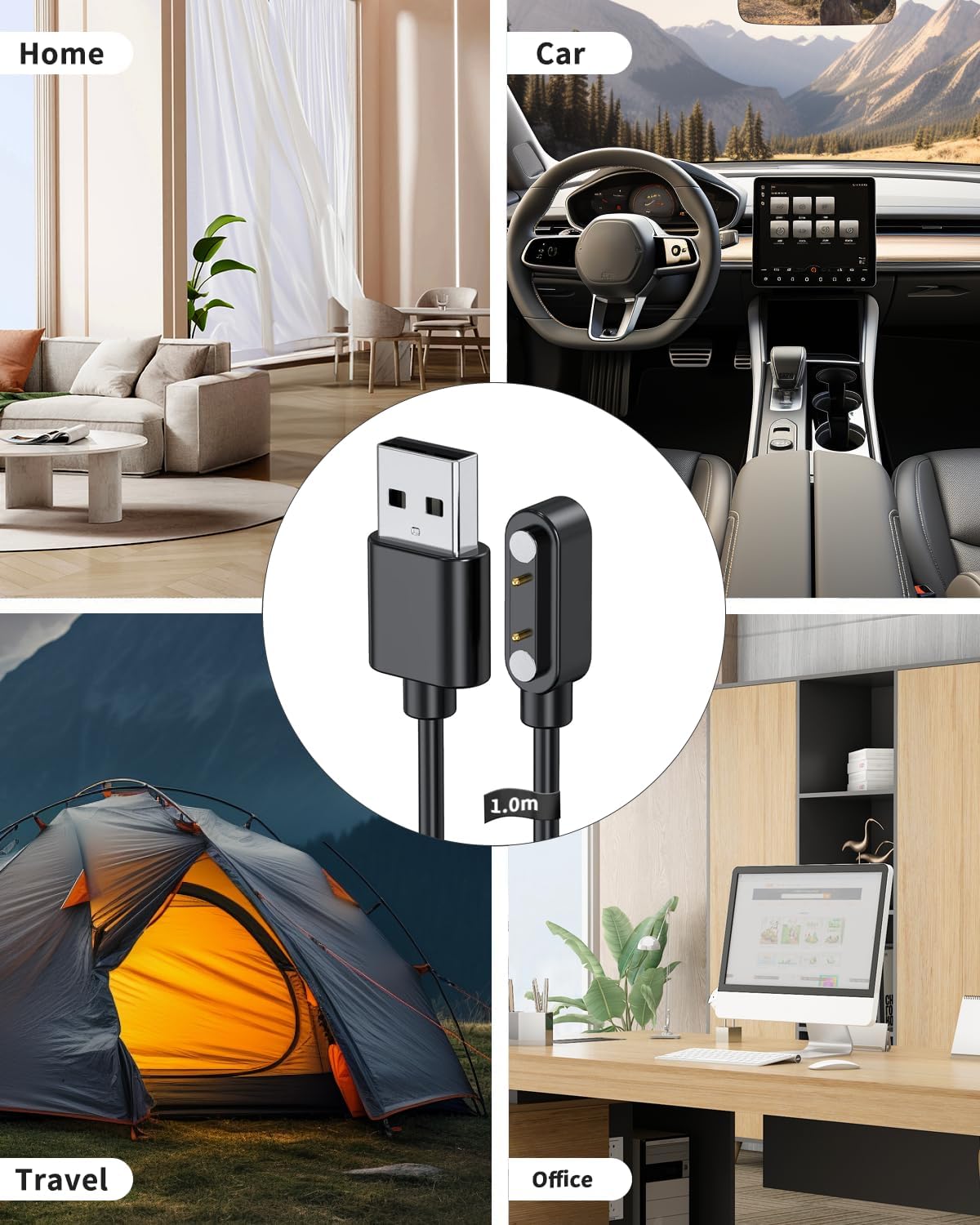
Image 1.2: The charging cable is suitable for use in multiple settings, including home, car, travel, and office, highlighting its portability and versatility.
2. Saita da Haɗin kai
Connecting your DIVElink BH802 Smartwatch to the YANMONGI charging cable is straightforward due to its magnetic design.
- Identify the Charging Port: Locate the charging contacts on the back of your DIVElink BH802 Smartwatch.
- Connect the Magnetic End: Align the magnetic end of the charging cable with the charging contacts on your smartwatch. The strong magnetic attraction will securely snap the charger into place.
- Haɗa zuwa Tushen Powerarfi: Insert the USB-A end of the charging cable into a compatible USB power source.

Image 2.1: The magnetic charging end securely attaches to the smartwatch, ensuring a reliable connection for charging.
3. Operating Instructions (Charging)
Follow these guidelines for optimal and safe charging of your DIVElink BH802 Smartwatch:
- Recommended Power Sources: For the best voltage stability and to protect your smartwatch, it is highly recommended to charge using the USB port on a computer (PC, Mac, laptop, or notebook).
- Avoid Fast Chargers: Do not use smartphone fast-charging adapters or wall chargers that provide more than 5V/1A. If using a wall adapter, ensure it provides a current of 1A and a voltagda 5V.
- Lokacin Caji: Limit charging sessions to approximately 80 minutes to prevent overcharging. The integrated chip helps manage this, but manual observation is also beneficial.
- Lafiyar Baturi: Charge your smartwatch before the battery is completely drained to maintain its efficiency and extend its lifespan.
- Automatic Control System: The cable features an automatic control system that stops charging once the smartwatch battery is full, preventing overcharging, over-discharging, and overheating.
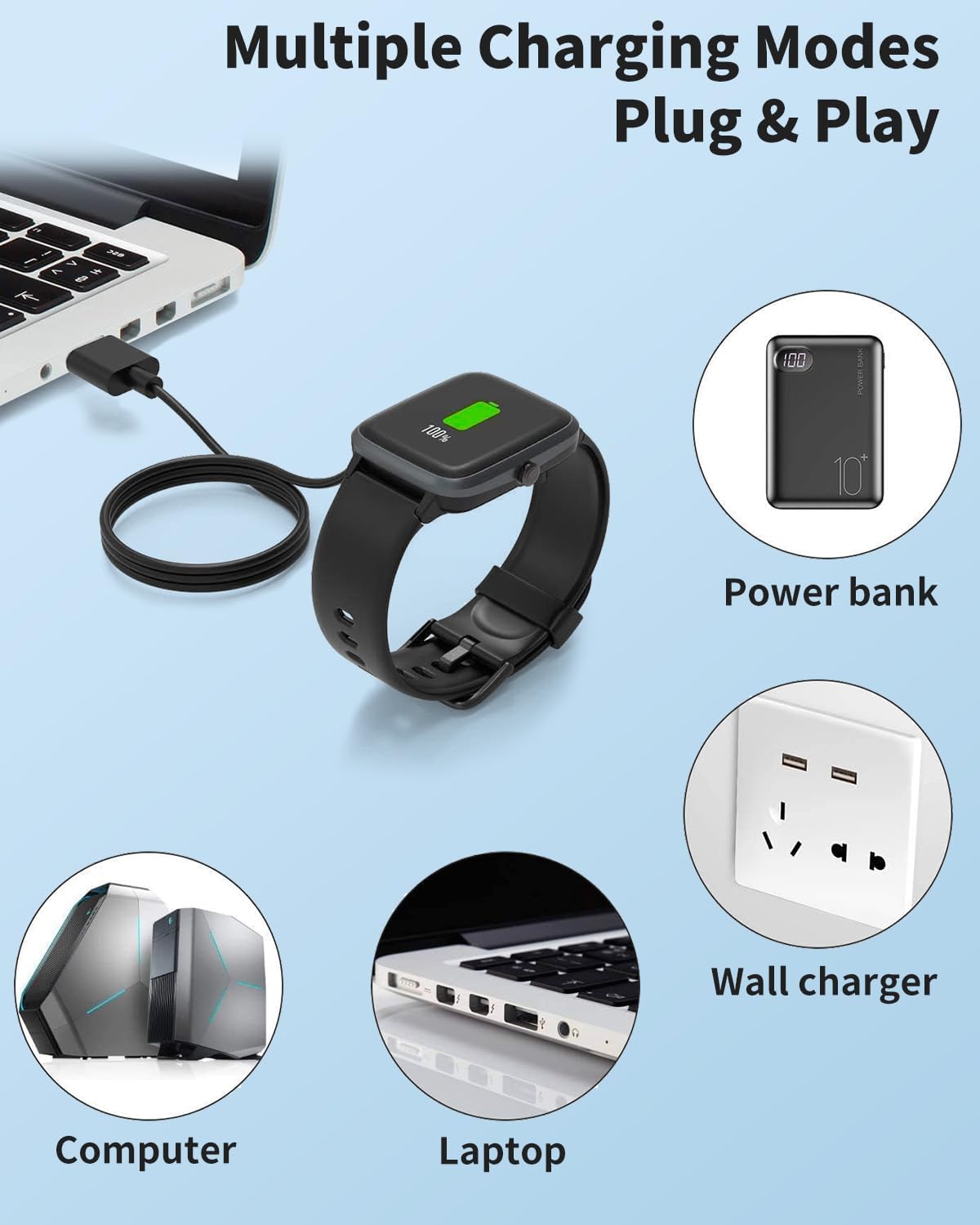
Image 3.1: The charging cable supports various USB power sources, including computers, laptops, power banks, and compatible wall chargers (5V/1A recommended).
4. Kulawa da Kulawa
To ensure the longevity and safe operation of your YANMONGI charging cable, follow these maintenance tips:
- Ajiya: Store the cable in a dry, cool place away from direct sunlight and extreme temperatures.
- Tsaftacewa: Gently wipe the cable and magnetic contacts with a soft, dry cloth if needed. Do not use harsh chemicals or abrasive materials.
- Gudanarwa: Avoid sharp bends or excessive pulling on the cable. The reinforced design offers durability, but proper handling extends its life.
- Dubawa: Periodically inspect the cable for any signs of damage, such as fraying, cuts, or bent pins. Discontinue use if damage is observed.
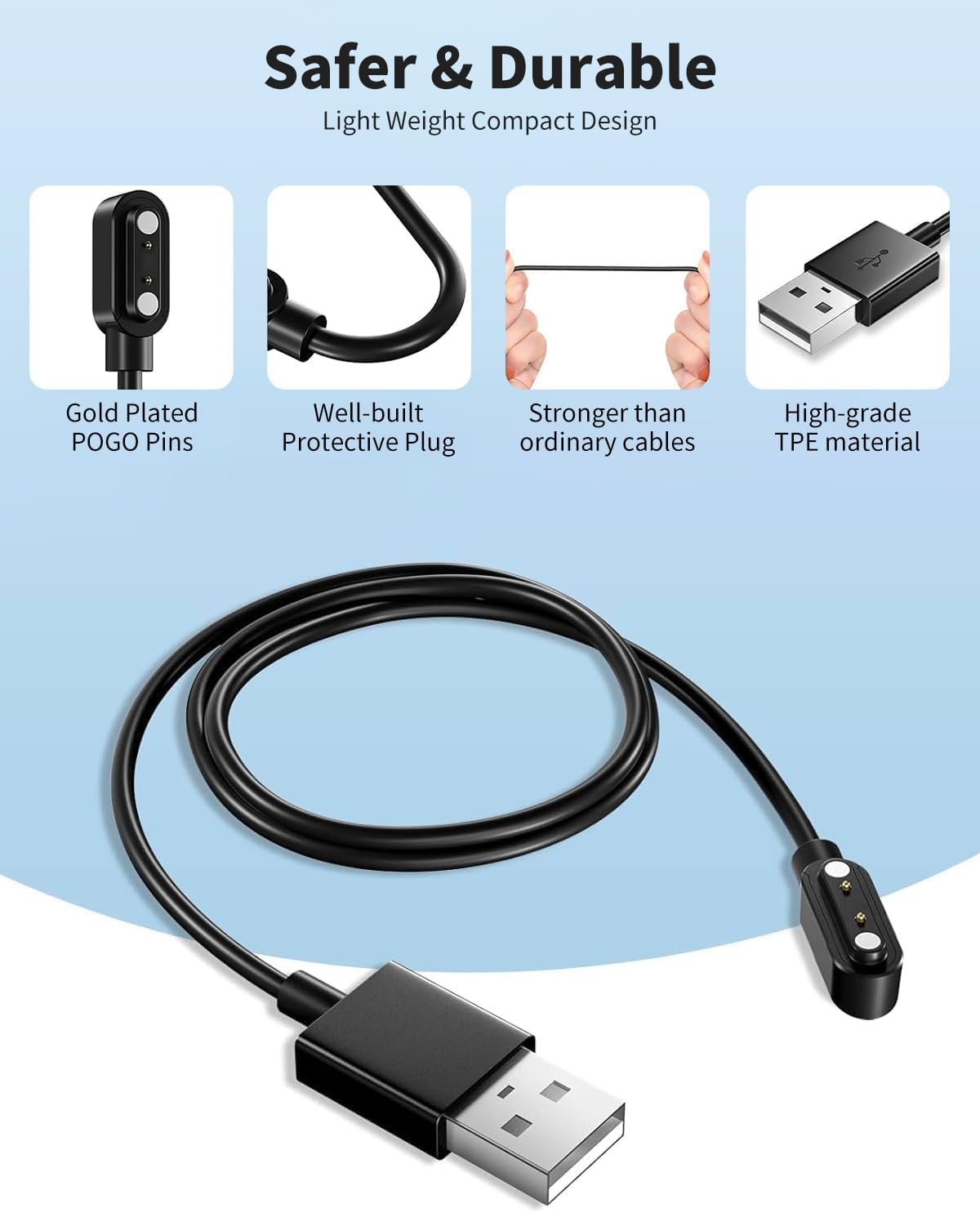
Image 4.1: The cable features gold-plated POGO pins, a well-built protective plug, and high-grade TPE material for enhanced safety and durability.
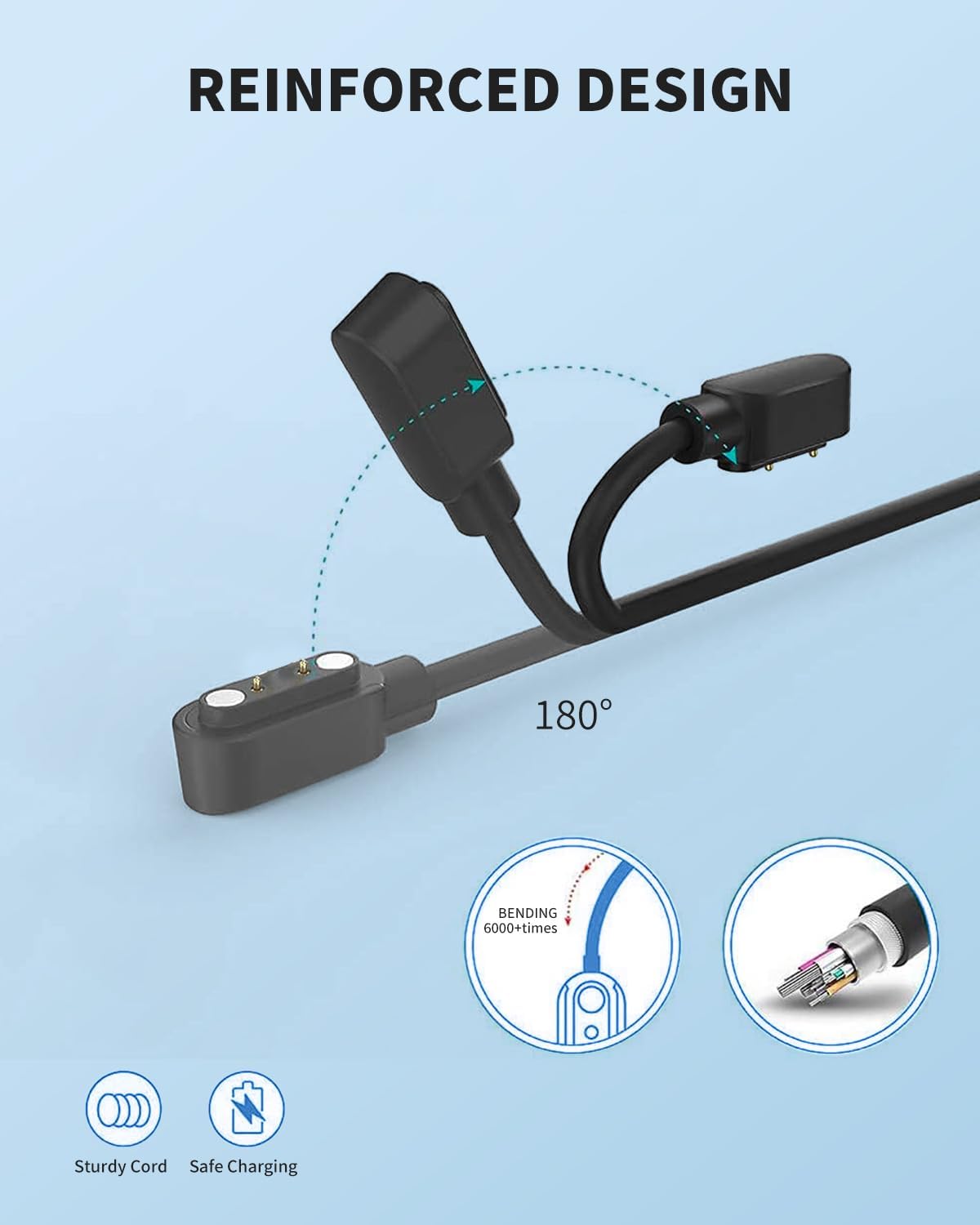
Image 4.2: The reinforced design allows for flexibility and durability, with a sturdy cord and safe charging capabilities.
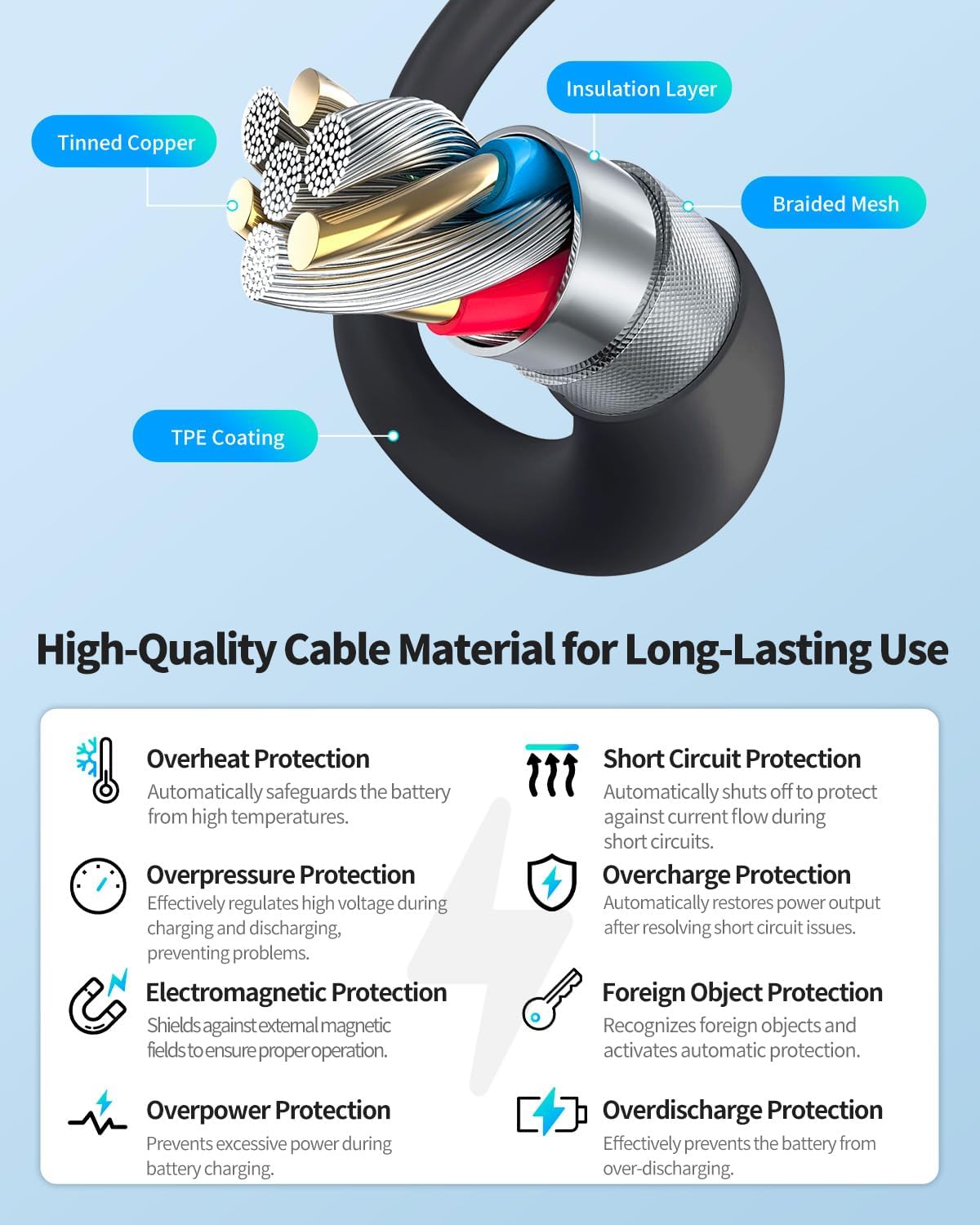
Image 4.3: The cable's internal structure includes tinned copper, an insulation layer, braided mesh, and TPE coating, providing multiple protection features such as overheat, short circuit, overpressure, overcharge, electromagnetic, foreign object, and overdischarge protection.
5. Shirya matsala
If you encounter issues while charging your DIVElink BH802 Smartwatch, consider the following:
- No Charging Indication:
- Ensure the magnetic connection to the smartwatch is secure and properly aligned.
- Verify the USB-A end is fully inserted into the power source.
- Try a different USB port or power source (e.g., another computer USB port).
- Confirm the power source meets the 5V/1A specification.
- A hankali Caji:
- Ensure you are using a recommended power source (computer USB port).
- Avoid using low-power USB hubs.
- Yin zafi fiye da kima:
- If the cable or smartwatch feels excessively hot, disconnect it immediately.
- Tabbatar cewa yanayin caji yana da iska mai kyau.
- Avoid charging in direct sunlight or hot areas.
- Unsure about Charger Compatibility: If you are uncertain whether this charger is suitable for your specific smartwatch model (other than DIVElink BH802), please contact customer support. Provide a photo of your original charger or the charging part of your device for assistance.
6. Ƙayyadaddun samfur
| Siffar | Ƙayyadaddun bayanai |
|---|---|
| Alamar | YANMONGI |
| Dacewar Samfura | DIVElink BH802 Smartwatch |
| Nau'in Haɗawa | USB-A to 2-Pin Magnetic |
| Tsawon Kebul | 3.3 Ft / 100 cm |
| Siffa ta Musamman | Magnetic Connection, Overcharge Protection |
| Launi | Baki |
| Nauyin Abu | 0.704 oz |
| Mai ƙira | YANMONGI |
7. Garanti da Tallafawa
Garanti na Shekara ɗaya: YANMONGI stands by the quality of this product. If you encounter any defects or issues within one year of purchase, please contact us for a free replacement or refund. We are committed to ensuring your satisfaction.
Tuntube Mu: For any questions, concerns, or issues with the product, please reach out to our customer service team. You can typically find contact information through your order history on the platform where the product was purchased. Our team is ready to assist you.