Gabatarwa
Thank you for choosing the OnePlus Nord Buds 3 Pro wireless earbuds. These earbuds are designed to provide an immersive audio experience with features like Hybrid Active Noise Cancellation, deep bass, and extended battery life. This manual provides detailed instructions for setting up, operating, maintaining, and troubleshooting your device to ensure optimal performance.
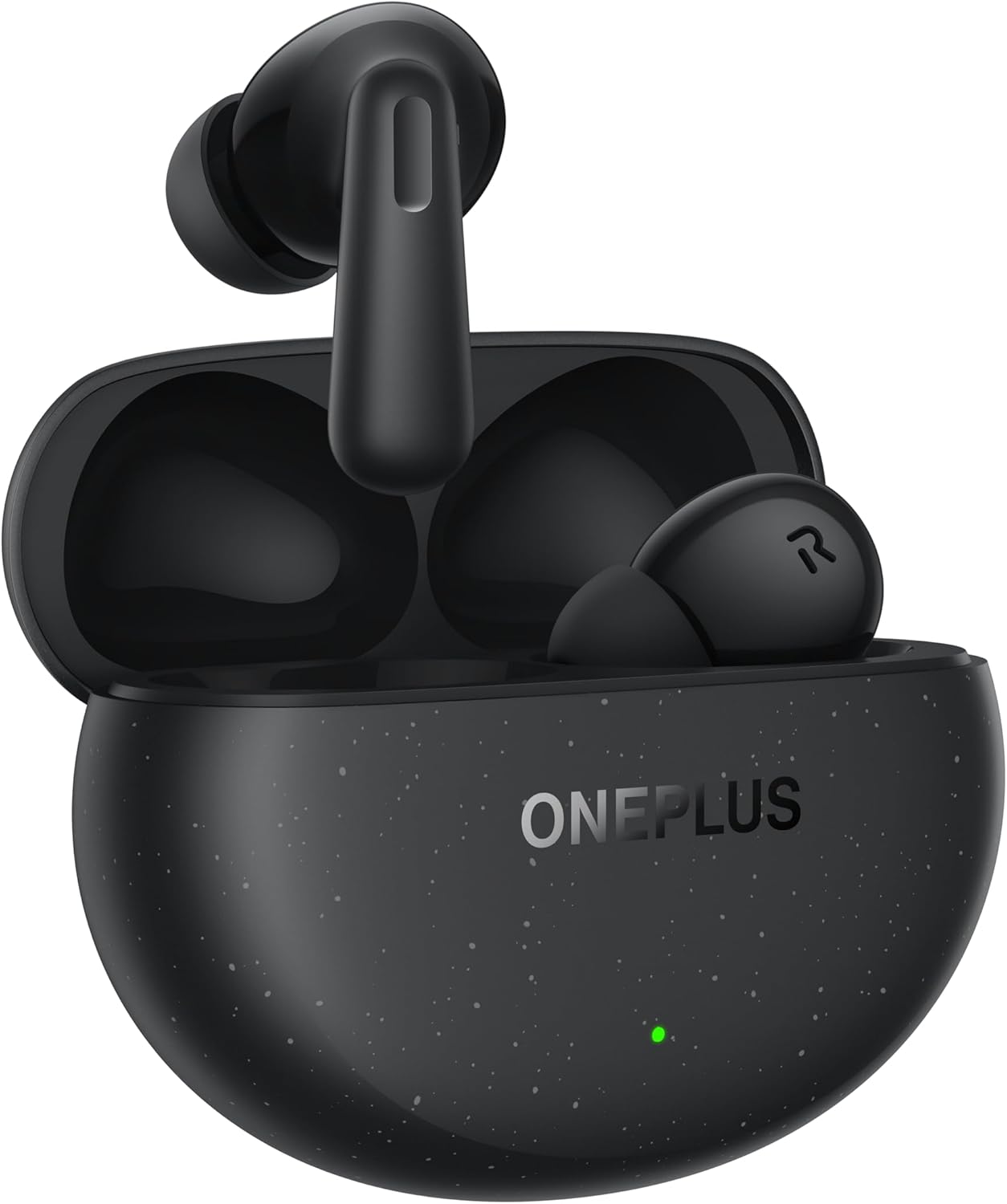
Image: The OnePlus Nord Buds 3 Pro earbuds, in Starry Black, are shown inside their open charging case. The case has a speckled finish and the OnePlus logo. A small green LED indicator is visible on the front of the case.
Me ke cikin Akwatin
Carefully unpack your OnePlus Nord Buds 3 Pro and ensure all items are present:
- OnePlus Nord Buds 3 Pro earbuds (1 pair)
- OnePlus Nord Buds 3 Pro charging case (1 unit)
- Silicon eartips (3 pairs: S, M, L)
- USB Type-C charging cable (1 unit)
- User guide (1 unit)
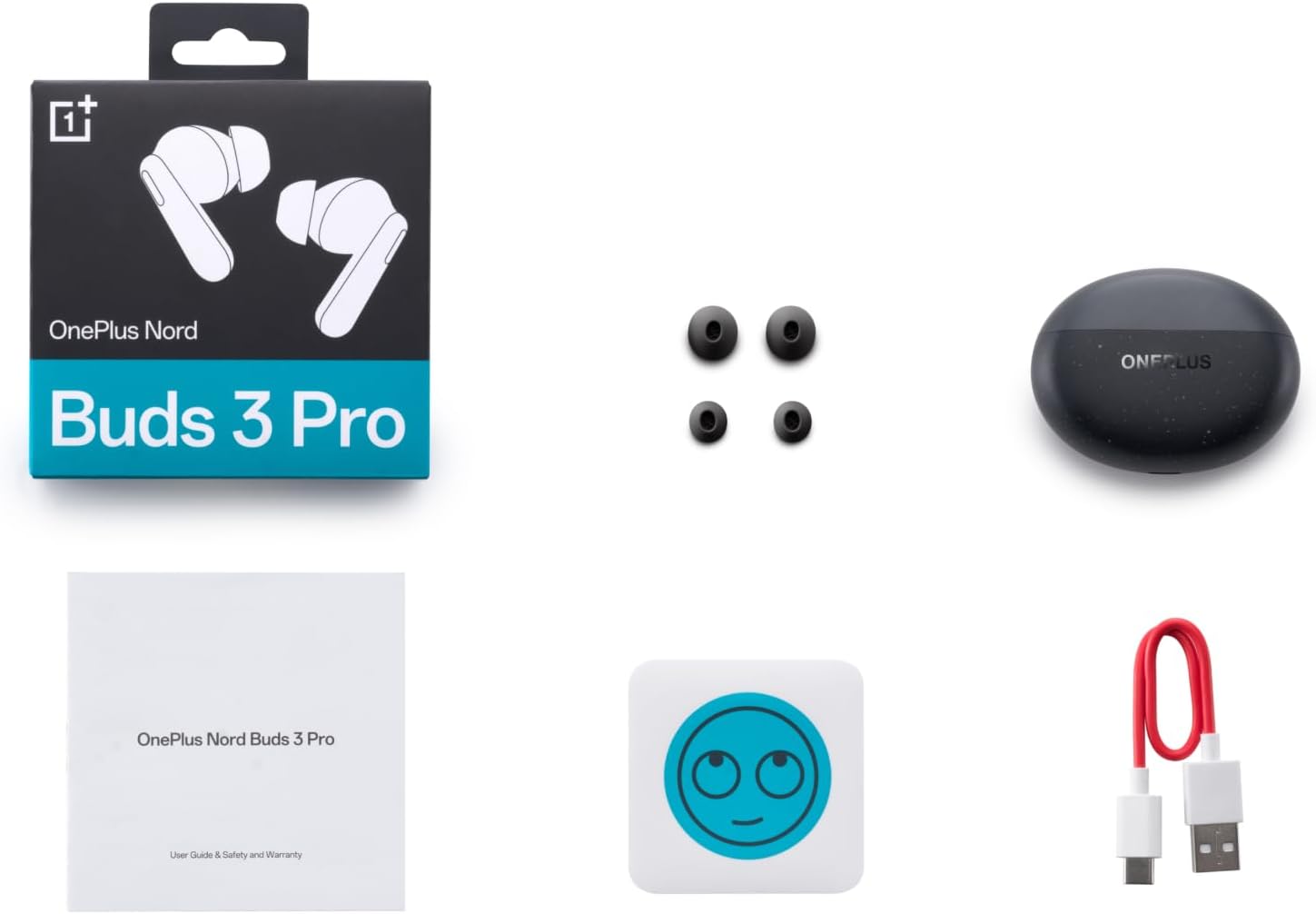
Image: A flat lay of the OnePlus Nord Buds 3 Pro package contents, including the retail box, the charging case, three pairs of silicone eartips, a USB Type-C charging cable, and the user guide.
Saita
1. Cajin Farko
Before first use, fully charge the earbuds and the charging case. Connect the provided USB Type-C cable to the charging port on the case and a power source. The indicator light on the case will show charging status.
2. Haɗawa da Na'urar ku
- Tabbatar da belun kunne suna cikin caji kuma murfin akwati a buɗe.
- Press and hold the function button on the charging case for 2 seconds until the indicator light flashes white, indicating pairing mode.
- On your device (smartphone, tablet, etc.), go to Bluetooth settings and select "OnePlus Nord Buds 3 Pro" from the list of available devices.
- For Android devices, the earbuds support Google Fast Pair for quick connection. Simply open the case near your Android device and follow the on-screen prompts.

Image: A person holding a OnePlus Nord Buds 3 Pro charging case and a smartphone. The smartphone screen displays a prompt for Google Fast Pair, showing the earbuds ready to connect, illustrating the pairing process.
3. HeyMelody App
For enhanced features and customization, download the HeyMelody app from your device's app store. The app allows you to manage settings, update firmware, and locate your earbuds.
Umarnin Aiki
Gudanar da taɓawa
The OnePlus Nord Buds 3 Pro feature intuitive touch controls on each earbud. Default controls are as follows, but can often be customized via the HeyMelody app:
- Tapwanƙwasa ɗaya: Kunna/Dakatar da kiɗa, Amsa/Ƙarshen kira.
- Biyu Matsa: Next track, Reject call.
- Sau Uku: Waƙar da ta gabata.
- Latsa ka riƙe (1 seconds): Switch between Active Noise Cancellation (ANC) and Transparency mode.
Active Noise Cancellation (ANC) da Fahimtar Yanayin
The earbuds offer Hybrid Active Noise Cancellation up to 49dB to minimize ambient noise. Transparency mode allows you to hear your surroundings without removing the earbuds. Toggle between these modes by pressing and holding the earbud touch area.

Image: An infographic detailing key features of the OnePlus Nord Buds 3 Pro, including up to 44 hours listening time, 49dB Hybrid Active Noise Cancellation, 12.4mm Titanized Diaphragm, and Basswave 2.0 technology.
ingancin Sauti
Equipped with a 12.4mm titanium-coated diaphragm and Basswave 2.0 technology, the Nord Buds 3 Pro deliver rich bass, clear vocals, and an immersive sound experience.
Baturi da Caji
- Rayuwar Batirin kunne: Up to 44 hours with ANC off, up to 20 hours with ANC on (including charging case).
- Cajin gaggawa: 10 minutes of charging provides up to 11 hours of playtime.
- Cajin Cajin: Recharge the case using the provided USB Type-C cable.
Kulawa
- Tsaftacewa: A kai a kai tsaftace belun kunne da akwati na caji tare da laushi, bushe, yadi mara lint. Kada a yi amfani da sinadarai masu tsauri ko abubuwan da za su lalata.
- Abubuwan kunne: Remove and clean the silicone eartips with water and mild soap if necessary. Ensure they are completely dry before reattaching.
- Lambobin Cajin: Keep the charging contacts on both the earbuds and inside the case clean and free of debris to ensure proper charging.
- Ajiya: Lokacin da ba a amfani da su, adana belun kunne a cikin cajin cajin su don kare su da kiyaye su caji. Ka guji matsanancin zafi.
Shirya matsala
Kunnen kunne ba sa haɗawa ko haɗawa:
- Tabbatar ana cajin belun kunne.
- Sanya belun kunne a cikin akwati, rufe murfin, sannan sake buɗe shi don sake shiga yanayin haɗawa.
- Check your device's Bluetooth settings and ensure Bluetooth is enabled.
- Gwada manta na'urar a cikin saitunan Bluetooth ɗinka sannan ka sake haɗawa.
- Sake kunna na'urar ku.
Babu sauti ko rashin ingancin sauti:
- Bincika matakin ƙara akan na'urarka da belun kunne.
- Ensure the earbuds are properly seated in your ears and the correct size eartips are used.
- Clean any debris from the earbud speakers and charging contacts.
- Matsa kusa da na'urarka da aka haɗa don guje wa tsangwama.
Kunshin kunne ba ya caji:
- Tabbatar cewa an haɗa kebul ɗin caji amintacce zuwa duka akwati da tushen wutar lantarki.
- Tabbatar cewa tushen wutar lantarki yana aiki.
- Tsaftace lambobin caji akan belun kunne da cikin akwati.
Ƙayyadaddun bayanai
| Siffar | Daki-daki |
|---|---|
| Sunan Samfura | Nord Buds 3 Pro (E511A) |
| Alamar | OnePlus |
| Fasahar Haɗuwa | Bluetooth |
| Sigar Bluetooth | 5.4 |
| Sarrafa amo | Sokewar Hayaniyar Haɓakawa (har zuwa 49dB) |
| Girman Direba | 12.4mm Titanized Diaphragm |
| Yawan Mitar | 20 Hz - 20,000 Hz |
| Hankali | 38db ku |
| Impedance | 32 ohm |
| Rayuwar Baturi (Masu Sauraron kunne + Case) | Har zuwa awanni 44 (ANC a kashe), Har zuwa awanni 20 (ANC na kunne) |
| Cajin gaggawa | Cajin minti 10 na awa 11 lokacin wasa |
| Interface Cajin | USB Type-C |
| Wurin Kunne | A Cikin Kunnuwa |
| Nauyin Abu | 3.52 oganci (0.1 Kilogram) |
| Girman samfur | 1.09 x 0.92 x 0.82 inci |
Garanti da Taimako
The OnePlus Nord Buds 3 Pro are covered by a limited warranty. Please refer to the warranty card included in your package for specific terms and conditions, or visit the official OnePlus webshafin don cikakken bayanin garantin.
For technical support, troubleshooting assistance, or service inquiries, please visit the Tallafin OnePlus website ko tuntuɓi sabis na abokin ciniki kai tsaye.


