Gabatarwa
The R-MUSIC Party Boost S speaker is designed to provide an immersive audio experience, perfect for parties and events. This high-power speaker features Bluetooth 5.3 connectivity, dynamic RGB light effects, a dedicated karaoke mode, and an impressive battery life, combining robust performance with portable design.
This manual provides essential information for setting up, operating, and maintaining your Party Boost S speaker to ensure optimal performance and longevity.
Me ke cikin Akwatin
Upon unboxing your R-MUSIC Party Boost S, please verify that all components are present:
- Party Boost S Speaker
- Microphone mai waya
- Cajin Cable
- Caja
- Jagorar mai amfani (wannan takaddar)
Samfurin Ƙarsheview
Familiarize yourself with the key features and components of your Party Boost S speaker.

The R-MUSIC Party Boost S speaker, showcasing its integrated RGB lighting on the front grille and top control panel. The speaker is black with a textured finish on the sides and a convenient carry handle on top.
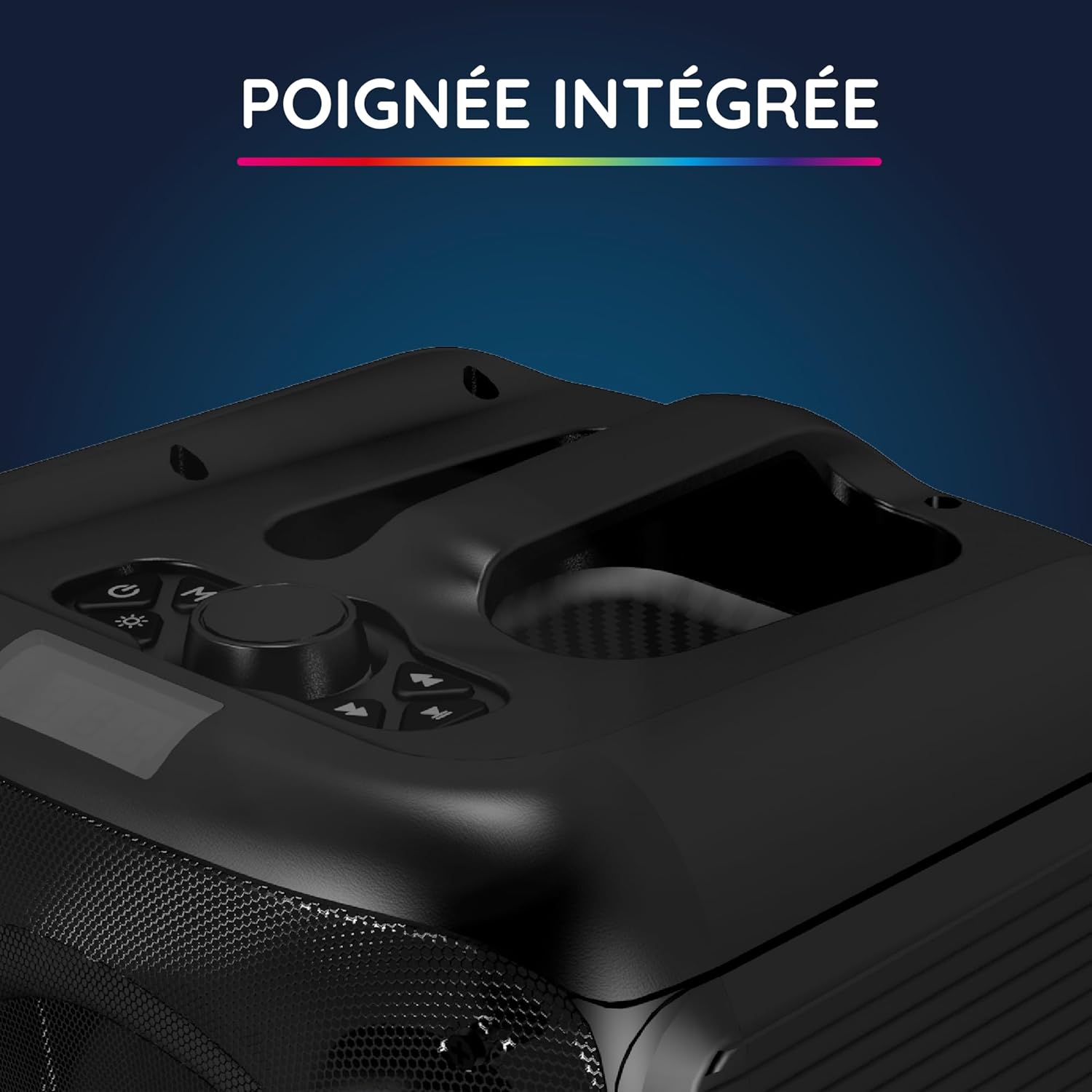
A kusa-up view of the integrated handle located on the top of the Party Boost S speaker, designed for easy portability and transport.

The connectivity panel of the Party Boost S speaker, featuring various input ports including USB, USB-C, AUX, and Micro-SD slots for versatile device connections.

The top control panel of the Party Boost S speaker, showing buttons for equalizer settings, volume adjustment, and echo control, along with a digital display.
Saita
Cajin Kakakin Majalisa
Before first use, fully charge the speaker. Connect the provided charging cable to the speaker's charging port and the other end to the charger. Plug the charger into a power outlet. The charging indicator will show the charging status. A full charge takes approximately 5 hours and provides up to 10 hours of continuous playback.
Ƙarfin Farko Kunnawa
Locate the power button on the speaker's control panel. Press and hold the power button for a few seconds until the speaker powers on and the LED lights illuminate.
Umarnin Aiki
Haɗin Bluetooth
- Ensure the Party Boost S speaker is powered on.
- Activate Bluetooth on your smartphone, tablet, PC, or laptop.
- Bincika "R-MUSIC Party Boost S" in your device's Bluetooth settings.
- Select the speaker to pair. A confirmation sound will indicate a successful connection.
- The speaker uses Bluetooth 5.3 for a stable connection up to 10 meters.
Using Other Connectivity Options
- Tashar USB: Saka kebul na USB tare da sauti files into the USB port. The speaker will automatically detect and play the music.
- Shigar da AUX: Connect an external audio device (e.g., MP3 player) using a 3.5mm AUX cable to the AUX port.
- Katin Micro SD: Saka katin Micro SD tare da sauti files into the Micro SD slot.
- 6.35mm Jack: This port is primarily for the wired microphone.
Karaoke Mode and Microphone Use
To use the karaoke feature:
- Connect the wired microphone to the 6.35mm jack port on the speaker.
- Play your desired instrumental track via Bluetooth or other input methods.
- Adjust the microphone volume and echo effects using the controls on the speaker's top panel for an optimal karaoke experience.

The wired microphone included with the Party Boost S speaker, featuring an on/off switch and a standard audio jack for connection.
Sound Adjustment (Bass & Treble)
Use the dedicated controls on the speaker's top panel to adjust the bass and treble levels according to your audio preferences. This allows for fine-tuning the sound output for various music genres or environments.
Tasirin Hasken RGB
The speaker features integrated RGB light shows that synchronize with your music. Use the light mode button on the control panel to cycle through different light animations or turn them off.
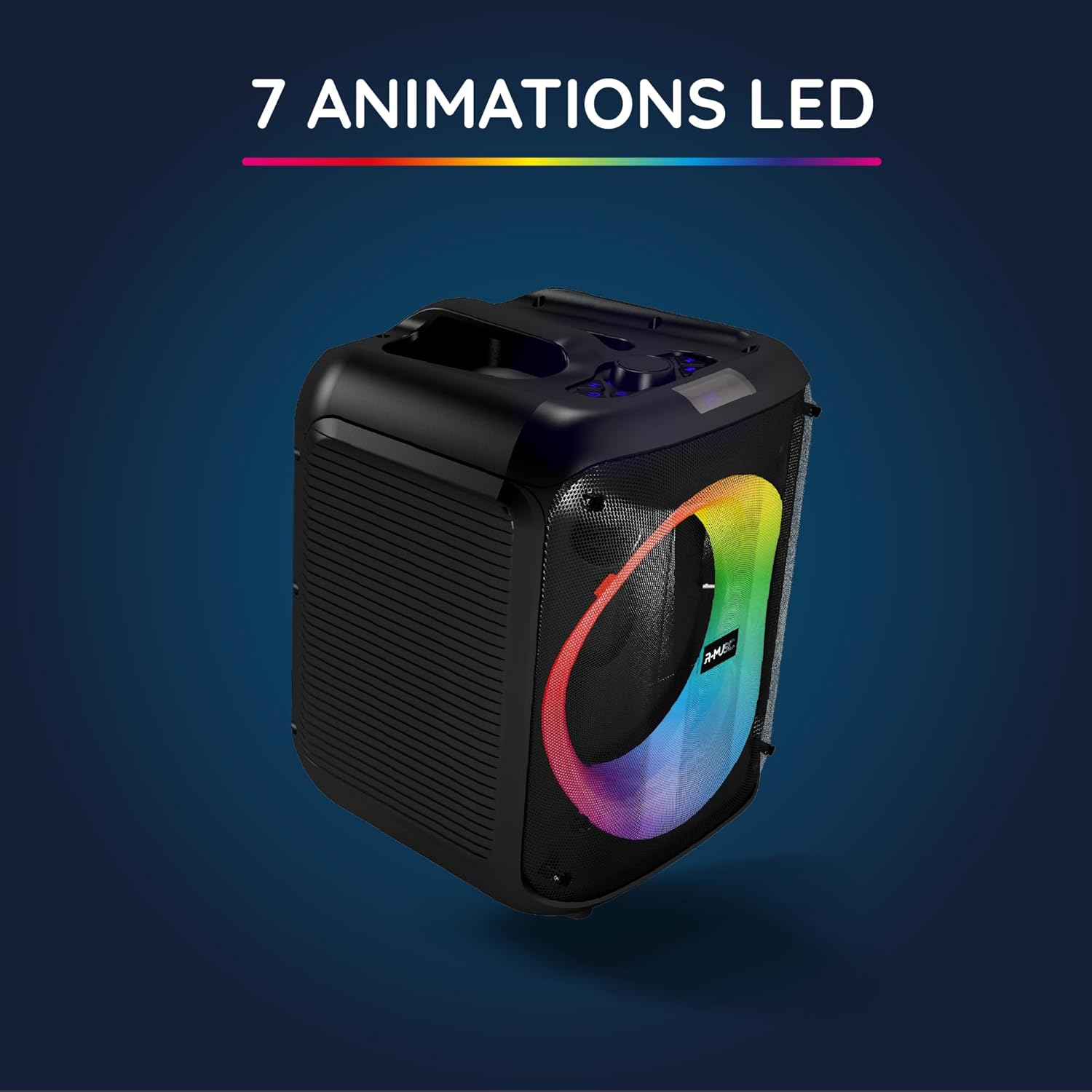
The Party Boost S speaker illuminated with vibrant RGB LED animations, showcasing its ability to create a dynamic visual experience synchronized with audio.
Haɗin Mai Magana da yawa
For an enhanced stereo experience, you can connect two Party Boost S speakers together. Refer to the specific instructions for TWS (True Wireless Stereo) pairing, usually initiated by a dedicated button or a long press on the Bluetooth button on both speakers. Ensure both speakers are in pairing mode before attempting to connect them to each other.
Kulawa
- Tsaftacewa: Yi amfani da laushi, bushe bushe don tsaftace wajen lasifikar. Kada a yi amfani da masu tsaftacewa, kakin zuma, ko kaushi.
- Ajiya: Lokacin da ba'a amfani da shi na tsawon lokaci, adana lasifikar a wuri mai sanyi, busasshiyar nesa da hasken rana kai tsaye da matsanancin zafi.
- Kulawar Baturi: Don tsawaita rayuwar baturi, kauce wa cikar cajin baturin akai-akai. Cajin lasifika akai-akai, koda ba a amfani da shi.
- Juriya na Ruwa: This speaker is not water-resistant. Avoid exposure to liquids.
Shirya matsala
| Matsala | Dalili mai yiwuwa | Magani |
|---|---|---|
| Babu iko | Battery is depleted; Power cable not connected properly. | Charge the speaker fully; Ensure power cable is securely connected. |
| Babu sauti | Volume is too low; Incorrect input source selected; Device not paired correctly. | Increase volume on speaker and connected device; Select correct input (Bluetooth, AUX, USB, SD); Re-pair Bluetooth device. |
| Haɗin Bluetooth mara ƙarfi | Device is out of range; Interference from other devices. | Move device closer to speaker (within 10m); Move speaker away from other wireless devices. |
| Makirifo baya aiki | Microphone not plugged in correctly; Microphone switch is off. | Ensure microphone is fully inserted into the 6.35mm jack; Turn on the microphone switch. |
Ƙayyadaddun bayanai
| Lambar Samfura | RM484529 |
| Alamar | R-MUSIC |
| Nau'in Haɗawa | Bluetooth 5.3 |
| Abubuwan shigar da sauti | Bluetooth, USB, 6.35mm Jack, AUX, Micro SD |
| Amsa Mitar | 20 Hz - 20 kHz |
| Rayuwar Baturi | Up to 10 hours (3600mAh Lithium-ion) |
| Lokacin Caji | Kimanin 5 hours |
| Girma (L x W x H) | 29 x 34 x 26 cm |
| Nauyi | 3.95 kg |
| Launi | Baki |
| Na'urori masu jituwa | Smartphones, Tablets, PCs, Laptops |
| Siffofin Musamman | Integrated RGB Lights, Karaoke Mode, Wired Microphone Included, Bass & Treble Adjustment, Multi-speaker Connection (TWS), Integrated Handle |
Garanti da Taimako
Garanti na masana'anta
The R-MUSIC Party Boost S speaker comes with a Garanti na masana'anta na shekara 2 daga ranar siye. Wannan garantin yana rufe lahani a kayan aiki da aikin hannu a lokacin amfani da su na yau da kullun. Ba ya rufe lalacewa da rashin amfani da shi, haɗari, gyare-gyare marasa izini, ko lalacewa ta yau da kullun.
Da fatan za a riƙe shaidar siyan ku don da'awar garanti.
Tallafin Abokin Ciniki
For technical assistance, warranty claims, or any questions regarding your R-MUSIC Party Boost S speaker, please contact your retailer or the manufacturer's customer support. Refer to the product packaging or the retailer's website don bayanin lamba.


