Gabatarwa
This manual provides essential instructions for the safe and effective use of your himaly IF1010AR USB Rechargeable Bluetooth Body Fat Scale. This digital scale is designed to measure body weight and analyze various body composition metrics, including body fat percentage, muscle mass, and BMI, through its integrated app.
Da fatan za a karanta wannan littafin sosai kafin fara amfani da shi kuma a riƙe shi don tunani na gaba.

Hoto: The himaly IF1010AR digital scale, black-navy blue, displaying a weight reading, alongside a smartphone showing the 'Moving Life' app interface with body composition data.

Hoto: An wuceview graphic of the himaly Smart Bluetooth Body Fat Scale, detailing its key features including 4 high-precision sensors, HD LCD display, 15 measurement indicators, 0.2-180kg capacity, and compatibility with iOS, Android, and Bluetooth.
Abubuwan Kunshin
- himaly Digital Body Weight Scale
- Kebul na Caji
- Manual mai amfani
Saita
1. Cajin Sikeli
The himaly IF1010AR scale features a built-in rechargeable battery. Before initial use, ensure the scale is fully charged.
- Locate the USB charging port on the side or back of the scale.
- Connect the provided USB charging cable to the scale and to a standard USB power adapter (not included) or a computer USB port.
- Allon zai nuna yanayin caji. Yi caji har sai alamar baturi ta cika.

Hoto: Kusa view of the himaly scale's USB charging port, highlighting the built-in rechargeable battery feature.
2. Shigar App da Haɗawa
To utilize the full body composition analysis features, download and install the "Moving Life" app on your smartphone or tablet.
- Scan the QR code provided in the manual or search for "Moving Life" in the Apple App Store (for iOS devices) or Google Play Store (for Android devices).
- Install the app and create your user profile.
- Tabbatar cewa an kunna Bluetooth akan na'urarka.
- Step onto the scale to activate it. The scale will automatically attempt to pair with the app via Bluetooth 4.0+.
- Follow the on-screen prompts in the "Moving Life" app to complete the pairing process.

Hoto: Diagram illustrating Bluetooth 4.0 connectivity between the himaly scale and the "Moving Life" app, with icons for iOS and Android app stores.
Umarnin Aiki
1. Daukar Auna
For accurate readings, place the scale on a hard, flat surface. Avoid carpets or uneven flooring.
- Tabbatar da cewa ƙafafunku suna da tsabta kuma sun bushe.
- Step onto the scale barefoot, placing your feet on the metal electrodes. Stand still until your weight is displayed and stabilized.
- If the app is open and connected, your measurements will automatically sync.
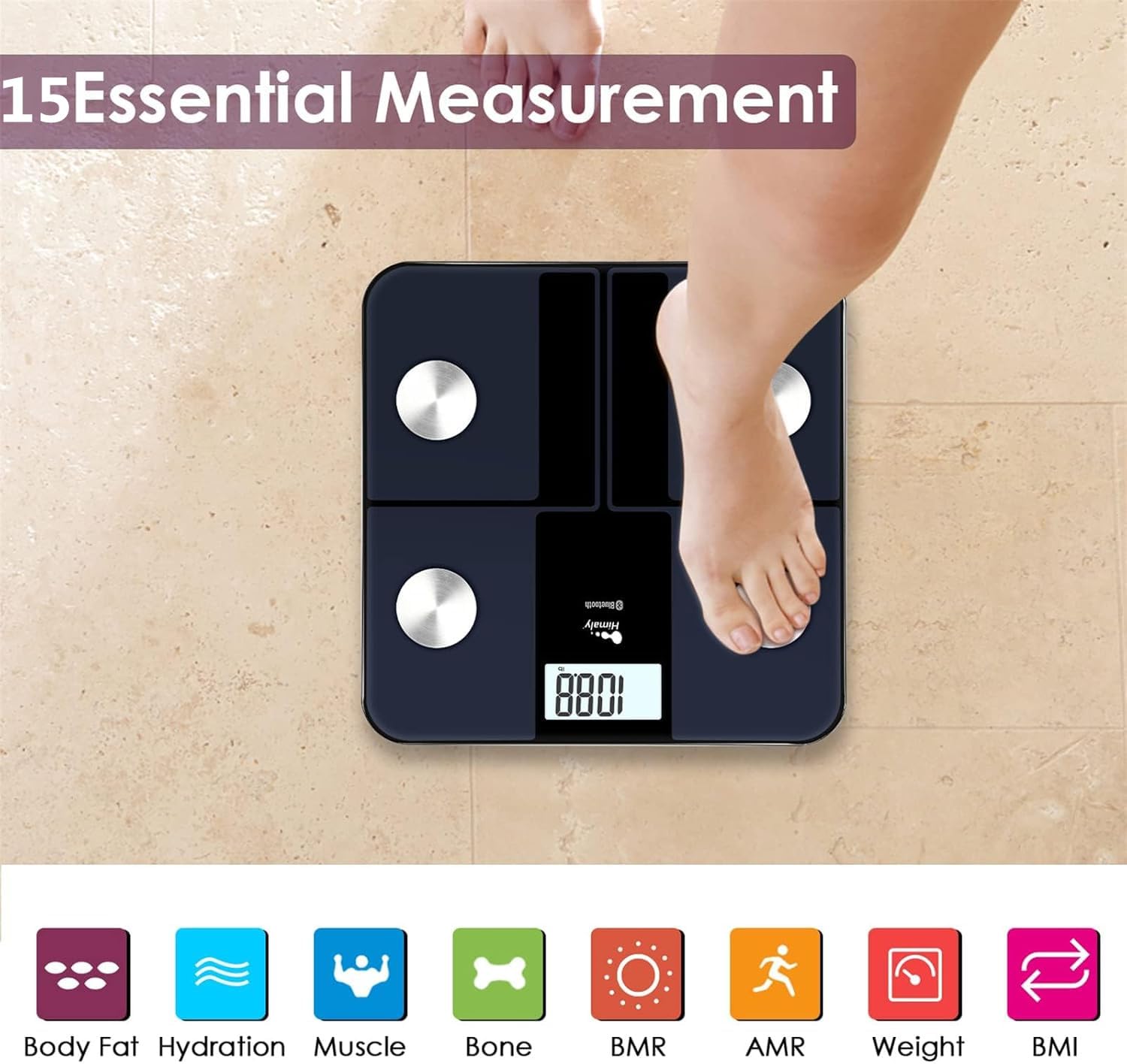
Hoto: A person's bare feet positioned on the himaly scale, illustrating the process of taking a measurement for 15 essential body composition metrics.
2. Understanding Body Composition Metrics
The himaly scale, in conjunction with the "Moving Life" app, provides 15 essential body composition measurements. These include:
- Nauyin Jiki
- Fat Jiki Kashitage
- BMI (Jikin Mass Index)
- Muscle Mass
- Hydration (Water Content)
- Mass Kashi
- BMR (Basal Metabolic rate)
- AMR (Active Metabolic Rate)
- Da ƙari.

Hoto: A visual representation of the various body composition metrics measured by the scale, including Body Fat, Hydration, Muscle, Bone, BMR, AMR, Weight, and BMI, depicted with illustrative icons.
The scale's display also uses color-coded indicators to reflect different body fat levels for easy interpretation.

Hoto: A person's feet on the himaly scale, with the digital display showing a weight reading and color-coded indicators representing different body fat levels (Thin, Slim, Normal, Heavy, Overweight).
3. App Features and Data Tracking
The "Moving Life" app allows you to:
- Monitor health trends over time (daily, weekly, monthly, yearly).
- Visualize progress through graphs and charts.
- Sync data with other health apps like Fitbit, Apple Health, and Google Fit.
- Sarrafa pro mai amfani da yawafiles ga 'yan uwa.
- Utilize a baby/pet weighing mode.

Hoto: A woman looking at her smartphone, which displays a graph of health data from the 'Moving Life' app, demonstrating the 'Results at a Glance' feature.

Hoto: A woman performing a plank exercise, with the himaly scale in the foreground and a graphic overlay showing a trend chart of weight and body fat percentage a kan lokaci.

Hoto: A graphic illustrating continuous health data tracking and automatic synchronization, with a person performing a yoga pose in the foreground, emphasizing consistent body monitoring.
4. Juya Juya
To switch between measurement units (e.g., pounds to kilograms), locate the "UNIT" button on the underside of the scale and press it to toggle.

Hoto: The underside of the himaly scale, highlighting the 'UNIT' button for measurement conversion and the non-slip mats for stability.
Kulawa
- Tsaftace saman sikelin tare da tallaamp cloth and mild detergent. Avoid abrasive cleaners or submerging the scale in water.
- Store the scale in a dry place at room temperature.
- A guji rage girman ko kuma sanya shi ga mummunan tasiri.
- Regularly charge the scale to maintain battery health.
Shirya matsala
| Matsala | Dalili / Magani mai yiwuwa |
|---|---|
| Sikeli baya kunna. | Battery is low or depleted. Charge the scale using the provided USB cable. |
| Karatuttuka mara inganci. |
|
| Rashin haɗin haɗin Bluetooth. |
|
| App baya daidaita bayanai. |
|
Ƙayyadaddun bayanai
| Siffar | Daki-daki |
|---|---|
| Lambar Samfura | Saukewa: IF1010AR |
| Alamar | himaly |
| Matsakaicin Iya | 400 lbs / 180 kg |
| Ƙarin Maimaitawa | 0.2 lb / 0.05 kg |
| Sensors | 4 High-Precision Sensors |
| Haɗuwa | Bluetooth 4.0 + |
| Karfin Aikace -aikacen | "Moving Life" App (iOS & Android), Syncs with Fitbit, Apple Health, Google Fit |
| Tushen wutar lantarki | Kebul na Baturi Mai Caji |
| Nau'in Nuni | LCD dijital |
| Girma | 11.81 in x 11.81 in (approx. 30 cm x 30 cm) |
| Launi | Black-Navy Blue |

Hoto: An image showing the physical dimensions of the himaly IF1010AR scale, indicating its length and width as 11.81 inches and thickness as 0.79 inches.
Garanti da Taimako
Don bayanan garanti da tallafin abokin ciniki, da fatan za a duba bayanan tuntuɓar da aka bayar tare da siyan ku ko ziyarci hukuma himaly website. Ajiye rasidin siyan ku azaman shaidar siyan don da'awar garanti.
Mai ƙira: himaly


