1. Gabatarwa
This manual provides essential information for the safe and efficient use of your MESWAO 15.6 Inch Pro Android 14 Tablet. Please read this manual thoroughly before operating the device and retain it for future reference.
2. Bayanin Tsaro
- Do not expose the tablet to extreme temperatures, direct sunlight, or high humidity.
- A guji zubar da ko kuma sanya wa kwamfutar hannu mummunan rauni.
- Use only the provided power adapter and Type-C cable for charging.
- Keep the tablet away from water and other liquids.
- Do not attempt to disassemble or repair the tablet yourself. Contact customer support for assistance.
- Ensure proper ventilation when using the tablet for extended periods.
3. Abubuwan Kunshin
Tabbatar cewa duk abubuwa suna nan a cikin kunshin:
- 1 x MESWAO 15.6 inch Android Tablet
- 1 x Adaftar Wuta
- 1 x Nau'in C Cable
- 1 x Manhajar mai amfani
- 1 x Type-C zuwa adaftar USB
- 1 x Stuck pin
4. Na'ura Ta Kareview
Familiarize yourself with the physical components of your MESWAO tablet.
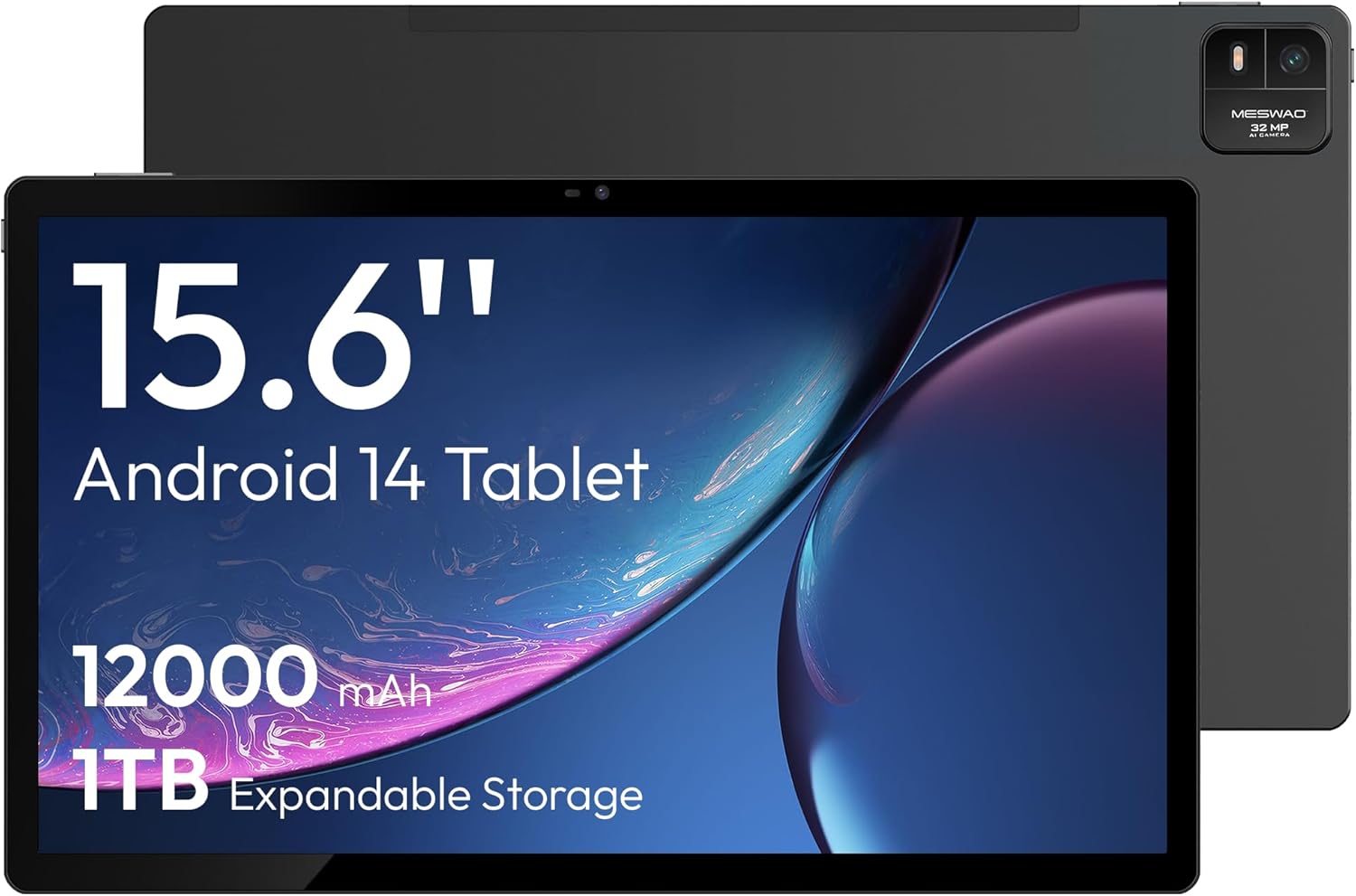
Hoto na 4.1: Gaba view of the MESWAO 15.6-inch Android 14 Tablet, highlighting the large display and key specifications such as 12000mAh battery and 1TB expandable storage.
Hoto na 4.2: Gefe da baya view of the tablet, indicating the location of the quad speakers, Type-C port, TF card slot, power button, volume controls, and front/rear cameras.
Mabuɗin Abubuwan:
- 15.6-inch FHD IPS Display: Large screen for immersive viewing.
- Kamara ta Gaba: Don kiran bidiyo da kuma ɗaukar selfie.
- Kyamara ta Baya (32MP): Domin daukar hotuna da bidiyo.
- Maɓallin Wuta: To turn the tablet on/off or put it to sleep.
- Maɓallan ƙara: To adjust audio levels.
- Nau'in-C Port: Don caji da canja wurin bayanai.
- Katin Katin TF: For expandable storage (MicroSD card).
- Quad Speakers: Don fitar da sauti.
5. Saita
5.1 Fara Cajin
Before first use, fully charge the tablet. Connect the provided Type-C cable to the tablet's Type-C port and the power adapter to a wall outlet. The tablet supports 30W fast charging.

Hoto na 5.1: The tablet connected to its charger, showing the charging indicator on the screen.
5.2 Kunnawa / Kashewa
- Don Kunnawa: Latsa ka riƙe maɓallin wuta har sai allon ya haskaka.
- Don Kashe: Latsa ka riƙe maɓallin wuta, sannan zaɓi 'Power Off' daga zaɓuɓɓukan akan allon.
- Don Barci/Farkawa: A taƙaice danna maɓallin wuta.
5.3 Kanfigareshan Farko
Upon first power-on, follow the on-screen prompts to set up your Android 14 operating system. This includes selecting your language, connecting to Wi-Fi, and signing in with your Google account.
5.4 Haɗin Wi-Fi
- Je zuwa Saituna > Network & internet > Wi-Fi.
- Juya Wi-Fi On.
- Zaɓi hanyar sadarwar da kuke so daga lissafin.
- Shigar da kalmar wucewa idan an buƙata kuma danna Haɗa. The tablet supports dual-band Wi-Fi (2.4GHz and 5GHz).
5.5 Saka Katin MicroSD
To expand storage up to 1TB, insert a MicroSD card:
- Locate the TF card slot on the side of the tablet.
- Use the provided stuck pin to gently press into the small hole next to the slot to eject the tray.
- Place the MicroSD card into the tray with the gold contacts facing down.
- Carefully reinsert the tray into the tablet.

Hoto na 5.2: Illustration of the tablet's internal storage and the option for expandable storage via MicroSD card.
6. Aiki da kwamfutar hannu
6.1 Navigation na asali
The Android 14 operating system uses touch gestures for navigation:
- Taɓa: Zaɓi abu ko buɗe app.
- Doke shi gefe: Gungura ta cikin allo ko jerin.
- Tsunkule: Zuƙowa ko rage hotuna da kuma web shafuka.
- Dogon Latsa: Samun dama ga menu na mahallin ko matsar da gumaka.
6.2 Abubuwan Nuni
The 15.6-inch FHD IPS display offers a resolution of 1920 x 1080 pixels, providing clear and vibrant visuals for various applications.

Hoto na 6.1: Comparison of the MESWAO 15.6-inch display size to an A4 sheet of paper and a smaller tablet, emphasizing its expansive viewyankin.
6.3 Aiki
Powered by the Helio G99 octa-core processor and 8GB RAM, the tablet delivers efficient performance for multitasking, gaming, and media consumption.

Hoto na 6.2: An illustration of the Helio G99 Octa-Core chipset, detailing its technical specifications and performance benefits.
6.4 Amfanin Kamara
The tablet features a 32MP rear camera and a 5MP front camera. Open the Camera app to capture photos and videos.
6.5 Audio
The quad speakers provide clear audio. You can connect Bluetooth headphones or use the Type-C port for audio output with a suitable adapter.
6.6 Android 14 Features
The tablet runs on Android 14, offering features such as:
- Smooth Multitasking: Efficiently switch between applications.
- Ikon Iyaye: Manage content and usage for children.
- Enhanced Privacy & UI: Improved security and user interface experience.

Hoto na 6.3: The Android 14 operating system interface, showcasing various applications and system features.
7. Kulawa
7.1 Tsabtace Na'urar
Yi amfani da kyalle mai laushi wanda ba shi da lint don tsaftace allon da jikin kwamfutar. A guji amfani da sinadarai masu ƙarfi ko kayan gogewa.
7.2 Sabunta software
Bincika don sabunta tsarin akai-akai don tabbatar da ingantaccen aiki da tsaro. Je zuwa Saituna > Tsari > Sabunta tsarin.
7.3 Kula da baturi
Don tsawaita rayuwar batir:
- Guji cikar cajin baturin akai-akai.
- Do not expose the tablet to high temperatures.
- Cire cajar da zarar baturin ya cika.
8. Shirya matsala
8.1 Tablet Ba Kunnawa ba
- Tabbatar da cajin baturi. Haɗa caja kuma jira ƴan mintuna kafin yunƙurin kunnawa.
- Latsa ka riƙe maɓallin wuta na akalla daƙiƙa 10-15 don tilasta sake farawa.
8.2 Abubuwan Haɗin Wi-Fi
- Sake kunna Wi-Fi na'ura mai ba da hanya tsakanin hanyoyin sadarwa.
- Manta hanyar sadarwa a cikin saitunan kwamfutar hannu kuma sake haɗawa.
- Tabbatar cewa kwamfutar hannu tana cikin kewayon siginar Wi-Fi.
8.3 Sannun Ayyuka
- Rufe bayanan baya da ba dole ba.
- Clear cache data for apps.
- Tabbatar da isasshiyar wurin ajiya kyauta.
8.4 allo mara amsa
- Sake kunna kwamfutar hannu.
- Tabbatar cewa allon yana da tsabta kuma ba shi da tarkace.
9. Ƙayyadaddun bayanai
| Siffar | Ƙayyadaddun bayanai |
|---|---|
| Sunan Samfura | MES-B3 |
| Tsarin Aiki | Android 14 |
| Girman Nuni | Inci 15.6 |
| Tsarin allo | 1920 x 1080 pixels (FHD) |
| Mai sarrafawa | MediaTek Helio G99 Octa-Core |
| Mai sarrafa Graphics | Mali-G75 |
| RAM | 8GB |
| Ma'ajiyar Ciki (ROM) | 256GB |
| Ma'ajiyar Faɗawa | Har zuwa 1TB ta hanyar katin MicroSD |
| Kamara ta baya | 32MP |
| Kamara ta gaba | 5MP |
| Ƙarfin baturi | 12000mAh |
| Cajin | 30W Saurin Caji |
| Haɗin mara waya | Dual-Band Wi-Fi (802.11a/b/ac/ad/ax), Bluetooth |
| Nauyin Abu | 4.55 fam |
| Girman samfur | 14.49 x 8.66 x 0.39 inci |
10. Garanti da Tallafawa
10.1 Bayanin Garanti
Your MESWAO tablet comes with a Garanti na watanni 12 covering manufacturing defects. Please retain your proof of purchase for warranty claims.
10.2 Tallafin Abokin Ciniki
For technical assistance, troubleshooting, or warranty inquiries, please contact MESWAO customer support. Our support team is available to assist you.
- Taimakon Abokin Ciniki na Awa 24: Assistance is available around the clock.
- Local After-sales Centers: Service centers are available in regions including the US, Germany, Japan, and more.
- Quick Response Flow: Issues reported receive a team response within 24 hours, aiming for prompt problem resolution or replacement.