1. Gabatarwa
This manual provides detailed instructions for the Nitecore NU25 MCT UL 400 Lumen Ultralight USB-C Rechargeable Headlamp. Please read thoroughly before use to ensure proper operation and maintenance.
2. Abubuwan Kunshin
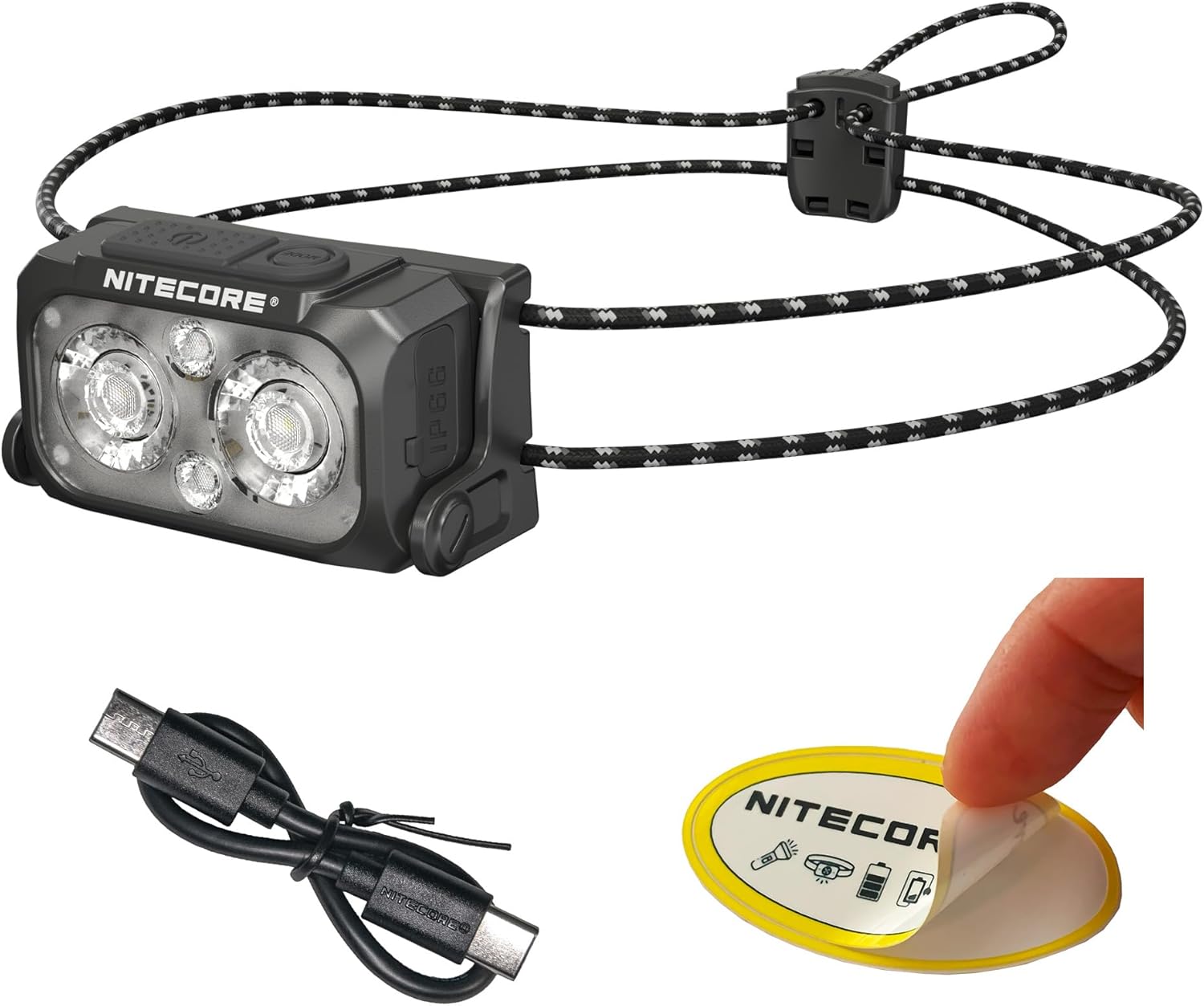
The Nitecore NU25 MCT UL package includes:
- Nitecore NU25 MCT UL Headlamp
- USB-C zuwa USB-C Cajin caji
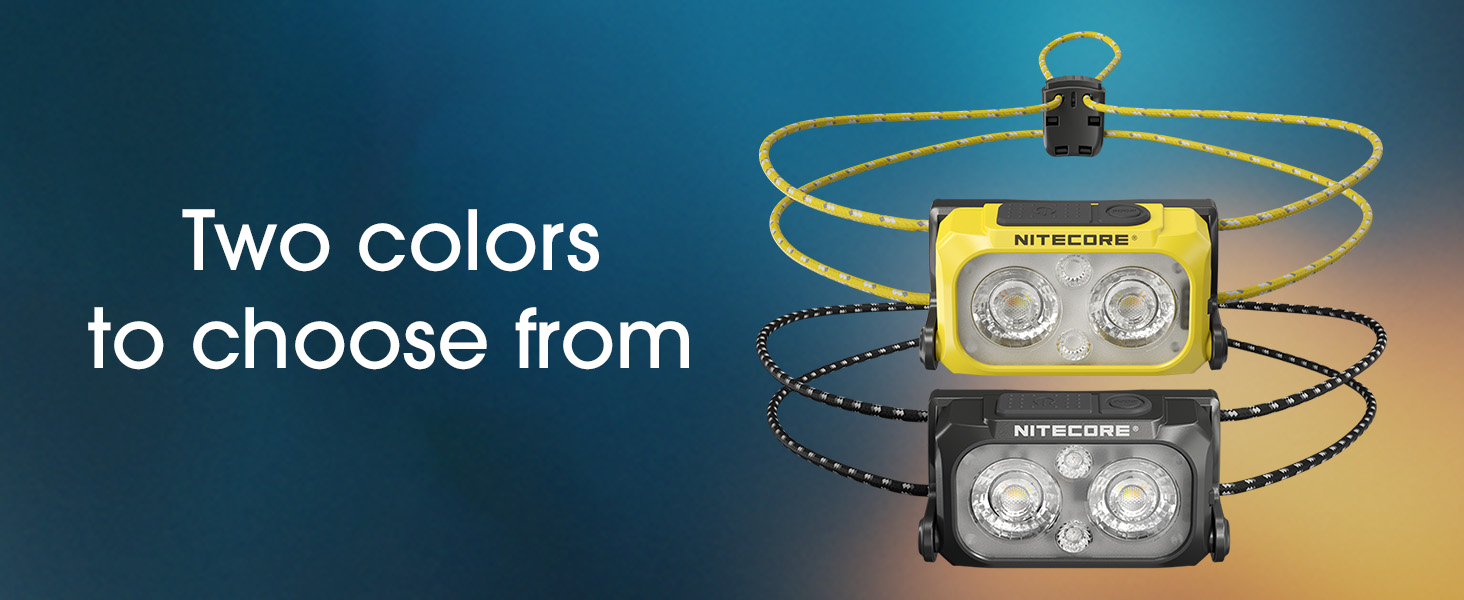
- Elastic Cord Headband (Black)
- Buhun Kaya Mai Yawa
- Nitecore Sticker
3. Saita da Amfani na Farko
3.1. Charging the Headlamp
The NU25 MCT UL features a built-in rechargeable Lithium Ion battery.
- Locate the USB-C charging port on the side of the headlamp.
- Buɗe murfin kariya na tashar USB-C.
- Connect the included USB-C charging cable to the headlamp and a power source (e.g., USB adapter, computer USB port).
- The power indicator lights will show charging status. A full charge typically takes approximately 1 hour.
- Da zarar an cika caji, cire kebul ɗin sannan a rufe murfin kariya da kyau don kiyaye juriyar ruwa.
3.2. Daidaita Madaurin Kai
Kanun labaraiamp comes with an elastic cord headband for comfortable and secure fit.
- Sanya kan kaiamp a kai.
- Adjust the elastic cord using the cord lock mechanism at the back to achieve a snug fit without being too tight.
- Kanun labaraiamp unit can be tilted up or down to direct the beam as needed.

4. Umarnin Aiki
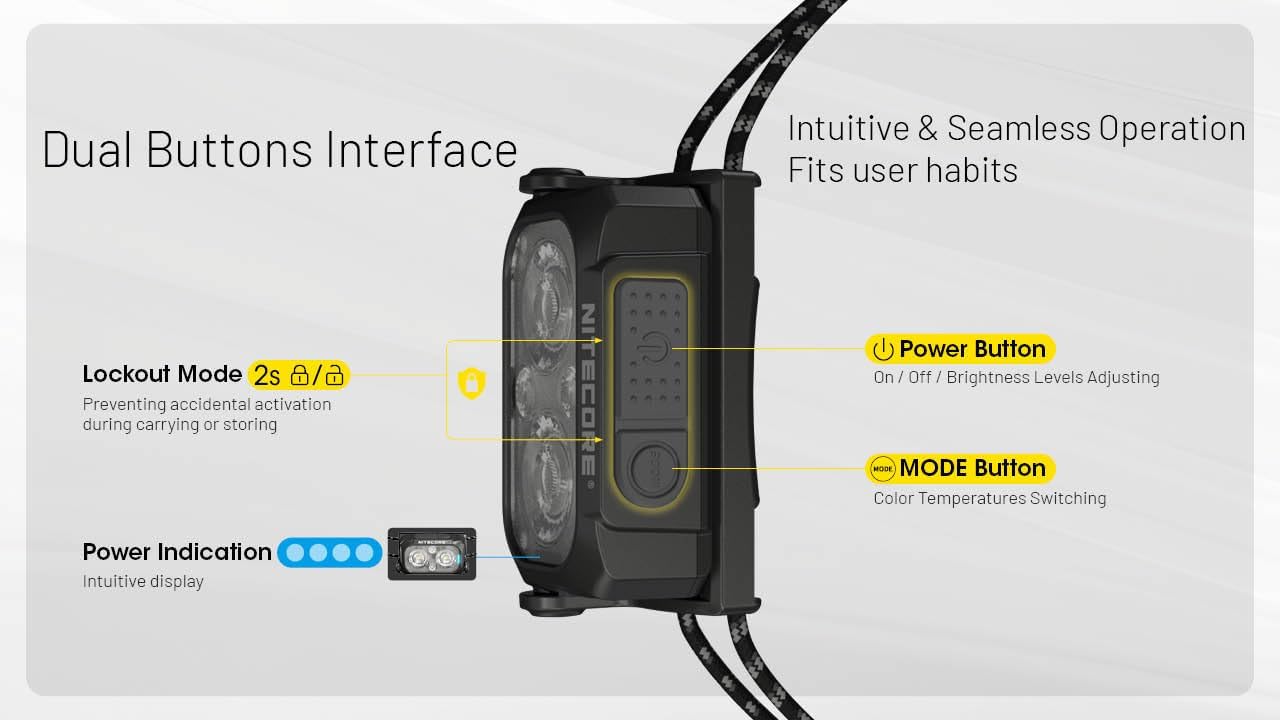
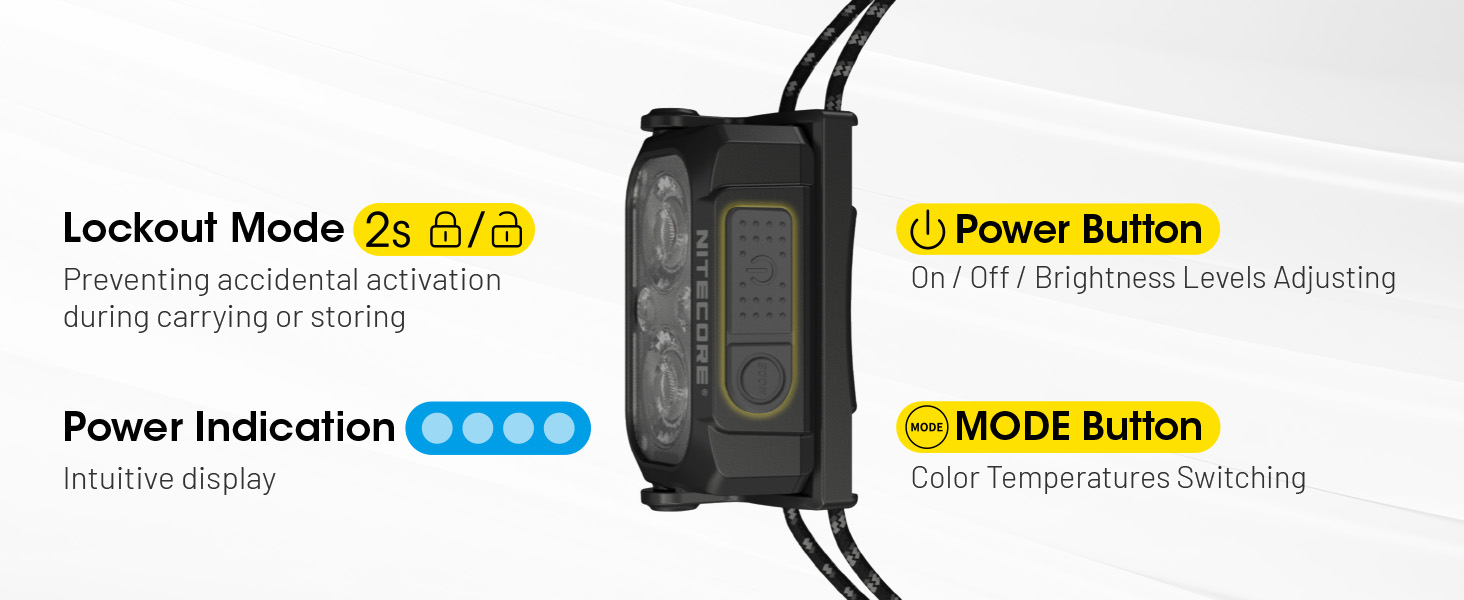
The NU25 MCT UL features a dual-button interface for intuitive control.

4.1. Power On/Off & Brightness Adjustment (White Light)
- Don kunna: Long press the Power button (larger button) for 2 seconds. The headlamp will turn on in the last used white light mode (or low neutral white by default).
- Don daidaita haske: While the white light is on, short press the Power button to cycle through Ultra Low, Low, Mid, and High brightness levels.
- Don kashe: Dogon danna maɓallin wuta na tsawon daƙiƙa 2.
4.2. Canza Zazzabin Launi
Kanun labaraiamp offers multiple color temperatures for the primary white light.
- While the white light is on, short press the Mode button (smaller button) to cycle through Warm White (3000K), Neutral White (4500K), and Cool White (6500K).
4.3. Yanayin Hasken Ja
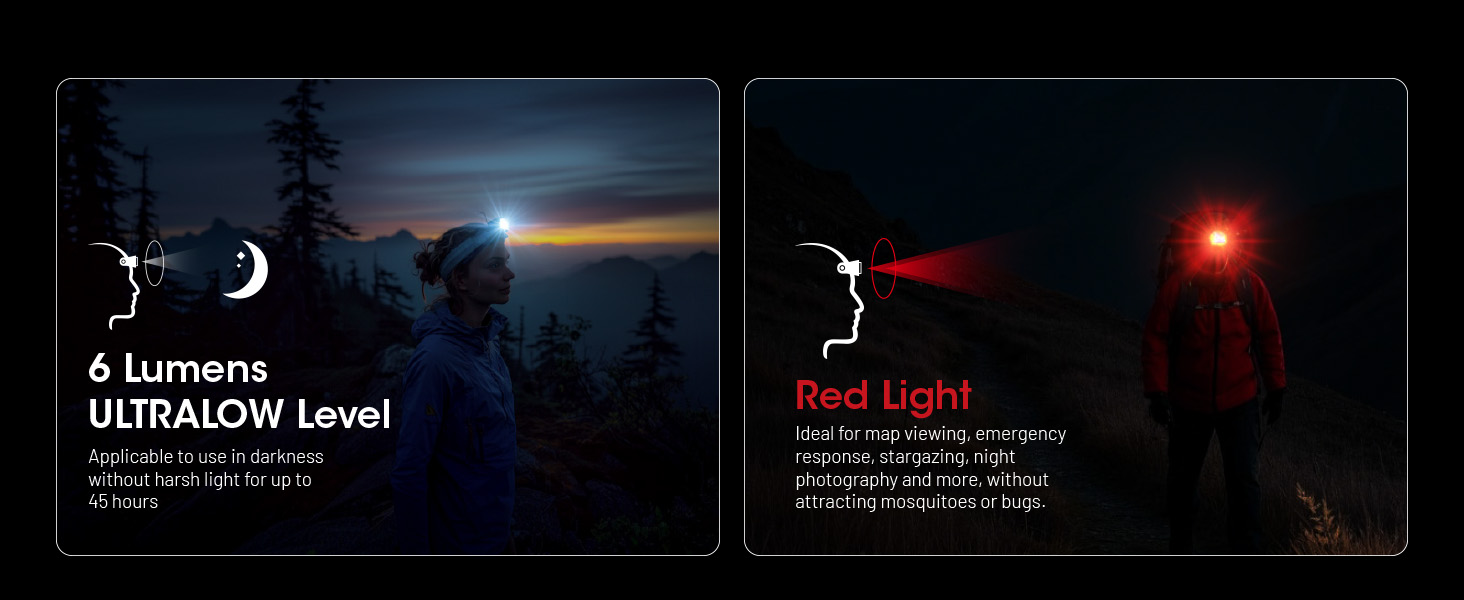
The auxiliary red light is useful for preserving night vision and signaling.
- To turn on red light: Lokacin da headlamp is off, long press the Mode button for 2 seconds. It will turn on in Low Red.
- To adjust red light brightness/mode: While the red light is on, short press the Power button to cycle through Low Red, High Red, and Red Flashing.
- To turn off red light: Long press the Mode button for 2 seconds.

4.4. Special Modes (SOS, Beacon)
- To access special modes: Yayin da headlamp is off, double press the Mode button. It will activate SOS mode.
- To cycle through special modes: While in SOS mode, short press the Power button to switch to Beacon mode.
- To exit special modes: Long press the Power button or Mode button for 2 seconds.
4.5. Lockout Function
Don hana kunnawa da gangan yayin jigilar kaya ko ajiya:
- Don kullewa: Lokacin da headlamp is off, simultaneously press and hold both the Power and Mode buttons for 2 seconds. The headlamp will flash once to indicate it is locked.
- Don buɗewa: Simultaneously press and hold both the Power and Mode buttons for 2 seconds. The headlamp will flash once and turn on in Ultra Low mode.
5. Mabuɗin Siffofin
- Zane na Ultralight: Weighing only 1.65 oz (47g) with the elastic cord, designed for maximum comfort during extended use.
- Multiple Color Temperatures (MCT): Offers Warm (3000K), Neutral (4500K), and Cool (6500K) white light options to suit various environments and preferences.
- Fitowar Haskaka Mai Girma: Up to 400 lumens with a maximum beam distance of 144 yards.
- USB-C mai caji: Integrated USB-C port for convenient and fast charging.
- Gina Mai Dorewa: Crafted from robust PC material, rated IP66 for water and dust resistance, and impact-resistant up to 1 meter.
- Hasken Janye Na Ƙari: Preserves night vision and provides signaling capabilities.
- Intuitive Dual-Button Interface: Easy operation for power, brightness, and mode selection.
- Alamar Wuta: Built-in indicator displays battery status.
6. Bayanan fasaha
| Yanayin | Fitowa | Lokacin gudu | Nisa Tsayi | Akwanƙolin amwanƙwasa amwanƙwasa |
|---|---|---|---|---|
| Primary Light (Neutral White / Warm Light / Cool Light) | ||||
| Babban | 400 Lumen | 2h 40 min | 132m | cd 4381 |
| Tsakar | 200 Lumen | 5h | 94m | cd 2192 |
| Ƙananan | 60 Lumen | 13h ku | 51m | cd 662 |
| Ultra Low | 6 Lumen | 45h ku | 13m | cd 43 |
| Mataimakin Haske mai haske | ||||
| Babban | 15 Lumen | 10h ku | -- | -- |
| Ƙananan | 7 Lumen | 26h ku | -- | -- |
| Sannun walƙiya | 15 Lumen | -- | -- | -- |
| Hanyoyi na Musamman | ||||
| SOS | 400 Lumen | -- | -- | -- |
| Haske | 400 Lumen | -- | -- | -- |
| Juriya Tasiri | 1m | |||
| Resistance Ruwa | IP66 | |||
Note: Stated data is measured using the built-in 700mAh Li-ion battery (3.85V) in accordance with international flashlight testing standards ANSI/PLATO FL 1-2019 at an ambient temperature of 22°C (72°F) from the NITECORE Lab. The data may vary in real-world use due to different environmental conditions.
This product is equipped with a thermal protection function, which automatically regulates the output of the product according to the working condition to maintain optimal performance.

7. Kulawa da Kulawa
- Tsaftace kaiamp jiki mai laushi, damp zane. Kauce wa kayan shafa.
- Tabbatar cewa murfin tashar USB-C a rufe yake da kyau lokacin da ba a caji ba don kiyaye juriyar ruwa.
- Recharge the battery regularly, even if not in use, to prolong battery life. Avoid fully depleting the battery for extended periods.
- Ajiye headlamp a wuri mai sanyi, bushewa nesa da hasken rana kai tsaye da matsanancin zafi.
8. Shirya matsala
- Shugaban kaiamp ba kunna:
- Check if the battery is charged. Connect to a USB-C power source.
- Ensure the lockout function is not activated (simultaneously press both buttons for 2 seconds to unlock).
- Light output is dim or inconsistent:
- The battery might be low; recharge the headlamp.
- Kanun labaraiamp may be in thermal regulation mode if it has been operating at high output for an extended period. Allow it to cool down.
- Shigar ruwa:
- Ensure the USB-C port cover is properly sealed. If water has entered, turn off the device immediately and allow it to dry completely before attempting to use it again. Contact customer support if issues persist.
9. Garanti da Abokin ciniki Support
The Nitecore NU25 MCT UL headlamp comes with a limited warranty. For specific warranty terms and conditions, please refer to the warranty card included in your package or visit the official Nitecore website.
For technical support, service, or inquiries, please contact Nitecore customer service or your local distributor.
Manufacturer: Sysmax Innovation Co.