1. Gabatarwa
Thank you for choosing the SKYZONE M5F 5-inch FPV Monitor with DVR. This manual provides essential information for the proper setup, operation, and maintenance of your device. Please read this manual thoroughly before using the monitor to ensure safe and optimal performance.
Kariyar Tsaro
- Always read the entire manual to familiarize yourself with the product before operation.
- Avoid operating the monitor in humid or wet environments.
- The monitor cannot record video input from the AV port.
- Audio output and video input cannot function simultaneously.
2. Abubuwan Kunshin
Tabbatar cewa duk abubuwan da aka jera a ƙasa suna cikin kunshin ku:
- 1 x SKYZONE M5F 5-inch FPV Monitor with DVR
- 2 x Antenna
- 1 x Kebul na Cajin USB
- 1 x Manhajar mai amfani
3. Samfurin Ya Ƙareview
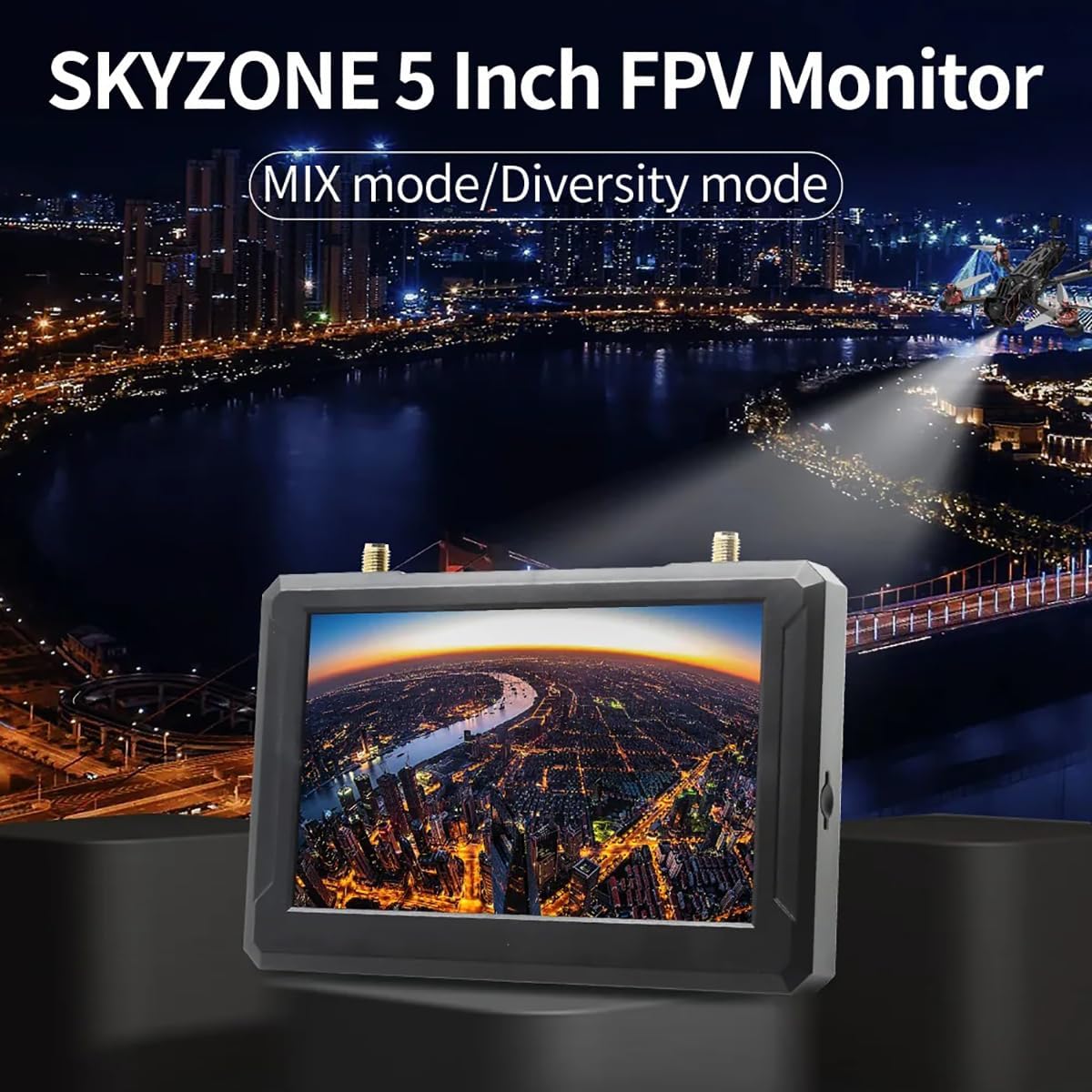
The SKYZONE M5F is a high-brightness 5-inch FPV monitor featuring a built-in DVR and a 5.8GHz 48-channel receiver. It supports advanced signal reception modes for enhanced video stability.
Zane-zane na sashi

Mabuɗin Siffofin
- Built-in Steadyview Mai karɓa: Features two reception modes:
- Diversity Mode: The receiver compares two RSSI signals and selects the strongest output. Rapid signal changes may cause image tearing or rolling.
- MIX Mode: Two signals are processed through complex circuits and algorithms, fusing them into a single, more stable and clear image.
- Multiple Power Supply Options: Supports 2-6S LiPo batteries, USB-C power supply, or an 18650 Li-ion battery.
4. Saita
4.1 Attaching Antennas
Carefully screw the two provided antennas onto the ANT1 and ANT2 connectors located on the top of the monitor. Ensure they are finger-tight to establish a secure connection.
4.2 Ƙaddamar da Kulawa
The SKYZONE M5F monitor offers flexible power options:
- 18650 Li-ion Battery: Insert a fully charged 18650 Li-ion battery into the battery bay on the back of the monitor, observing correct polarity.
- 2-6S LiPo Input: Connect a 2-6S LiPo battery to the DCIN port using the appropriate cable.
- USB-C Samar da Wuta: Connect a USB-C cable to the Type-C port and a compatible USB power source (e.g., a power bank or wall adapter).

4.3 Saka Katin SD
For DVR recording functionality, insert a C10 high-speed TF (microSD) card into the SD card slot on the side of the monitor. Ensure the card is inserted correctly until it clicks into place.
5. Aiki
5.1 Kunnawa / Kashewa
Press and hold the power switch button located on the side of the monitor to turn the device on or off.
5.2 Binciken Tashoshi
The monitor features an automatic channel search function for convenience.
- To initiate an auto search, press the designated button (refer to the diagram in Section 3).
- Use the shuttle wheel to fine-tune frequency selection if needed after the auto search.

5.3 Kewayawa Menu
Navigate through the monitor's settings and options using the MENU button and the shuttle wheel. The shuttle wheel provides fast and accurate control for selecting items and adjusting values.
Rikodin DVR na 5.4
To record your FPV feed, ensure a high-speed TF card is inserted. Press the REC button to start and stop recording. Recorded videos are saved in AVI format.
5.5 AV Input/Output
The monitor includes an AV interface for external audio and video input or audio output. Note that video input from the AV port cannot be recorded, and audio output and video input cannot be used simultaneously.
6. Ƙayyadaddun bayanai
| Siffar | Ƙayyadaddun bayanai |
|---|---|
| Girman Nuni | 5 inci |
| Ƙaddamarwa | 800 x 480 pixels |
| Haske | 500 cd/m² |
| Nuni Ratio | 16:9 |
| Yawanci | 5.8 GHz |
| Yawan Tashoshi | 40 CH |
| Bidiyo File Tsarin | AVI |
| Tushen wutan lantarki | DC5V/2A, supports DV5-23V wide voltage |
| Binciken Tashar atomatik | Ee |
| Snow Screen Function | Ee |
| Slot Card | Supports C10 high-speed TF card |
| AV Interface | External audio/video input or audio output |
| Battery Life (Built-in) | Approx. 2.5 hours (DVR on), Approx. 3.5 hours (DVR off) |
| Antenna Connectors | 2 x RP-SMA male hole |
| Girma | 146 x 80 x 13 mm (5.75 x 3.15 x 0.51 inci) |
| Nauyi | 159g (5.6 oz) (excluding antennas) |
| Sunan Samfura | SKYZONE M5F |
| Fasahar Haɗuwa | 5.8GHz |
| Ƙimar Ɗaukar Bidiyo | 800 x480 |
| Nauyin Abu | 165 Grams (5.8 oz) |
| Girman samfur | 5.3"L x 0.6"W x 3.5"H |
7. Shirya matsala
This section addresses common issues you might encounter with your SKYZONE M5F monitor.
- Babu Ƙarfi: Ensure the battery is charged and correctly inserted, or that the external power supply is connected and functioning. Check the power switch.
- Babu Siginar Bidiyo: Verify that antennas are securely attached. Perform an auto channel search. Ensure your FPV transmitter is powered on and transmitting on a compatible frequency. Check for obstructions between the transmitter and receiver.
- Poor Video Quality (Tearing/Rolling): This may occur in Diversity Mode with rapidly changing signals. Try switching to MIX Mode for a more stable image. Ensure antennas are positioned optimally.
- Ba a Rikodin DVR ba: Confirm a C10 high-speed TF card is inserted correctly and has sufficient free space. Ensure the card is formatted correctly (FAT32 recommended).
- AV Input/Output Issues: Remember that video input from the AV port cannot be recorded, and audio output and video input cannot be used simultaneously. Ensure correct cables are used for AV connections.
8. Kulawa
To ensure the longevity and optimal performance of your SKYZONE M5F monitor, follow these maintenance guidelines:
- Tsaftacewa: Use a soft, dry cloth to clean the monitor's screen and casing. Kauce wa masu goge goge ko kaushi.
- Ajiya: Store the monitor in a cool, dry place away from direct sunlight and extreme temperatures. Remove batteries if storing for extended periods.
- Antennas: Handle antennas with care to prevent damage to the connectors.
9. Garanti da Tallafawa
No specific warranty information is provided in the product details. For technical support or service inquiries, please contact your retailer or the manufacturer, SKYZONE.


