1. Gabatarwa
This manual provides essential information for the safe and efficient use of your Philips B4000 Soundbar. Please read these instructions carefully before using the product and retain them for future reference. The Philips B4000 Soundbar is designed to enhance your television's audio experience with clear 2.0 channel sound and versatile connectivity options.

Image: The Philips B4000 Soundbar, its remote control, and a television displaying colorful content, illustrating the product in use.
2. Abubuwan Kunshin
Tabbatar cewa duk abubuwa suna nan a cikin kunshin ku:
- Philips B4000 Soundbar
- Ikon nesa
- 2 x AAA Baturi (don sarrafa ramut)
- Bangon Dutsi
- Jagoran Fara Mai Sauri
- Katin Garanti
3. Samfurin Ya Ƙareview
The Philips B4000 Soundbar features a compact design with integrated speakers and various input options for seamless integration with your home entertainment system.

Image: The Philips B4000 Soundbar positioned below a television in a living room, emphasizing its 2.0 channel audio, 60W maximum output power, and dual full-range speakers.
4. Saita da Shigarwa
4.1 Zaɓuɓɓukan Sanya
The soundbar offers flexible placement to suit your setup:
- Wurin Wuraren Talabijin: Place the soundbar on a flat surface directly in front of your TV. Ensure it does not obstruct the TV's remote sensor.
- Bangon Dutsi: Use the included wall mount brackets to attach the soundbar to the wall below your TV. Refer to the Quick Start Guide for detailed wall mounting instructions.
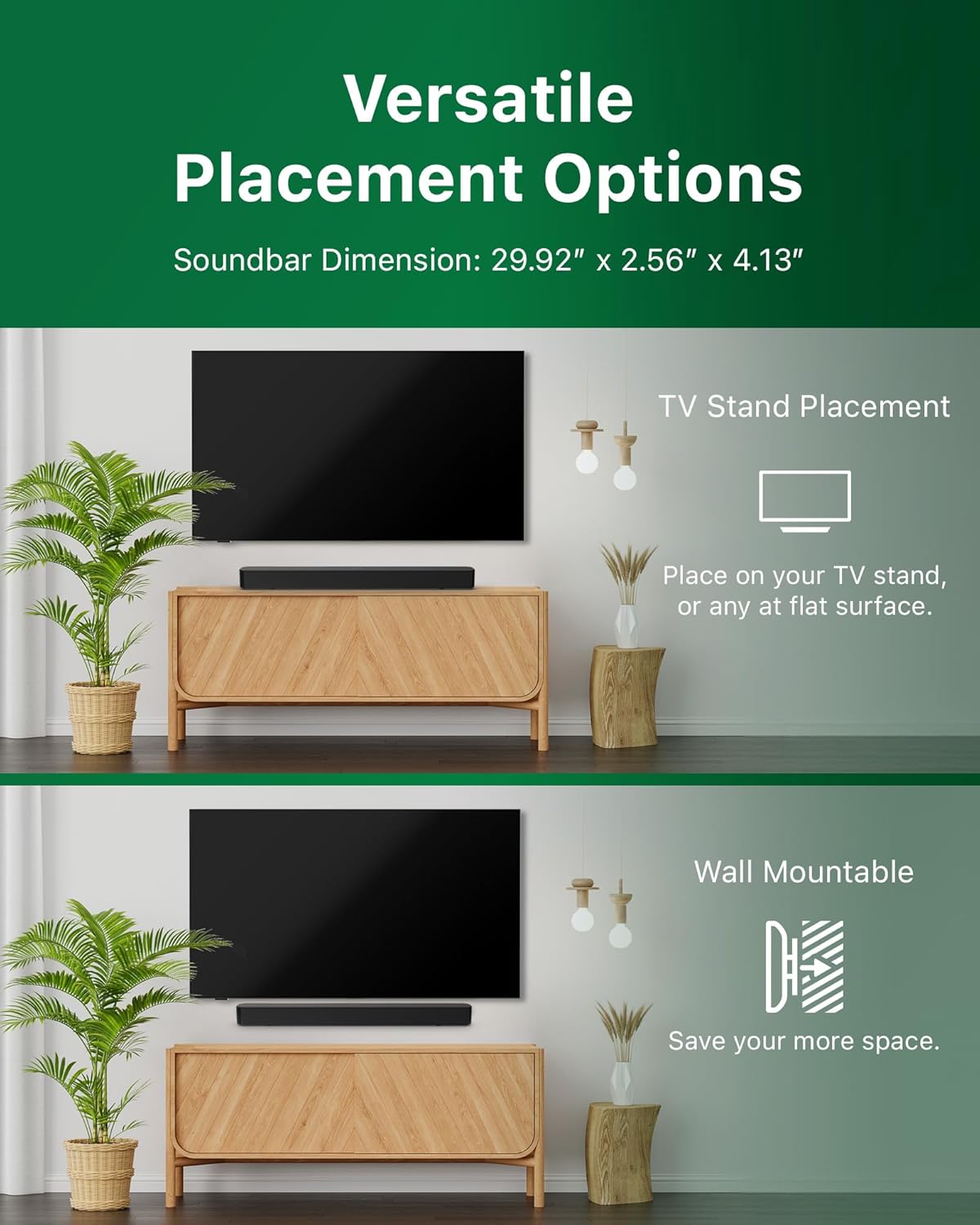
Image: Illustrations demonstrating the two primary placement methods for the soundbar: resting on a TV stand and securely mounted on a wall.
4.2 Haɗa zuwa TV ɗin ku
The soundbar supports multiple connection types:
- HDMI ARC (An shawarta): Connect an HDMI cable (not included) from the HDMI ARC port on your TV to the HDMI ARC port on the soundbar. This allows for audio return and control via your TV remote.
- Bluetooth: For wireless audio streaming, pair your soundbar with a Bluetooth-enabled device.
- USB: Connect a USB device for audio playback.
- DC IN: Connect the power adapter to the DC IN port.

Image: A visual representation of the soundbar's available audio input ports, including HDMI (ARC), USB, Bluetooth, and DC IN for power.
4.3 Roku TV Ready Setup
The Philips B4000 Soundbar is Roku TV Ready certified, simplifying setup and control when paired with a Roku TV.
- Connect the soundbar to your Roku TV via HDMI ARC.
- Your Roku TV should automatically detect and configure the soundbar.
- Use your Roku TV remote to control the soundbar's power and volume.

Image: The Philips B4000 Soundbar seamlessly integrated with a television, illustrating its 'Roku TV Ready' certification for simplified setup and control.
4.4 Saitin Gudanar da Nesa
Insert the two included AAA batteries into the remote control, ensuring correct polarity.
5. Aiki
5.1 Kunnawa / Kashewa
Danna maɓallin wuta a kan sandar sauti ko na'urar sarrafawa ta nesa don kunna ko kashe na'urar.
5.2 Zaɓin shigarwa
Press the 'Source' button on the remote control to cycle through available input sources (HDMI ARC, Bluetooth, USB).
5.3 Sarrafa ƙara
Use the 'Volume Up' and 'Volume Down' buttons on the remote control to adjust the audio level. If connected via HDMI ARC to a Roku TV, your TV remote may also control the volume.
5.4 Haɗin Bluetooth
- Press the 'Bluetooth' button on the remote control to enter Bluetooth pairing mode. The indicator light on the soundbar will flash.
- On your mobile device, search for Bluetooth devices and select 'Philips B4000'.
- Once paired, the indicator light will become solid, and you can stream audio wirelessly.
5.5 Sound Modes and Equalizer
The soundbar may offer various sound modes or equalizer settings to optimize audio for different content types (e.g., Movie, Music, News). Use the remote control to access and adjust these settings. While specific equalizer details are not extensively documented, experimentation with available settings is encouraged to find your preferred audio profile.

Image: The Philips soundbar remote control in the foreground, with a television screen in the background displaying the EasyLink 2.0 menu for adjusting sound styles, including Bass, Treble, and Custom Equalize options.
6. Kulawa
Don tabbatar da tsawon rai da kuma ingantaccen aikin sandar sauti, bi waɗannan jagororin kulawa:
- Tsaftacewa: Yi amfani da kyalle mai laushi da busasshe don tsaftace saman sandar sauti. Kada a yi amfani da masu tsaftace ruwa ko kayan gogewa, domin suna iya lalata ƙarewar.
- Samun iska: Ensure the soundbar's ventilation openings are not blocked. Proper airflow prevents overheating.
- Ajiya: Idan ana adana sandar sauti na tsawon lokaci, cire haɗin ta daga wuta kuma adana shi a wuri mai sanyi, busasshen.
7. Shirya matsala
If you encounter issues with your Philips B4000 Soundbar, refer to the following common problems and solutions:
| Matsala | Dalili mai yiwuwa | Magani |
|---|---|---|
| Babu sauti daga sandunan sauti |
|
|
| Sauti mara motsi ko mara tsari |
|
|
| Abubuwan haɗin haɗin Bluetooth |
|
|
| Ikon nesa baya aiki |
|
|
8. Ƙayyadaddun bayanai
| Siffar | Daki-daki |
|---|---|
| Sunan Samfura | Bayani na TAB4000/37 |
| Nau'in Kakakin | Sauti |
| Kewaye Sauti Kanfigareshan | 2.0 |
| Matsakaicin Ƙarfin Fitar da Kakakin | 60 Watts |
| Fasahar Haɗuwa | Bluetooth (5.4), HDMI ARC, USB |
| Siffofin Musamman | Advanced Bluetooth 5.4 Connectivity, Bass Boost, Roku TV Ready™ Certification, Wall mountable |
| Girman samfur | 4.1"D x 30"W x 2.56"H |
| Nauyin Abu | 4.89 fam (Kilogram 2.22) |
| Tushen wutar lantarki | Battery Powered (for remote), AC Power (for soundbar) |
| Shigar da Voltage | 120 Volts |
| Abubuwan da aka haɗa | Battery, Quick Start Guide, Remote, Wall Mount Bracket, Warranty Card |
9. Garanti da Tallafawa
9.1 Bayanin Garanti
The Philips B4000 Soundbar comes with a Limited Warranty. Please refer to the included Warranty Card for specific terms, conditions, and duration of coverage. Retain your proof of purchase for warranty claims.
9.2 Tallafin Abokin Ciniki
For further assistance, technical support, or service inquiries, please visit the official Philips support webshafin yanar gizo ko tuntuɓar sabis na abokin ciniki. Ana iya samun cikakkun bayanai game da tuntuɓar a Philips website ko a cikin Quick Start Guide.


