1. Gabatarwa
Thank you for choosing the GHB ABM780 7-inch 1080P IPS Baby Monitor. This device is designed to provide reliable and secure monitoring of your baby, offering high-definition video and audio transmission. Please read this manual carefully before use to ensure proper operation and to maximize the product's lifespan.

Image 1.1: GHB ABM780 Baby Monitor components and packaging.
2. Samfurin Ya Ƙareview
Abubuwan Kunshin 2.1
- 1 x Baby Monitor (Parent Unit)
- 1 x Baby Camera (Baby Unit)
- 2 x Power Adapters (USB-C cables included)
- 1 x Manhajar mai amfani
- Mounting Screws and Wall Plugs (for camera)
2.2 Maɓalli Maɓalli
- 7-inch 1080P IPS Display: Provides a clear, stable, and flicker-free image with a wide viewkusurwa.
- Tsawon Rayuwar Baturi: 5000mAh battery offers approximately 10 hours of continuous monitoring or up to 360 hours in VOX mode.
- HD Ganin Dare: Infrared night vision allows clear monitoring in low-light conditions without disturbing the baby.
- Pan-Tilt-Zoom (PTZ) Camera: Camera can be rotated 350° horizontally and 100° vertically, with 2x and 4x digital zoom.
- Audio Hanyoyi Biyu: Communicate with your baby remotely through the monitor.
- Yanayin VOX: Sound-activated mode conserves battery by turning off the screen until sound is detected.
- Kula da Zazzabi: Built-in sensor displays room temperature on the monitor.
- Lullabies: 8 pre-programmed lullabies to soothe your baby.
- Multi-Camera Support: Connect up to two cameras to the monitor (additional cameras sold separately).
- Secure 2.4 GHz FHSS Connection: Ensures a private and interference-free connection without Wi-Fi or app requirements.
- Ɗaukar Hoto: Supports capturing still images to a TF card (up to 32GB, not included). Video recording is not supported.
3. Saita
3.1 Charging the Monitor
Before first use, fully charge the parent unit (monitor) using the provided USB-C cable and power adapter. The camera unit must always be connected to a power source to function.

Image 3.1: The monitor features a USB-C port for charging its 5000mAh battery.
3.2 Camera Placement and Installation
Place the baby camera in a location that provides a clear view of your baby. Ensure it is out of reach of children and away from any cords that could pose a strangulation hazard. The camera can be placed on a flat surface (tabletop) or mounted to a wall.
- Wurin Wuta: Simply place the camera on a stable, flat surface.
- Hawan bango: Use the included screws and wall plugs to securely mount the camera to a wall. Ensure the camera is positioned to capture the desired viewyankin.
- Hawan Tripod: The camera base includes a 1/4-inch screw hole, allowing it to be attached to a compatible tripod or mounting bracket (not included).

Image 3.2: The system supports connecting up to two cameras for comprehensive monitoring.
3.3 Haɗin Farko
The monitor and camera are pre-paired at the factory. To establish a connection:
- Connect the camera to a power outlet using its adapter.
- Turn on the monitor by pressing and holding the power button.
- The monitor should automatically display the camera's video feed. If not, refer to the troubleshooting section for pairing instructions.
4. Umarnin Aiki
4.1 Kulawa da Kulawa
The monitor features intuitive buttons for navigation and control:
- Maɓallin Wuta: Press and hold to turn on/off. Short press to turn screen on/off.
- Directional Buttons (Up/Down/Left/Right): Navigate menus and control camera pan/tilt.
- Ok Button: Tabbatar da zabuka.
- Maballin Menu: Access settings menu.
- VOX Button: Activate/deactivate VOX mode.
- Maɓallin Makarufo: Activate two-way audio.
- Maɓallin Latsawa: Play/stop lullabies.
- Maballin Zuƙowa: Toggle 2x/4x digital zoom.
4.2 Camera Pan, Tilt, and Zoom
Use the directional buttons on the monitor to remotely adjust the camera's viewing angle. Press the 'Up' or 'Down' buttons to tilt the camera vertically (100° range), and 'Left' or 'Right' buttons to pan horizontally (350° range). Press the 'Zoom' button to cycle through 2x and 4x digital zoom levels.

Image 4.1: Control the camera's pan, tilt, and zoom functions directly from the monitor.
4.3 Sauti Mai Hanya Biyu
To speak to your baby, press and hold the Microphone button on the monitor. Release the button to listen to your baby. The monitor will display a microphone icon when two-way audio is active.
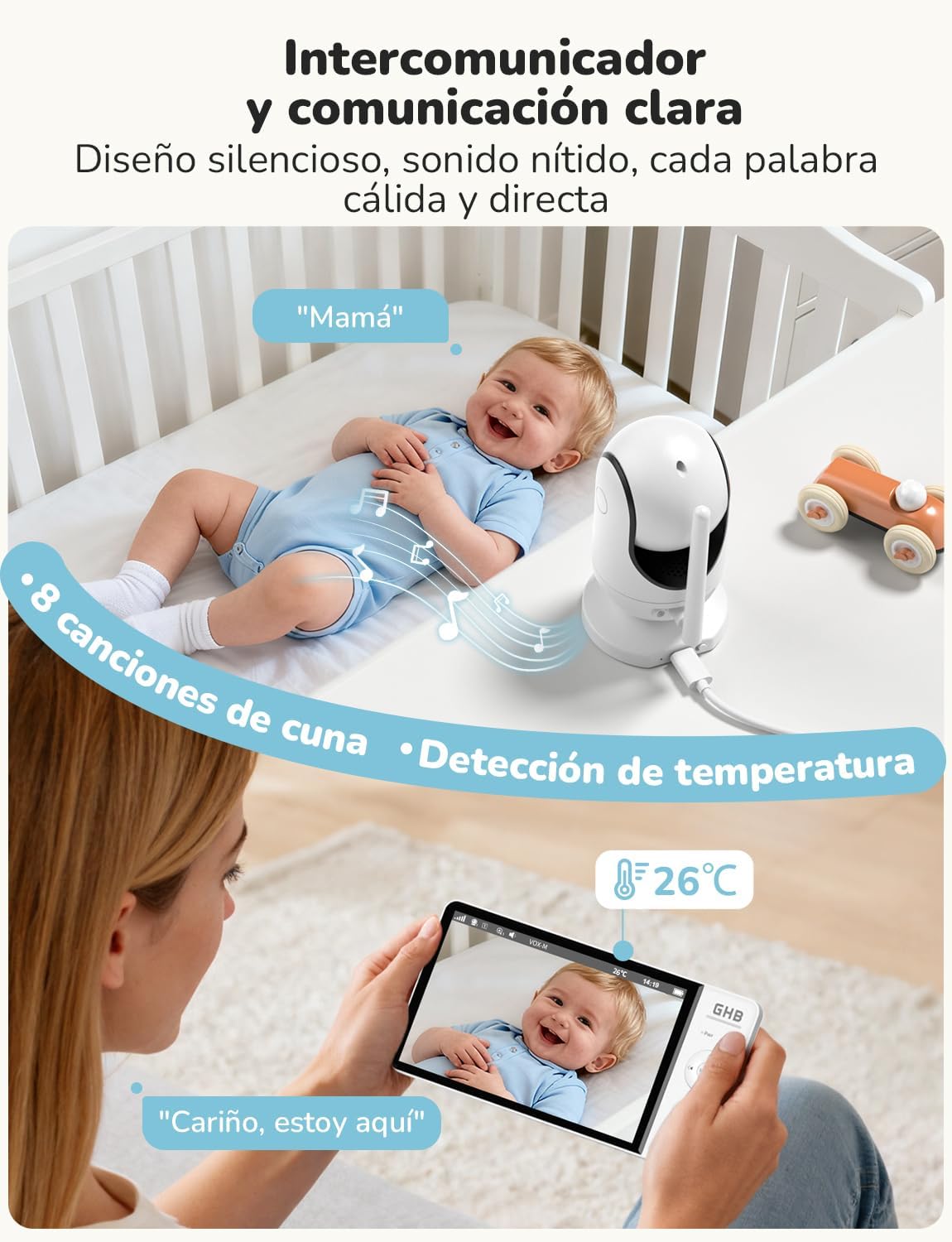
Image 4.2: Engage in two-way communication with your baby using the monitor's microphone function.
4.4 Yanayin VOX (Musayar da Murya ke Aiki da ita)
VOX mode helps conserve battery life by turning off the monitor screen when no sound is detected. The screen will automatically turn on when the camera detects sound above a set sensitivity level. Press the VOX button to activate or deactivate this mode. You can adjust the VOX sensitivity in the monitor's settings menu.

Image 4.3: VOX mode activates the screen only when sounds are detected, saving battery.
4.5 Hangen Dare
The camera automatically switches to infrared night vision in low-light conditions, providing a clear black-and-white image on the monitor. This feature ensures continuous monitoring without the need for additional lighting.

Image 4.4: The 7-inch 1080P IPS display provides clear images day and night, including automatic night vision.
4.6 Lullabies
To play lullabies, press the Lullaby button on the monitor. You can cycle through the 8 available melodies or stop playback using the same button or through the menu.
4.7 Kula da Zazzabi
The monitor displays the ambient temperature of the baby's room, detected by a sensor on the camera. You can set temperature alerts in the menu to be notified if the room temperature goes outside a comfortable range.
4.8 Ɗaukar Hoto
The monitor supports capturing still images. Insert a TF card (up to 32GB, FAT32 format, not included) into the monitor's card slot. Refer to the menu for options to capture images. Note that video recording is not supported.
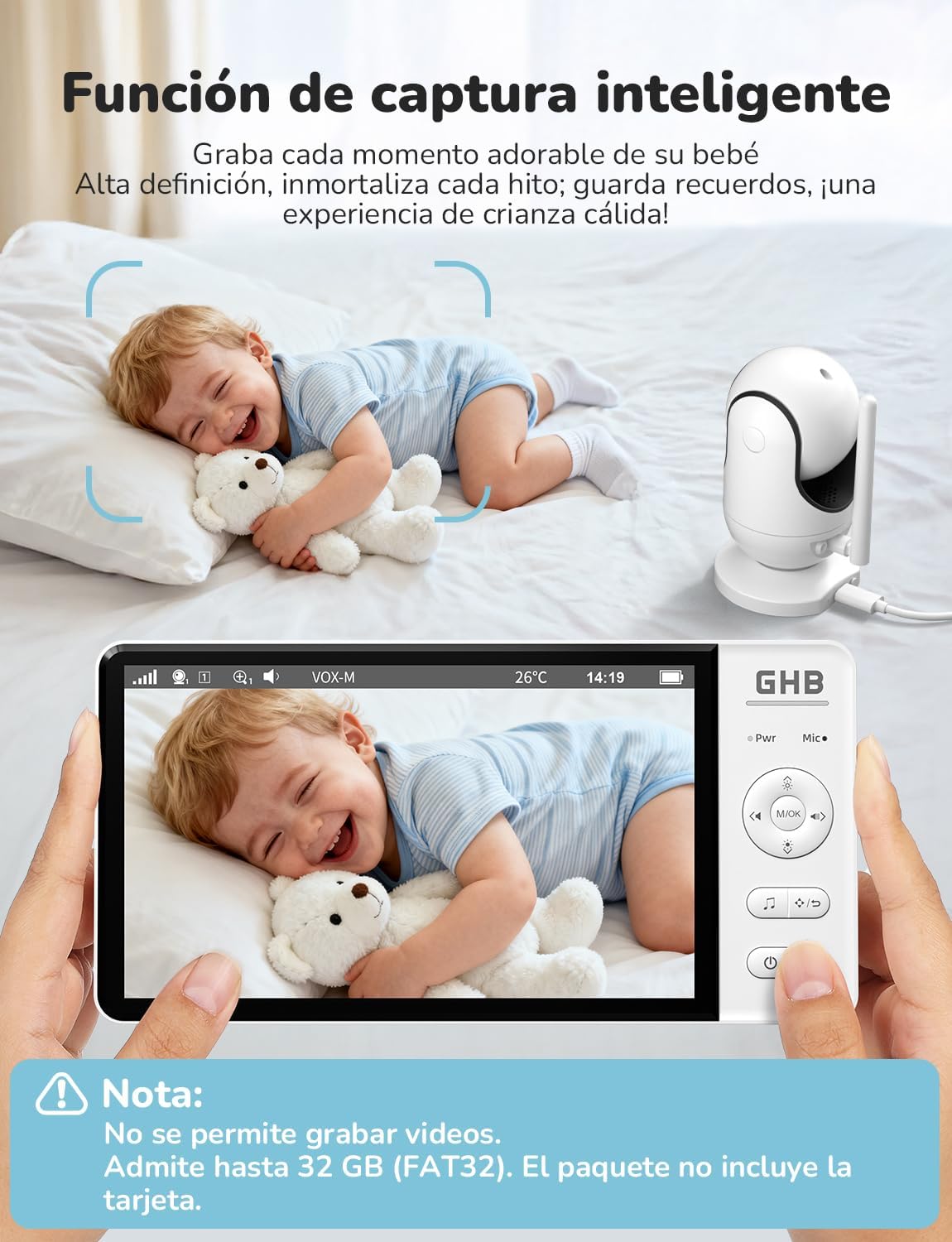
Image 4.5: The smart capture function allows you to save precious moments as still images.
5. Kulawa
- Tsaftacewa: Use a soft, dry cloth to clean the monitor and camera. Do not use abrasive cleaners or solvents.
- Kulawar Baturi: To prolong battery life, avoid fully discharging the monitor frequently. Charge it regularly. If storing for an extended period, charge the battery to about 50% and store in a cool, dry place.
- Ajiya: Store the device in a dry place, away from extreme temperatures and direct sunlight.
6. Shirya matsala
| Matsala | Dalili mai yiwuwa | Magani |
|---|---|---|
| No image/signal on monitor | Camera not powered on or out of range. Monitor battery low. | Ensure camera is plugged in and powered. Move monitor closer to camera. Charge monitor battery. Re-pair units if necessary (see manual for specific pairing steps). |
| Orarancin hoto | Low light conditions (night vision active). Obstructions. Camera lens dirty. | Night vision is black and white; this is normal. Ensure no objects block the camera's view. Clean the camera lens gently with a soft cloth. |
| No sound or poor audio | Volume too low. Microphone muted. Interference. | Increase monitor volume. Ensure microphone is not muted. Move units away from other electronic devices. |
| Monitor battery drains quickly | Continuous screen on. VOX mode not active. | Activate VOX mode to conserve battery. Reduce screen brightness. |
| Camera not responding to pan/tilt/zoom | Matsalar haɗi. | Check connection. Power cycle both camera and monitor. |
7. Ƙayyadaddun bayanai
| Siffar | Ƙayyadaddun bayanai |
|---|---|
| Lambar Samfura | Farashin 780 |
| Girman Nuni | 7 inci IPS |
| Ƙimar Ɗaukar Bidiyo | 1080p |
| Fasaha mara waya | 2.4GHz FHSS |
| Ikon Allon Baturi | 5000mAh Lithium Ion |
| Monitor Battery Life (Continuous) | Kimanin 10 hours |
| Monitor Battery Life (VOX Mode) | Kimanin 360 hours |
| Pan Angle | 350° |
| Kwanin karkatar da kyamara | 100° |
| Zowar Dijital | 2x,4 ku |
| Max. Supported Cameras | 2 |
| Adana Hoto | TF card up to 32GB (FAT32, not included) |
| Girman samfur | 21 x 11 x 10 cm |
| Nauyin samfur | 870g ku |

Image 7.1: Physical dimensions of the GHB ABM780 Baby Monitor components.
8. Garanti da Tallafawa
This product comes with a standard manufacturer's warranty. For specific warranty details, please refer to the warranty card included in your package or contact GHB customer support. If you encounter any issues not covered in the troubleshooting section, please contact GHB customer service for assistance.
Contact information for support can typically be found on the product packaging or the official GHB website.


