Gabatarwa
Thank you for choosing the Monster Airclip AC700 Wireless Earbuds. These open-ear headphones are designed to provide a comfortable listening experience with clear audio and reliable connectivity. This manual provides essential information on how to set up, operate, and maintain your earbuds.
Abubuwan Kunshin
Da fatan za a duba kunshin don abubuwa masu zuwa:
- Monster Airclip AC700 Wireless Earbuds (Left and Right)
- Cajin Cajin
- Kebul na Caji
- Manual mai amfani
Samfurin Ƙarsheview
The Monster Airclip AC700 earbuds feature an open-ear design for comfort and situational awareness. The compact charging case provides additional power for extended use.
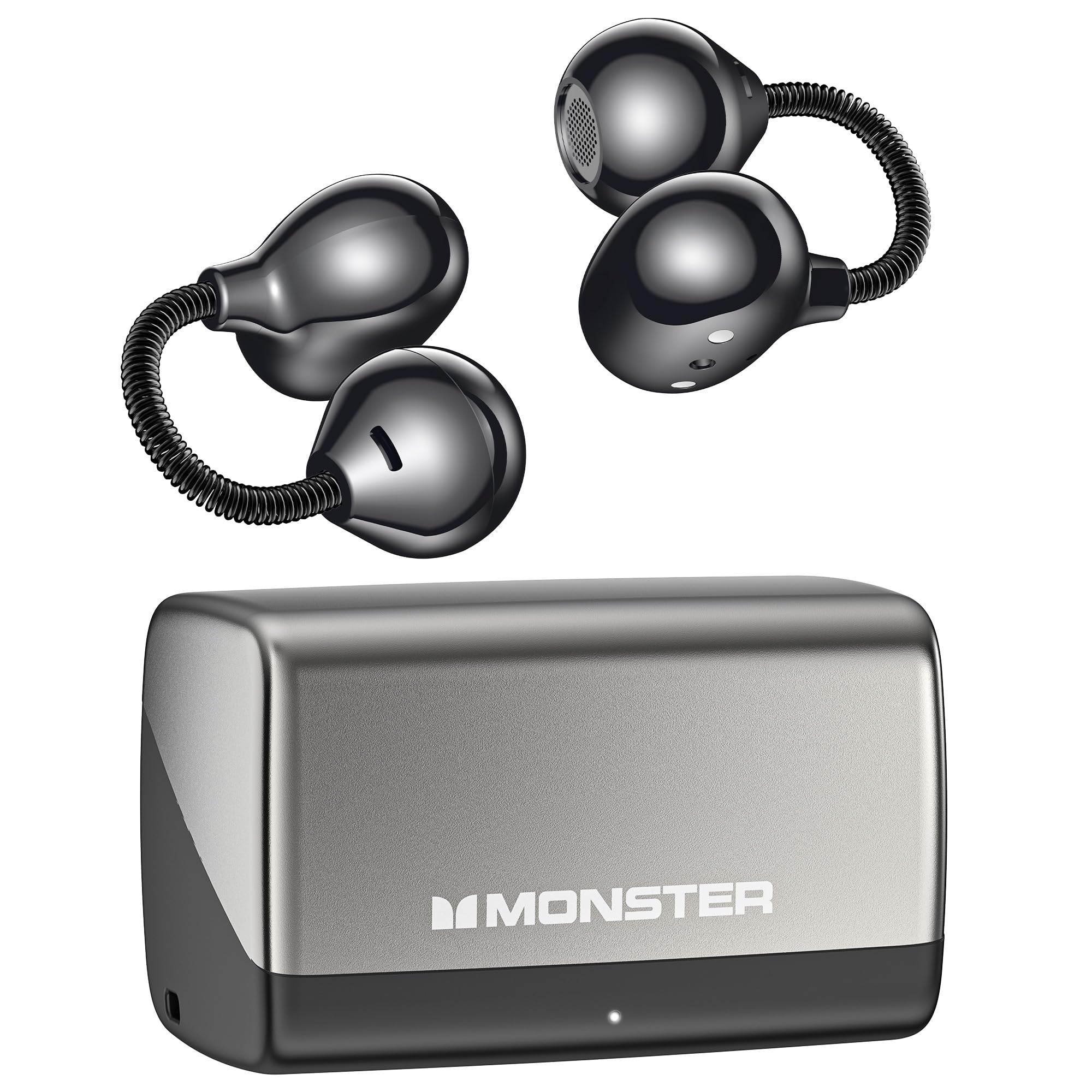
Image: Monster Airclip AC700 Wireless Earbuds and charging case. This image displays the earbuds and their charging case, providing a general view na samfurin sassan.

Hoto: Dalla-dalla view of the flexible, spring-loaded ear hook mechanism designed for a secure and adaptive fit.
Saita
1. Cajin Kayan kunne da Case
Kafin amfani da farko, cikakken cajin belun kunne da cajin caji.
- Sanya belun kunne a cikin cajin caji. Tabbatar sun zauna daidai.
- Haɗa kebul na caji na USB zuwa tashar caji da ke kan akwati da kuma zuwa tushen wuta (misali, adaftar bango na USB, tashar USB ta kwamfuta).
- Fitilun nuni da ke kan akwatin za su nuna yanayin caji. Duba akwatin don takamaiman tsarin haske.
- Da zarar an cika caji, cire haɗin kebul ɗin caji.

Image: The Monster Airclip AC700 earbuds and their charging case, highlighting the extended battery life of up to 32 hours with the case.
2. Haɗawa da Na'urar Bluetooth
The earbuds use Bluetooth 6.0 for efficient and stable connections.
- Open the charging case. The earbuds will automatically enter pairing mode, indicated by a flashing light (refer to specific light patterns in the quick start guide if available).
- On your device (phone, tablet, laptop), enable Bluetooth.
- Bincika available Bluetooth devices and select "Monster Airclip AC700" from the list.
- Once connected, the indicator light on the earbuds will change (e.g., stop flashing).
- Za a sake haɗa belun kunne na ƙarshe ta atomatik zuwa na'urar da aka haɗa ta ƙarshe idan an cire ta daga cikin akwatin, idan Bluetooth ya kunna a kan na'urar.
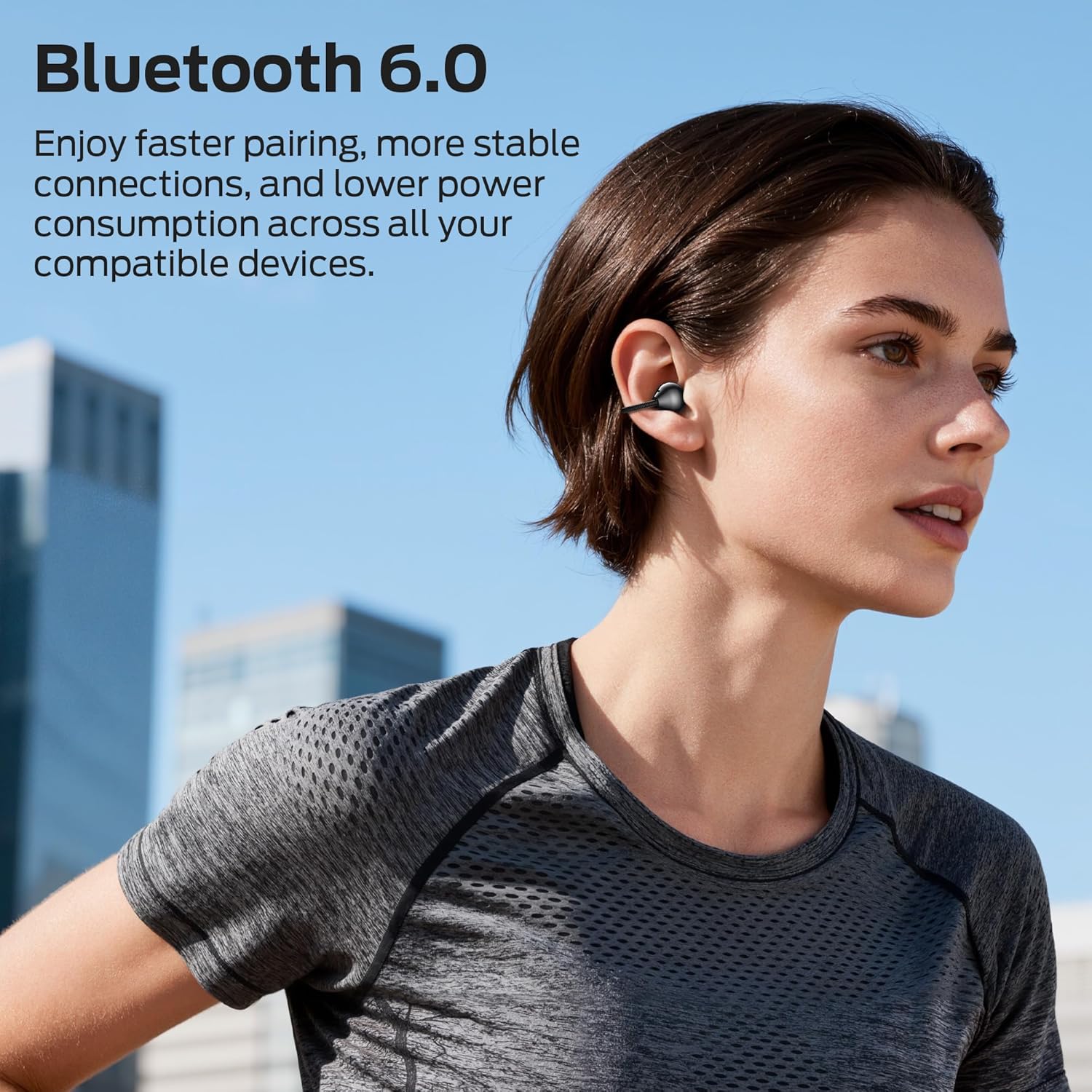
Image: A person wearing the Monster Airclip AC700 earbuds, demonstrating their use with Bluetooth 6.0 technology for stable connections.
Aiki da Kayan kunne
Saka abin kunne
The unique spring-loaded ear hook design adapts to your ear shape for a secure and comfortable fit.
- Gane belun kunne na hagu (L) da dama (R).
- Gently place the earbud over your ear, allowing the ear hook to rest securely around the back of your ear.
- Adjust for a snug and comfortable fit.

Image: Two people wearing the Monster Airclip AC700 earbuds, illustrating the lightweight and ergonomic design for comfortable extended wear.
Controls (Push Button)
The earbuds feature push-button controls for various functions:
- Kunna/Dakata: Single press the button on either earbud.
- Waƙa ta gaba: Double press the button on the right earbud.
- Tafiya ta baya: Double press the button on the left earbud.
- Amsa/Ƙarshen Kira: Single press the button on either earbud during an incoming call or active call.
- Karɓar Kira: Danna kuma riƙe maɓallin a kan kowane kunne na tsawon daƙiƙa 2 yayin kira mai shigowa.
- Kunna Mataimakin Murya: Triple press the button on either earbud.
Fadakarwa game da Yanayi
The open-ear design allows you to remain aware of your surroundings while listening to audio, enhancing safety in various environments.

Image: A user wearing the earbuds in an office setting, demonstrating the ambient awareness feature that allows connection to surroundings.
Clear Voice Capture
The integrated directional microphone is engineered to capture your voice clearly, making calls distinct and easy to understand.
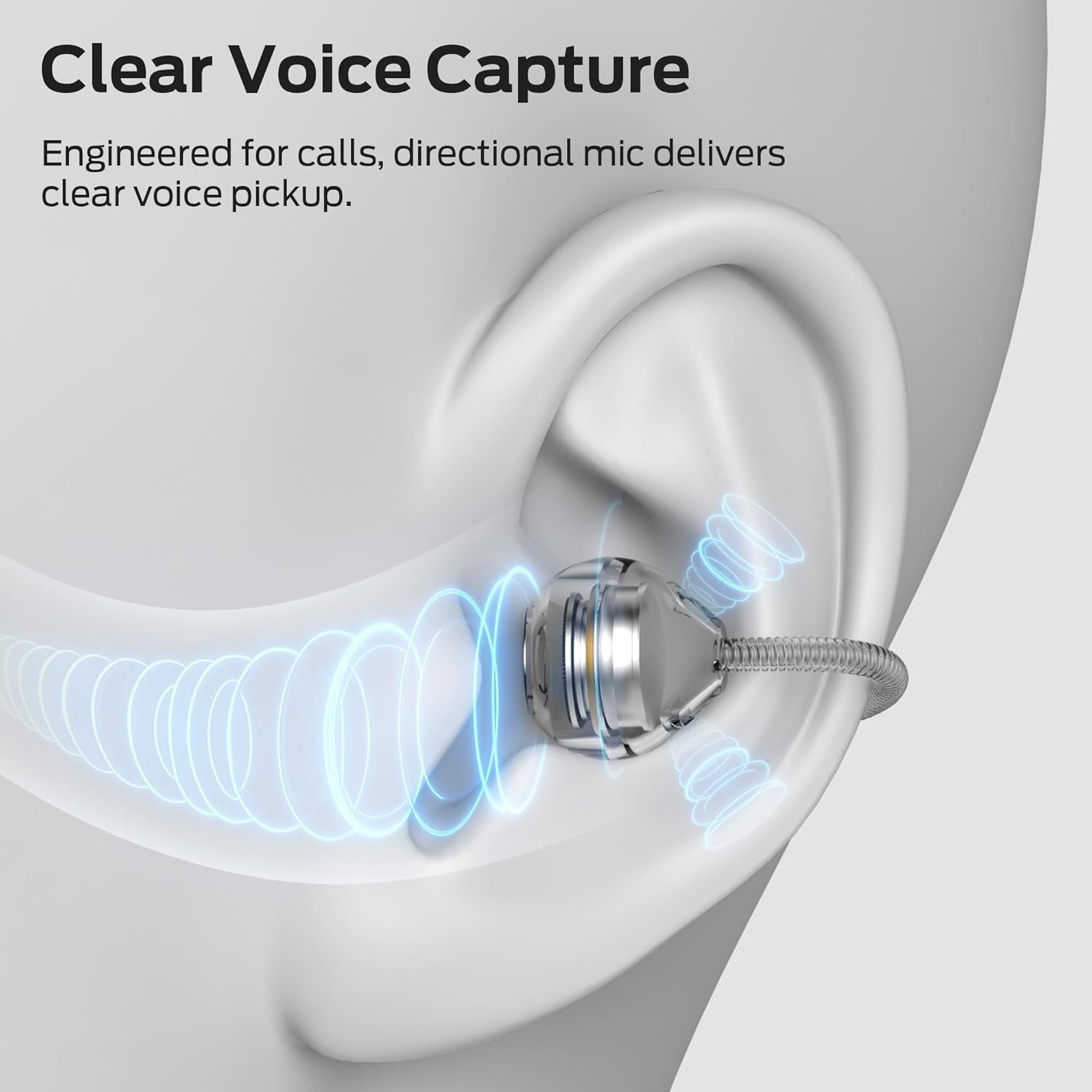
Image: An illustrative diagram depicting the directional microphone technology within the earbud for clear voice capture during calls.
Kulawa
Tsaftacewa
- A goge belun kunne da akwatin caji da kyalle mai laushi, busasshe, kuma mara lint.
- Kada a yi amfani da sinadarai masu tsauri, masu kaushi mai tsafta, ko kayan wanka masu ƙarfi.
- Guji samun danshi a cikin kowace buɗe ido.
Adana
- Lokacin da ba a amfani da su, adana belun kunne a cikin cajin cajin su don kare su da kiyaye su caji.
- Ajiye a wuri mai sanyi, bushe, nesa da matsanancin zafi da hasken rana kai tsaye.
Shirya matsala
Idan kun haɗu da batutuwa, gwada mafita masu zuwa:
- Earbuds not turning on: Tabbatar cewa belun kunne da akwatin caji sun cika caji.
- Ba za a iya haɗawa da na'ura ba:
- Tabbatar cewa an kunna Bluetooth akan na'urarka.
- Tabbatar cewa belun kunne suna cikin yanayin haɗin kai (fitilar fitillu suna walƙiya).
- Manta na'urar daga saitunan Bluetooth na wayarka kuma sake gwada haɗawa.
- Matsar da belun kunne kusa da na'urarka.
- No sound or intermittent sound:
- Bincika matakin ƙara akan na'urarka da belun kunne.
- Tabbatar an haɗa belun kunne da na'urarka da kyau.
- Try restarting your device and reconnecting the earbuds.
- Kunshin kunne ba ya caji:
- Tabbatar cewa an haɗa kebul ɗin caji amintacce zuwa duka akwati da tushen wutar lantarki.
- Verify that the charging contacts on the earbuds and in the case are clean and free of debris.
- Gwada kebul na caji daban ko adaftar wuta.
Ƙayyadaddun bayanai
| Sunan Samfura | E132 |
| Fasahar Haɗuwa | Bluetooth 6.0 |
| Wurin Kunne | Bude Kunne |
| Hanyar sarrafawa | Danna Maballin |
| Matsayin Juriya na Ruwa | Mai hana ruwa ruwa |
| Rayuwar Baturi (tare da akwati) | Har zuwa awanni 32 |
| Nauyin Abu | 2.46 oz |
| Kayan abu | Silikoni |
| Na'urori masu jituwa | Phones, Tablets, Laptops |
Bayanin Tsaro
- Do not expose earbuds or charging case to extreme temperatures, direct sunlight, or fire.
- Guji faduwa ko amfani da karfi da yawa ga samfurin.
- Ka kiyaye yara da dabbobin da ba za su iya isa ba.
- Kada kayi ƙoƙarin ƙwace ko gyara samfurin.
- Yi amfani da kebul ɗin caji kawai da aka bayar ko ingantaccen daidai.
- Tsawaita saurare a matakan girma na iya haifar da lalacewar ji.
Garanti da Taimako
Monster products come with a worry-free warranty. For warranty claims, technical support, or customer service inquiries, please refer to the contact information provided on the official Monster webshafin ko takardun sayan ku.


